|
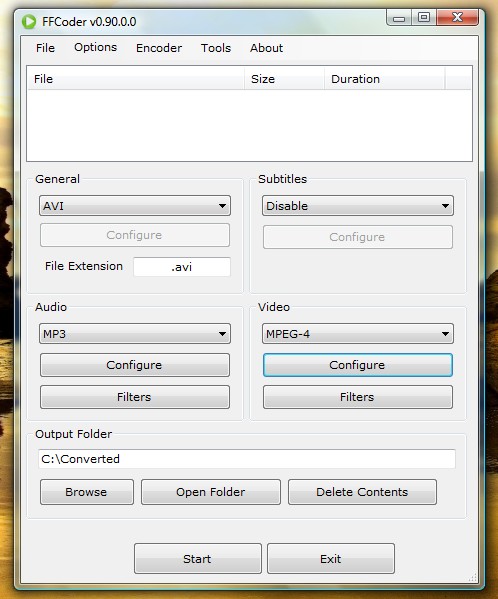
FFCoder is a .NET based audio/video converter, which is capable of transcoding audio and video files to various formats. It is a unified frontend for many freeware utilities such as FFmpeg, MPlayer and MEncoder.
FFCoder is a .NET based audio/video converter, which is capable of transcoding audio and video files to various formats. It is a unified frontend for many freeware utilities such as FFmpeg, MPlayer and MEncoder.
Features:
- Supports 11 command line encoders : ffmpeg, mencoder, ffmpeg2theora, x264, xvid_encraw, avs2avi, lame, faac, Nero AAC, OggEnc and WavPack. More will be added later.
Batch processing.
- Parallel processing (multiple files can be transcoded at same time).
- Advanced configuration options for all codecs.
- Supports 2-pass encoding with automated first pass.
- Encode video using vfw codecs such as VP6, VP7 and FFDShow (by using avs2avi).
- MeGUI presets can be imported for x264 and xvid encoding.
- Support for video filters provided by the encoder (such as mencoder’s filters)
- Input files can be avisynth scripts or any format supported by ffmpeg.
- For encoders such as x264_cli which support very few input formats, the video is decoded with ffmpeg and then piped to the encoder, on-the-fly.
- Tools – dump audio/video stream to file, create thumbnails/images in JPEG/BMP/PNG/TIFF format, rebuild file, etc.
Requirements:
Main Categories: DVD Conversion, MPEG-4 (ASF/WMV, QuickTime, Real, VC-1, H.264 ...)
Sub Categories:
- AVI To Other Format Conversion -> AVI to DivX/XviD Conversion
- AVI To Other Format Conversion -> AVI to MPEG-2 (SVCD, DVD) Conversion
- AVI To Other Format Conversion -> AVI to MPEG-4 (AVC, H.264) Conversion
- DVD Conversion -> DVD To AVI (DivX, XviD ...) Conversion
- DVD Conversion -> DVD To MPEG-2 (SVCD, MiniDVD) Conversion
- DVD Conversion -> DVD To MPEG-4 (AVC/H.264) Conversion
- DVD Conversion -> DVD to Other Format (Ogm, ASF/WMV) Conversion
- MKV Files
- MPEG-4 (ASF, WMV, QuickTime, AVC, VC-1, H.264 ...)
- Video Encoders -> MPEG-2 (SVCD, DVD) Encoders
- Video Encoders -> MPEG-4 (DivX, XviD, WMV, QuickTime, AVC, VC-1, H.264 ...) Encoders
- Video Frameserving
Input Files: AVI, DivX, H.264, MKV, MOV, MP4, MPG, VOB, WMV, Xvid
Output Files: AVI, DivX, H.264, MKV, Xvid
Windows XP/Windows Vista/Windows 7
Version 2.2 Beta
- Release Date: Feb 16, 2013
- Download(s):
- x264: high10, high422, high444 profiles added
- Fixed: Encoding fails if output format is MP4 and video codec is x264
- Fixed: Show warning if NeroAAC encoder is missing
- Fixed: X264: --qmin and --qmax defaults changed to 0 and 69
- Fixed: X264: --min-keyint changed to -1 (auto)
- Fixed: Changing frame rate does not work for x264 encoding
- Fixed: Highlight command-line in log window for mp4box
View complete revision history
|

|
Rate this software:
Your Rating:
You have not voted yet!
Average: 3.29/5
Total Ratings: 7
|

 Home
Home


 FFCoder_v2.2_2013-02-16_Full.7z