

 Home
HomePage 6 of 9: File Browser Section & Selecting Files
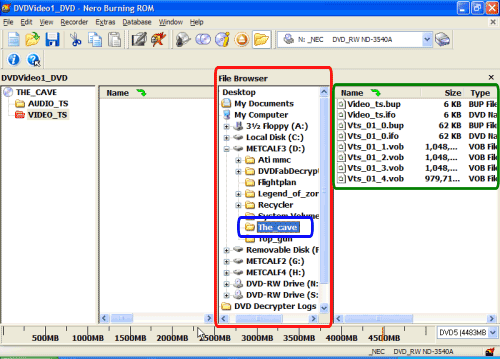
Now in the file browser window (red), navigate to where your files are for the movie you wish to burn (blue). After clicking the folder of your choice, the files located in that folder (which are the files you want to burn) will appear on the right hand side of that screen (green). (Screen Shot Below)
Now, right click on the first file on the right hand side, then left click on "Select All" (red). (Screen Shot Below)
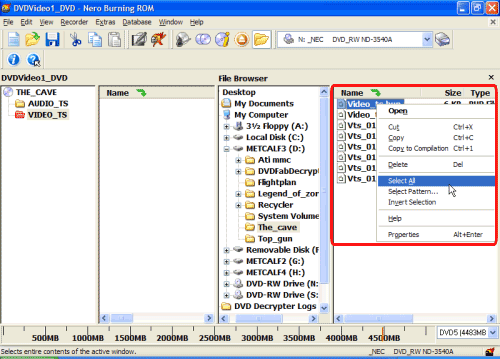
Now, right click on the first file on the right hand side, then left click on "Select All" (red). (Screen Shot Below)


