

 Home
HomePage 7 of 9: Highlight Files & Copy to Compilation
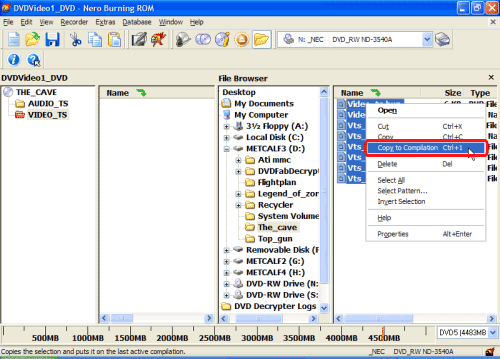
After clicking "Select All", they will all be highlighted. While they are all highlighted, right click on the first file again and left click on "Copy to Compilation" or press "Ctrl+1". (red). (Be careful not to deselect them, they should all be highted still even after you right click them.) (Screen Shot Below)
Now they should all be on the left hand (red) side as well as the right hand side (blue). (Screen Shot Below)
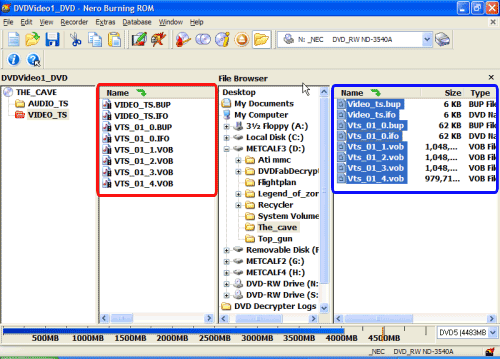
Now they should all be on the left hand (red) side as well as the right hand side (blue). (Screen Shot Below)


