Digital Digest -> Software ->

Movie Library ++

Keep videos organized and convert them to PSP, iPod, Flash, Xvid, H.264, MJPEG, Zune, wmv (PDA), DVD and 3GP(for mobile phones). Merge avi files and increase the volume of an avi or mp4.
Author/Publisher:
Language: English
Ease of use: Beginners
Latest Version: 5.1.1 (details)
OS Support: Windows XP Java Windows Vista
License: Freeware, $USD0.00
Last Updated:
Page Viewed: 14051 times

Links:

Download: Download page (English)   Download page (English)

Description:Downloads page, links and version info (changes) (English Installer)


Download: Direct link   Direct link

Description:(English)


Download: Direct link   Direct link

Description:(French)


Show All Downloads & Links (1 more)

Screenshots & Images:

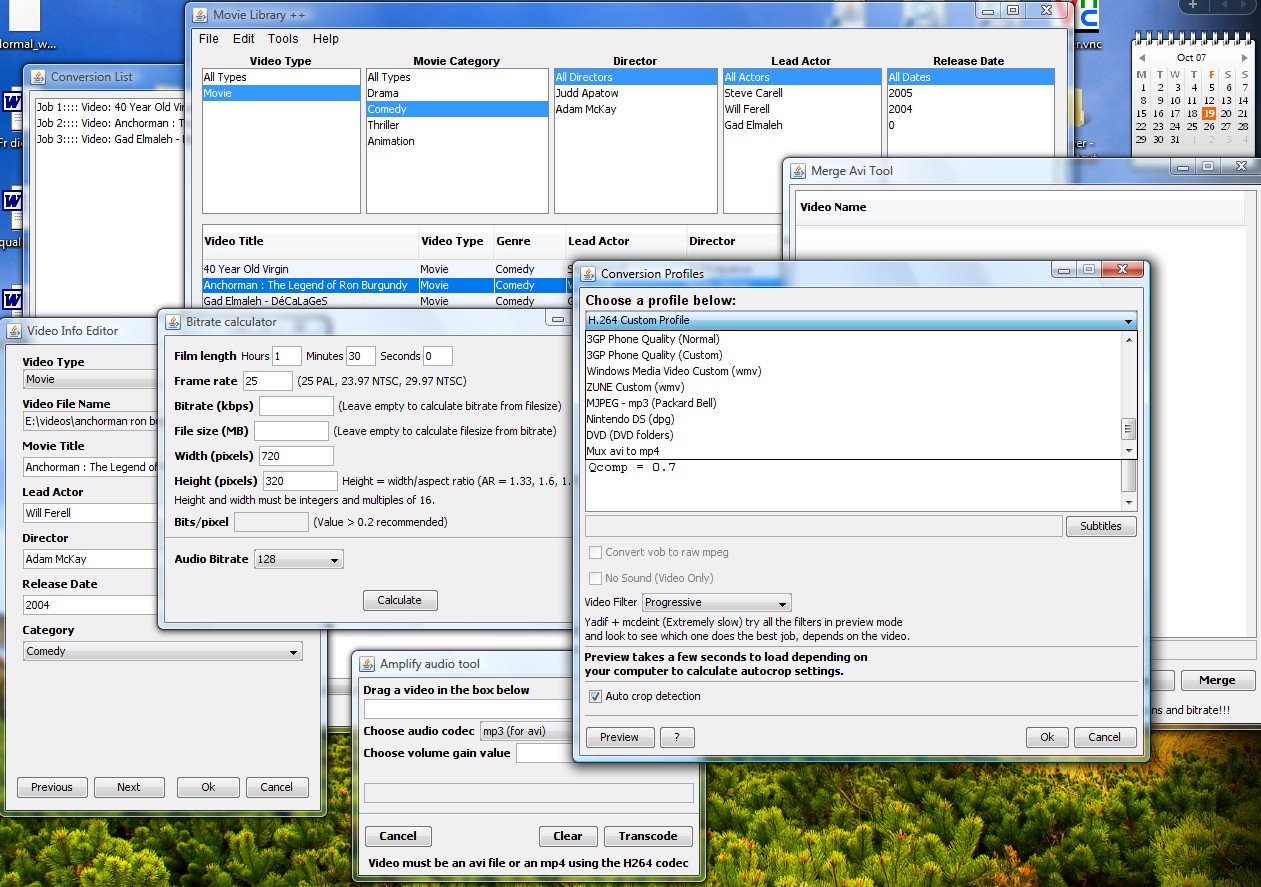
Main Program with the conversion profiles choice w
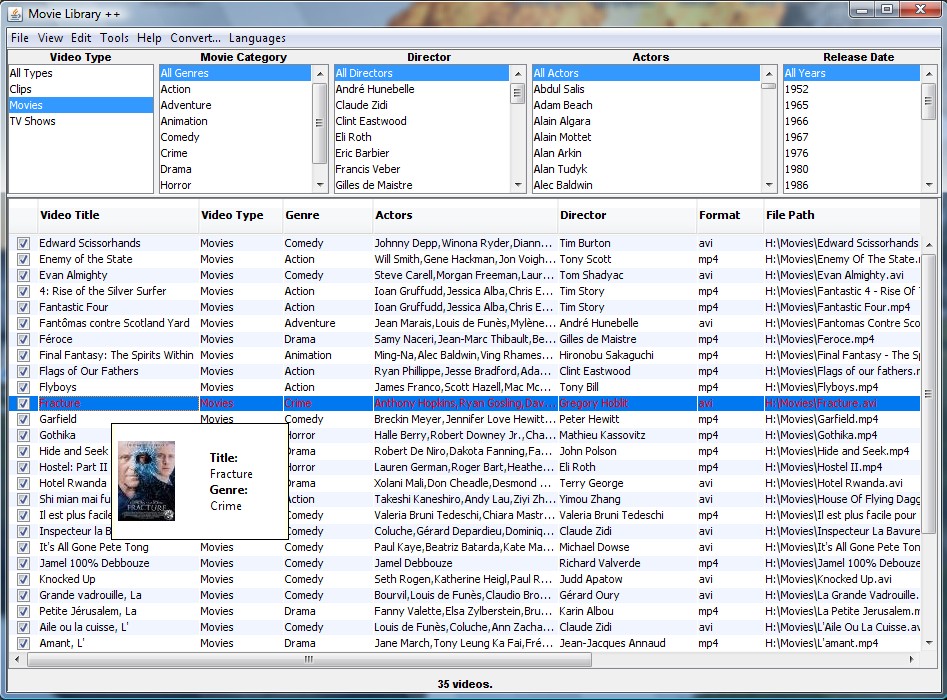
Explorer Screenshot (list view mode)
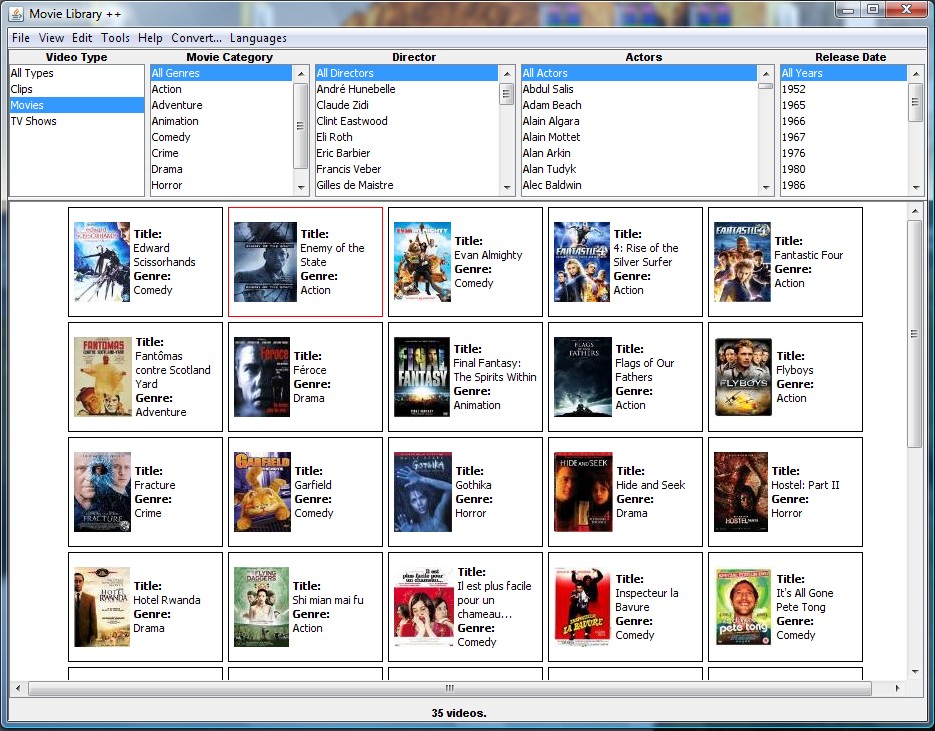
Explorer Screenshot (experimental grid view mode)
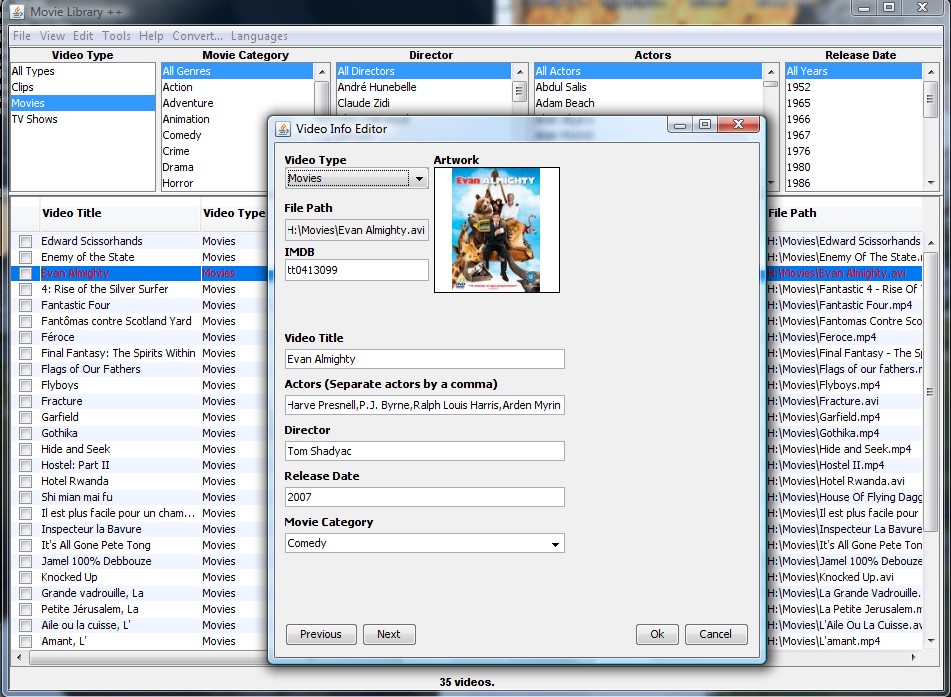
Tag editor box (including drag and drop of artwork
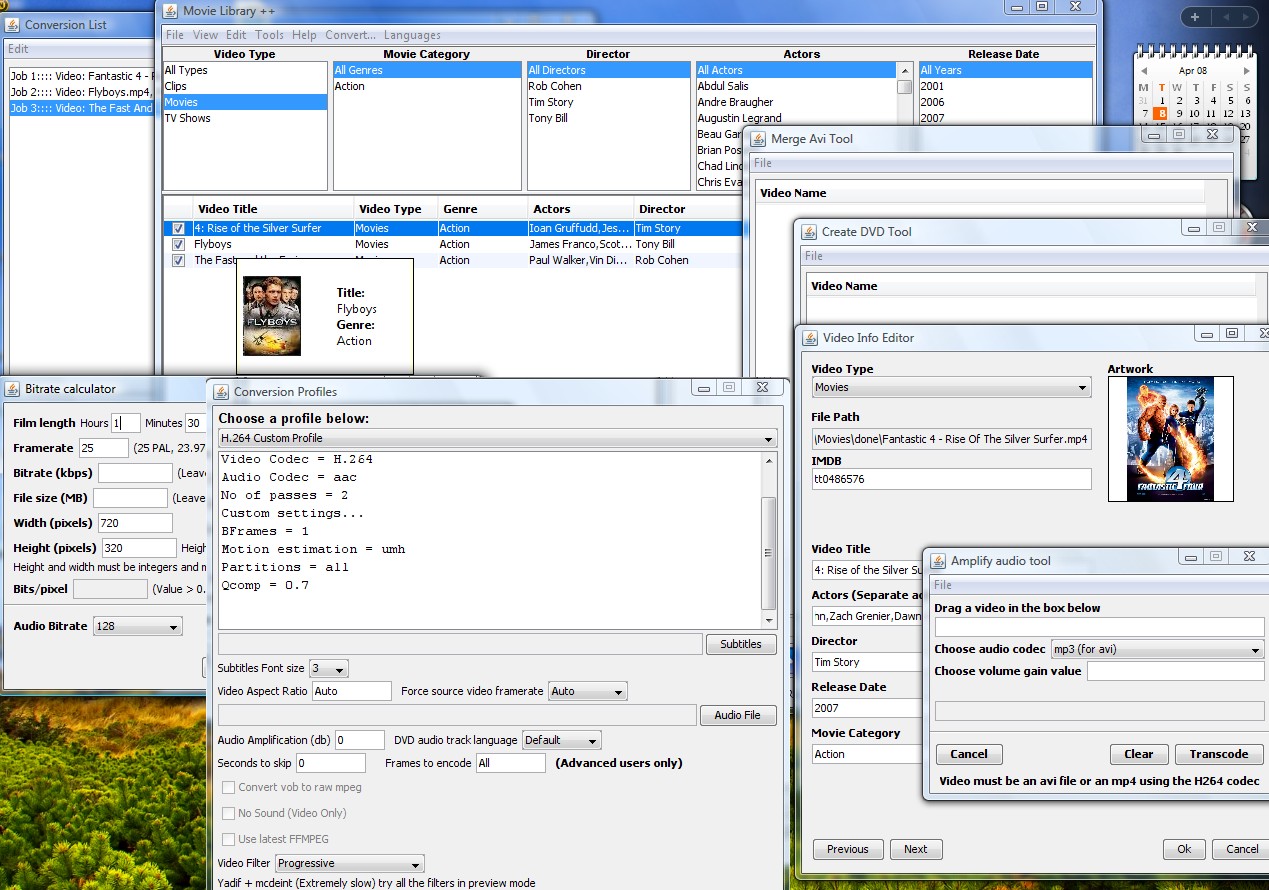
Screenshot of all the tools and windows

Description:

Advanced Movie Library application which retrieves information for the Movies, TV Shows imported from the online database and fills in the information for you, you can save it to the meta data for mp4 files to be recognized by itunes, quicktime...or save it to the Movie Library only. Convert DVDs and almost any video to PSP, iPod, Xvid, H.264, Flash (for you website), 3GP (for you mobile phone) and hard encode subtitles to your videos for the DVD forced subtitles, and you can use the bitrate calculator, merge videos tool and audio amplifying tool to solve or help with small video tasks. Now in the new version, added functionalities (more options for sound...), customizable profiles for almost all video types. PSP H.264, iPod H.264, MJPEG, Windows Media (wmv) and Microsoft Zune profiles, output to DVD and soon Nintendo DS. Customizable batch conversion also now available.


Categories:

Supported File Formats:

Input Files: 3GP, AAC, AC3, ASF, AVC, AVI, AVS, Blu-ray, DivX, DTS, DV, DVB, DVD, FLV, H.264, MKV, MOV, MP3, MP4, MPG, SRT, SUB, TS, VC-1, VOB, WAV, WMA, WMV, Xvid
Output Files: 3GP, AAC, AC3, AVC, AVI, DVD, FLV, H.264, IFO/BUP, MOV, MP3, MP4, MPG, OGG/OGM, SWF, VOB, WAV, WMA, WMV, Xvid

OS Compatibility:

Windows XP/Java/Windows Vista

Revision History:

Version 5.1.1
  • Release Date: Apr 8, 2008
  • Added artwork (drag and drop picture files (jpg, gif, png) or pictures straight of webpages into the artwork square in multi selection or single selection editors. Artwork saved to the library as a png format and shown in a tool tip in the table (when you move your mouse over a video). The artwork can also be saved into the metadata of mp4 as part of the save mp4 metadata function.
  • Improved H264 custom profile: more video codec options, better quality, faster encoding of first pass without any loss of quality.
  • Made a quicktime compatible/incompatible option for those of us who don't care about quicktime as it is a rubbish video player anyway. If you don't restrain your video to be quicktime compatible you can have better settings for better quality. Not many players support more than 1 B-Frame and avi does not support it either so be careful when selecting your options. SMPlayer (MPlayer) supports multiple B-Frames, VLC seems to have problems with it.
  • Fixed the option for adding multiple jobs while a video is beeing encoded.
  • Fixed the delete all jobs option while a video is being encoded.
  • Fixed delete checked items (IDs not reset properly, now ok).
  • Tool tip over a video in the table shows the artwork.
  • Multiple enable/disable converting jobs option. Select more than one job by holding "ctrl" or "shift".
  • Started work on enabling Podcasts (including subscription, download...).
  • Improved the artwork efficiency.
  • Added a grid view mode (experimental, only for viewing at the moment).
  • Added an integrated mplayer navigation panel for playing videos directly without wasting memory using another third party video player.
View complete revision history

Rate this software:

Your Rating:
You have not voted yet!

Average: 3.88/5
Total Ratings: 9


Features

H.264 Zone: H.264 news, articles and downloads


Software Submissions