

 Home
Home


Page 1 of 2: Using VirtualDubMod - Joining AVI Files
Software you will need:
VirtualDubMod
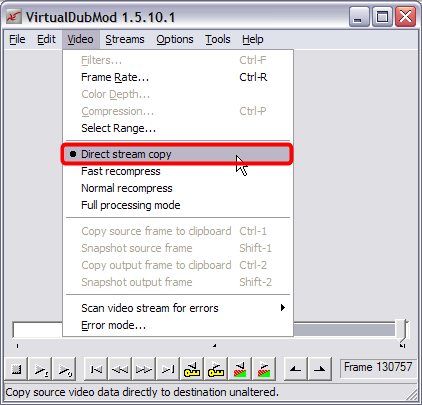
Start up VirtualDubMod, click "Video" at the top and then click "Direct stream copy". (Screen Shot Below)
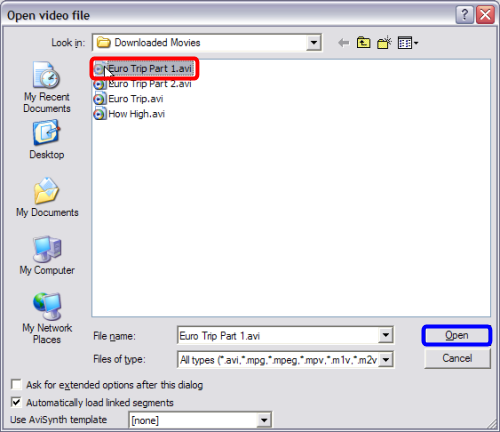
Now go ahead and click "File" at the top, then "Open video file..." and select your first .avi file you wish to join (red) and then click the "Open" button (blue). (Click "NO" if it asks you if you want to rewrite the header) (Screen Shot Below)
VirtualDubMod
Start up VirtualDubMod, click "Video" at the top and then click "Direct stream copy". (Screen Shot Below)
Now go ahead and click "File" at the top, then "Open video file..." and select your first .avi file you wish to join (red) and then click the "Open" button (blue). (Click "NO" if it asks you if you want to rewrite the header) (Screen Shot Below)
1 2 
