

 Home
HomePage 4 of 6: Using NeroVision Express - Making a DVD with Menus
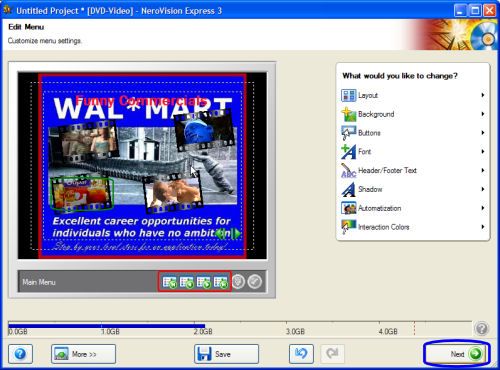
After selecting how you want it to look, you are taking to a screen where you can configure each menu screen separately by clicking the green arrows (red). (As you can see I changed my a tad bit. lol)
HINT: Right click on the video clip preview buttons (green) and you can also left click the buttons, hold and drag them where you want (green). When your done, click Next (blue) (Screen Shot Below)
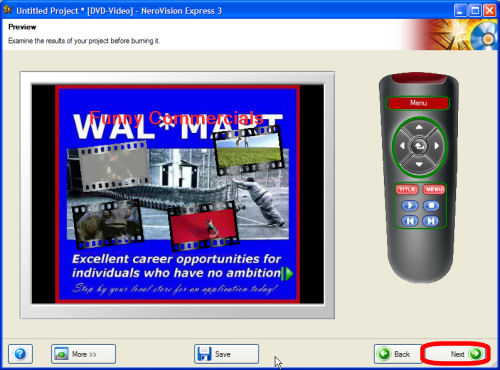
Here you can actually test it out before you burn it. See what button on your remote would do what and how you would interact with the menu itself. Just click the buttons on the remote picture to see what they would do (green). Click Next when your done (red). (Screen Shot Below)
HINT: Right click on the video clip preview buttons (green) and you can also left click the buttons, hold and drag them where you want (green). When your done, click Next (blue) (Screen Shot Below)
Here you can actually test it out before you burn it. See what button on your remote would do what and how you would interact with the menu itself. Just click the buttons on the remote picture to see what they would do (green). Click Next when your done (red). (Screen Shot Below)


