

 Home
HomePage 2 of 6: Convert any video file to a 3GP file for your mobile phone using Super
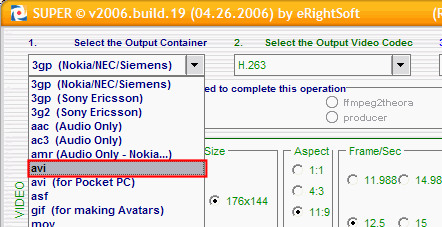
In the first box, go ahead and change it to your phone brand. If you know for sure your phone plays 3gp video files and its not listed. Select "3gp Nokia/NEC/Siemens" (red). It will work for most phones. [Screen Shot Below]
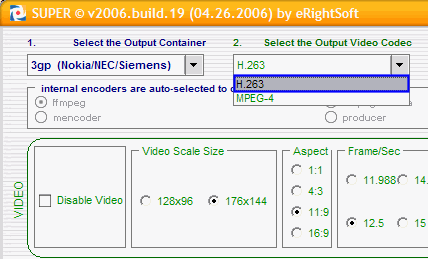
Now lets move to the "Output Video Codec" box and change it to "H.263" (blue). Although, it should automatically set it to that for you when you pick "3gp Nokia/NEC/Siemens". [Screen Shot Below]
Now lets move to the "Output Video Codec" box and change it to "H.263" (blue). Although, it should automatically set it to that for you when you pick "3gp Nokia/NEC/Siemens". [Screen Shot Below]


