|
Simple and easy to use GUI -> | IPOD | PSP | PS3 | XBOX360 | PC |
Simple and easy to use GUI -> | IPOD | PSP | PS3 | XBOX360 | PC |
This small .exe written in Delphi is specially for people looking for something simple without exotic filters and unnecessary settings.
Main Categories: AVI (DivX, Xvid ...), MPEG-4 (ASF/WMV, QuickTime, Real, VC-1, H.264 ...)
Sub Categories:
- AVI To Other Format Conversion -> AVI to MPEG-4 (AVC, H.264) Conversion
- MPEG-4 (ASF, WMV, QuickTime, AVC, VC-1, H.264 ...)
- Portable/Handheld (iPod, PSP, Zune, iPhone ...)
- Video Encoders -> MPEG-4 (DivX, XviD, WMV, QuickTime, AVC, VC-1, H.264 ...) Encoders
Input Files: AVI, MP4, MPG
Output Files: H.264, MP4
Windows XP/Windows Vista/Windows 7
Version 1.25.0
- Release Date: Jan 4, 2020
- Download(s):
-
- Added: EncodingClient combines chunks with output file on fly as soon as they are encoded in correct order
- Added: Option in EncodingClient to suspend jobless server
- Added: Option in EncodingClient to shutdown server at IDLE state
- Added: Audio profiles in ProfileAudio.txt
- Added: Variable priority mode to EncodingServer.
- In this mode EncodingClient will be automatically changing encoding priority in order to balance progress on multiple servers running on the same machine.
- Added: EncodingClient now also shows encoding priority set on server side ,selected encoding numa node and communication delay.
- Added: Support for GPU decoding via lsmash plugin
- Added: HDR HLG support
- Changed: DGHable tonemapper to BT2446. Furthermore BT2446 has been configured to emulate MadVR's tonemapping.
- Changed: lsmash is now a default decoder for all formats.
- Fixed: EncodingClient is now copying file to shared folder in buffered mode.
- Windows disables buffered write if write buffer in application is higher than 16MiB.
- Because of this write buffer has been reduced from 64MiB to 16MiB.
- Buffered write significantly reduces copy time on machine with huge amount of RAM.
- Fixed: Excessive flickering of encoding status in EncodingClient
- Fixed: EncodingServer not starting on some Xeon machines with high number of threads.
- Fixed: Few minor bugs found since last version.
View complete revision history
|

|
Rate this software:
Your Rating:
You have not voted yet!
Average: 3.96/5
Total Ratings: 24
|
|
|
| |
|
|
|
|

 Home
Home


 RipBot264v1.25.0.7z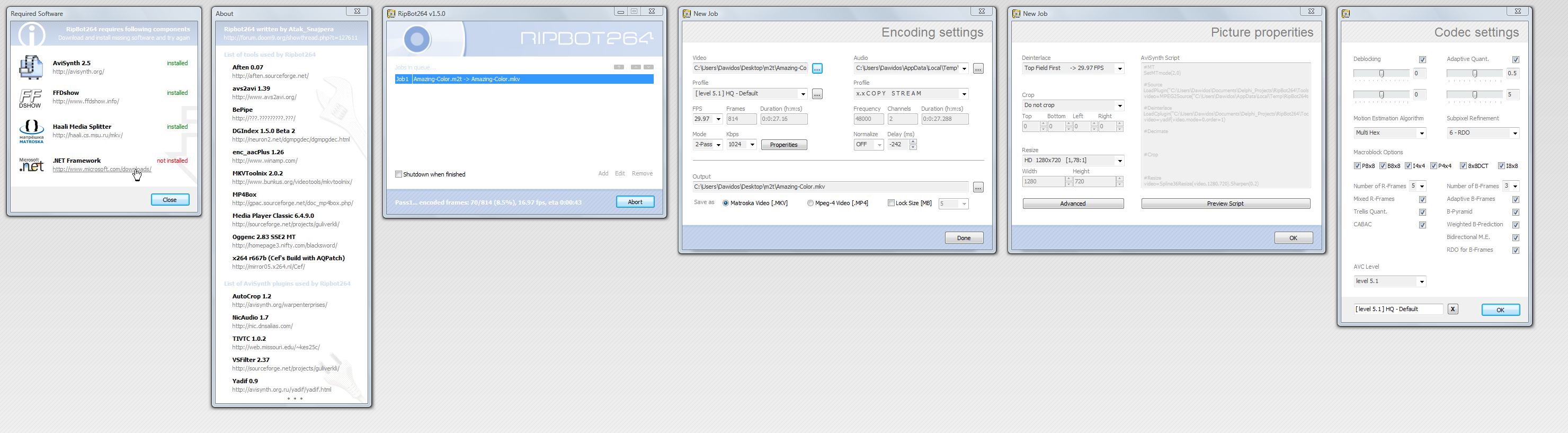

 RipBot264 PS3, Xbox 360 H.264 Encoding Guide