|
DIKO is a one click DivX/XVid to DVD/SVCD conversion tool. It works with many other softwares to achieve the best quality and efficiency possible in this conversion.
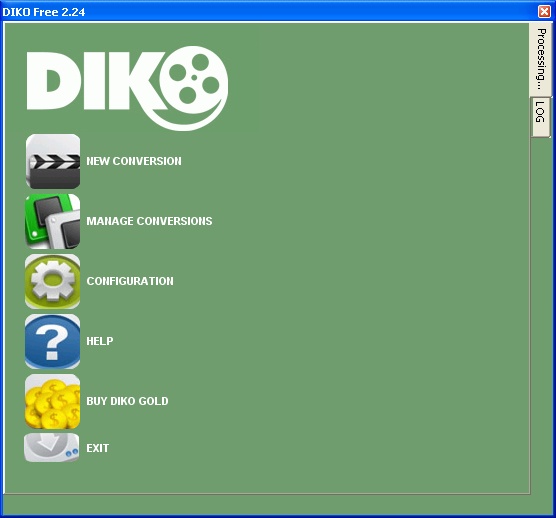
Main Screen |
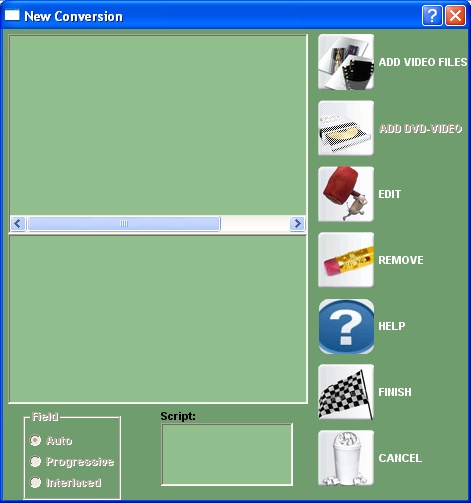
New Conversion |
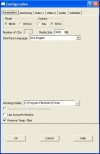
Configuration Screen |
DIKO is a one click DivX/XVid to DVD/SVCD conversion tool. It works with many other softwares to achieve the best quality and efficiency possible in this conversion.
Features:
- Encoding via One Pass VBR Size prediction fully integrated, using CinemaCraft Encoder 2.66 or 2.67, ou using 1 or 2 Pass VBR throught Nic’s free encoder QuEnc (bundled in DIKO installation package).
- Does automatically all bitrate calculation needed.
- Convert audio to 48000/44100 automatically if needed.
- Do automatically framerate conversions from 23.976 to 25 fps and 25 fps to 23.976, including audio and subtitles. This feature also works with 5.1 audio.
- Automatic authoring with user-created menu via linux ported DVDAuthor or leave video audio and subs ready to be imported to other authoring packages.
- Automatic DVD image creating via MKISOFS and burning via DVDDecrypter if dvdauthor authoring is selected.
- Creates switchable subtitles from commom srt and sub files.
- Join subtitles for originally 2-CD DivX movies on the fly.
- Stops if Q Factor is too low (over 40), avoiding bad quality encodes.
- Automatically checks and fixes AC3 errors via AC3FIX
- Enables pulldown flag via Pulldown.exe automatically.
- It can fully work in background.
- Do AC3 encoding via SoftEncode or MP2 encoding via BeSweet
- Full avisynth script support, comes with latest Dialhot Script V4 for DivX.
- Takes care of the annoying Softencode dying bug.
- Crash Recovey
- Available in many languages, including: Brazilian Portuguese, Catalan, Danish, Dutch, Finnish, French, German, Hebrew, Italian, Polish, Speanish, Swedish.
- Automatically splits in two CDs if needed via Kwag's DIKuncizer.
- Can makes a KDVD/KSVCD out of DivX using only Freeware.
- Best Resolution Finder: Finds the resolution more suitable taking source and media space in consideration (only available using with CCE SP)
- Supports SVCD/CVD/Fixed subs in KSVCD mode
- DVD support via D2V
This software has the following sub editions:
DIKO<==
Input Files: AVI, DivX, Xvid
Output Files: DVD, SVCD
Windows 2000/Windows XP
Version 2.47
- Release Date: Mar 21, 2009
- Download(s):
- DVDStyler (finally) updated to 1.7.1 (official build!)
- AVI files can be opened with Directshow source (weiguo)
- Fixed: Could not read first VOB persistent error (Big thanks to Douwe vos for all tests)
View complete revision history
|

|
Rate this software:
Your Rating:
You have not voted yet!
Average: 3.30/5
Total Ratings: 54
|
|
|
| |
|
|
|
|

 Home
Home


 DIKOSetup247.exe