News Articles
Movies Software
DivX, XviD, DVD Subtitles Forum
DigiWiki Codecs

Username:
Password:  
Remember Login?
Sign Up
 

Software - > WinMPG Video Convert

Screenshot
Enlarge Image Enlarge Image: Screenshot

Downloads


Join Our Newsletter
Title: WinMPG Video Convert
Author/Publisher: Direct-Soft Inc. (details)
Ease of use: Not Rated
Latest Version: 7.6.0 (details)
OS Support: Windows 98 Windows Me Windows 2000 Windows XP Windows 2003 Other
License: Shareware, $USD30.00
Date Added: Aug 17, 2006
Last Updated: Jun 20, 2008
Page Viewed: 12897 times

  Email Updates
email me whenever this software gets updated

Send to Friend   Send to Friend

User Rating:
(4 votes)
Details / Vote Now
User Comments:
nekrozontanoi: auto einai oti psaxno sas euxaristo...
More / Post Your Comments

Summary Links Images Ratings History Tools

Categories:

Supported File Formats:

Input Files: 3GP, AAC, AC3, ASF, AVI, DivX, DTS, DV, DVD, H.264, MOV, MP2, MP3, MP4, MPG, RM/RMVB, SVCD, SWF, VCD, VOB, WAV, WMA, WMV, XviD
Output Files: ASF, AVI, DivX, DVD, H.264, MP2, MP3, MP4, MPG, SVCD, VCD, WMV, XviD

Description:

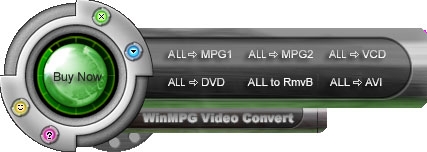
WinMPG Video Convert is a complete solution for video file conversion.It supports convert AVI to Mpeg1, AVI to Mpeg2, AVI to DVD, AVI toVCD, AVI to SVCD. And also RMVB to MPEG-1,MPEG-2,VCD,DVD,SVCD,AVI.And all media file to DivX, RMVB, WMV. And all to AVI. WinMPG Video Convert supports almost all media file format, include AVI, Mpeg-1, Mpeg-2, Mpeg-4, VCD, SVCD, DVD, DivX, ASF, WMV, RMVB, RM, QuickTime MOV MP4,and Flash SWF.

Revision History:

Version 7.6.0
  • Release Date: Jun 20, 2008
  • WinMPG Video Convert V7.6 has been added the function of "Batch convert" that you can may convert more than one video or audio. It is convenient for users, and they did not need to convert the file one by one.
  • Example: convert two files to AVI: First, open the WinMPG Video Convert, select the "ALL -> AVI" in the interface and select the format. Second, you will find the button with "Add to batch", please add a file then click "Add to batch". Third, the "Batch Convert" would be popped up, and you can find "Task 001" would be added. After doing this, you can add another file to "input file" than click "Add to batch", "Task 002" would be added to "Batch Convert". Click "Convert" in the "Batch Convert" windows. It is ok, just need to wait.
View complete revision history

Downloads:

Download: WinMPG_VideoConvert.zip Title: WinMPG_VideoConvert.zip
Link: Download
Size: 4.61 MB

Description: Download WinMPG Video Convert


User Rating:

  Average Rating: Your Rating:
Registered Users: (4 votes)
Non-Registered Users: (10 votes)

User Comments:

Sorry, but you must be logged in to use this feature.

Please note that the forum has a separate login/registration system. You will need to sign up and login to the forum separately.

Username:
Password:
Remember Login?
 

Don't have an account? Sign up here
Lost your login/password?
Top 10

Software Submissions