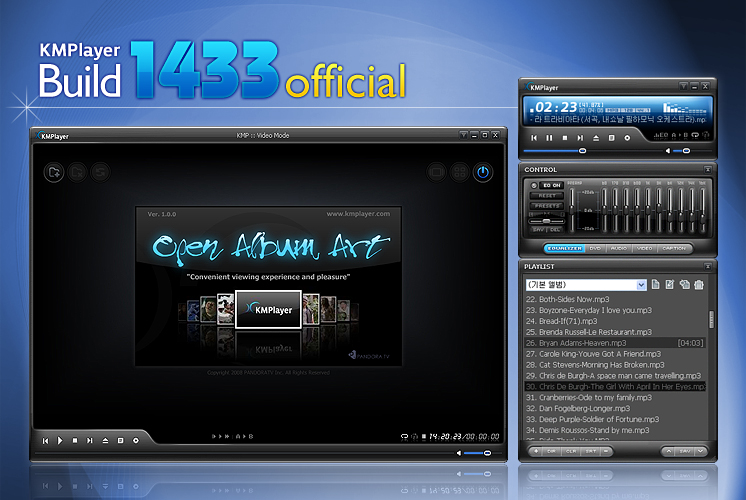
Software - > The KMPlayer

Main Screen
Enlarge Image Enlarge Image: Main Screen

Downloads


Join Our Newsletter
Title: The KMPlayer
Author/Publisher: Official Website
Ease of use: Not Rated
Latest Version: 2.9.3.1434 (details)
OS Support: Windows 2000 Windows XP Windows Vista
License: Freeware
Date Added: Mar 16, 2006
Last Updated: Dec 22, 2008
Page Viewed: 56074 times

  Email Updates
email me whenever this software gets updated

Send to Friend   Send to Friend

User Rating:
(10 votes)
Details / Vote Now
User Comments:
tatama: yeah this is wonderfull software...
More / Post Your Comments

Summary Links Images Ratings History Tools

Categories:

Supported File Formats:

Input Files: AAC, AC3, ASF, AVI, BMP, DVD, FLC, GIF, JPG, MKV, MOV, MP4, MPG, OGG/OGM, PNG, RM/RMVB, SVCD, VCD, WAV

Description:

KMPlayer is a multimedia player that supports various formats including DVD playback, QuickTime/Real playback, video/audio filters, subtitles, zooming, video capture card support, streaming and more...

The full KMPlayer feature list can be viewed here.

Useful Tip:

Having trouble playing DivX or XviD movie files?

Visit Digital Digest's DivX and XviD section for news, guides and downloads (DivX Codec, XviD Codec downloads).

Revision History:

Version 2.9.3.1434
  • Release Date: Dec 22, 2008
  • [ The KMPlayer General ]
    • New Codecs have been updated
    • The two simultaneous [Default] albums created in the Playlist fixed
    • Support for 5 buttons mouse (back/forward) => Preferences (F2) -> General -> Keyboard/Mouse -> Click on 1st X-button & Click on 2nd X-button
    • Reduce KMPlayer.exe binary size.
    • Default Preference value adjusted: Main Menu -> Options -> [Advanced Menu] Off
    • Default preference value adjusted: General -> Repeat/Playlist -> [Playlist] tab -> [v] Clear default playlist items on exit. Checked.
    • Incremental "Audio Volume" function added. (Preferences (F2) -> Audio Processing -> Volume -> Volume Steps
    • New icon added.
  • [ Open Album Art upgrade ]
    • Improved thumbnail extraction speed.
    • Unicode Supported.
    • Removal of empty folder when removing movie file. (Registry Option)
    • If ThumbnailStoreType is set at a value other than 0, then improper play of videos solved
    • Audio file indication option added
    • Thumbnail error fixed
    • Deletion of *.jpg File when deleting file from registry’s thumbnail extraction pass
    • Deletion of empty folder when deleting a file
    • Removal of list in BlackList.txt when removing movie file.
    • Open album target pass via search engine added
    • Audio file image included
    • Readjust the horizontal size the album tab located at the top
    • Christmas & New year Skin
View complete revision history

Downloads:

Download: The_KMPlayer_1434.exe Title: The_KMPlayer_1434.exe
Link: Download
Size: 11.93 MB

Description: Download KMPlayer (latest beta version, 2.9.3.1434)


Download: Official Download Page Title: Official Download Page
Link: Download

Description: Download KMPlayer from the official site


Download: kmp.zip Title: kmp.zip
Link: Download
Size: 16.86 MB

Description: Download KMPlayer (latest stable version, 2.9.3.1428)


User Rating:

  Average Rating: Your Rating:
Registered Users: (10 votes)
Non-Registered Users: (57 votes)

User Comments:

Sorry, but you must be logged in to use this feature.

Please note that the forum has a separate login/registration system. You will need to sign up and login to the forum separately.

Username:
Password:
Remember Login?
 

Don't have an account? Sign up here
Lost your login/password?
Top 10
Features

H.264 Zone: H.264 news, articles and downloads


Software Submissions