|
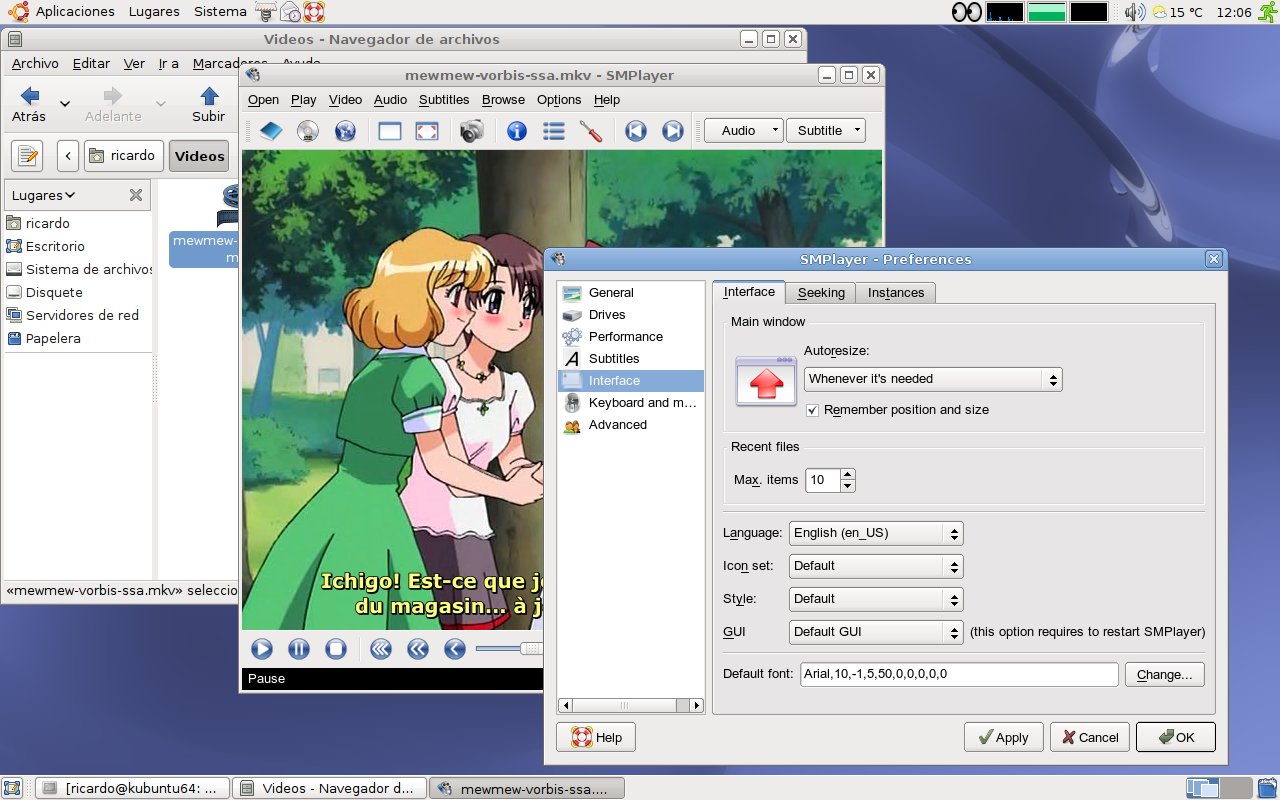
SMPlayer intends to be a complete front-end for MPlayer, from basic features like playing videos, DVDs, and VCDs to more advanced features like support for MPlayer filters and more.
SMPlayer intends to be a complete front-end for MPlayer, from basic features like playing videos, DVDs, and VCDs to more advanced features like support for MPlayer filters and more.
One of the most interesting features of SMPlayer: it remembers the settings of all files you play. So you start to watch a movie but you have to leave... don't worry, when you open that movie again it will resume at the same point you left it, and with the same settings: audio track, subtitles, volume...
Other additional interesting features:
- Configurable subtitles. You can choose font and size, and even
colors for the subtitles.
- Audio track switching. You can choose the audio track you want
to listen. Works with avi and mkv. And of course with DVDs.
- Seeking by mouse wheel. You can use your mouse wheel to go forward
or backward in the video.
- Video equalizer, allows you to adjust the brightness, contrast, hue,
saturation and gamma of the video image.
- Multiple speed playback. You can play at 2X, 4X... and even in
slow motion.
- Filters. Several filters are available: deinterlace, postprocessing,
denoise... and even a karaoke filter (voice removal).
- Audio and subtitles delay adjustment. Allows you to sync audio and
subtitles.
- Advanced options, such as selecting a demuxer or video &
audio codecs.
- Playlist. Allows you to enqueue several files to be played one after
each other. Autorepeat and shuffle supported too.
- Preferences dialog. You can easily configure every option of SMPlayer
by using a nice preferences dialog.
- Translations: currently SMPlayer is translated into more than 20
languages, including Spanish, German, French, Italian, Russian, Chinese,
Japanese....
- It's multiplatform. Binaries available for Windows and Linux.
- SMPlayer is under the GPL license.
Main Categories: AVI (DivX, Xvid ...), High Definition (Blu-ray, HD DVD, HDTV), Linux/Unix, MPEG-4 (ASF/WMV, QuickTime, Real, VC-1, H.264 ...), Play
Sub Categories:
Input Files: AVI, DivX, H.264, MOV, MP4, MPG, OGG/OGM, RM/RMVB, VOB, Xvid
Windows XP/Linux/Unix/Windows Vista
|

|
Rate this software:
Your Rating:
You have not voted yet!
Average: 4.19/5
Total Ratings: 29
|

 Home
Home


 smplayer-19.10.0-x64.exe