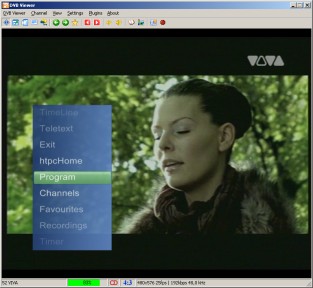
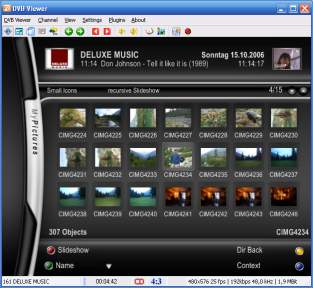
DVBViewer allows you to experience Digital TV on your PC. With a proper DVB card you can enter the world of digital entertainment and experience high quality, incredibly sharp TV pictures and near CD quality radio!
What is it? DVBViewer allows you to experience Digital TV on your PC.
With a proper DVB card you can enter the world
of digital entertainment and experience high quality, incredibly
sharp TV pictures and near CD quality radio!
What features does DVBViewer provide? It provides all basic functions you need to enjoy digital
television and radio programs. In addition, DVBViewer offers you
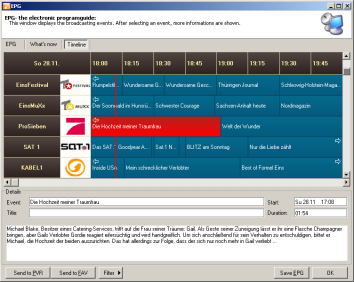
a wide range of advanced features such as Teletext, Electronic
Programming Guide, Remote Control support and enhanced recording
capabilities which enable you to record your favourite shows on
hard-disc, edit them or share them with your friends.
Which features make it unique?
DVBViewer contains functions which are groundbreaking : It was
the first program with a so called DesktopTV mode and in its category
the only product which offers AC-3 and Timeshifting features.
It is even possible to handle more than one DVB device at the same time.
Further on the multimedia skills of the DVBViewer do not need to hide
behind other mediacenters. From playing multimedia contents up to receiving
RSS newsfeeds, weather data, everything is possible.
What are the differences between the Technisat Edition and
the proversion? There are various features, which are only available in the
proversion. A few examples, could be found here.
Fix: Hardware: Switching between the DVB-S2/T2/C reception types with the TBS 5580 USB box did not work.
Fix: Hardware: Auto-detection of DVB-T2 and additional DVB-T2 (MPLP) sub-streams on a channel search and reception of other than the first DVB-T2 sub-stream did not work with TBS devices.
Added: General: Basic support for the Chinese video format AVS (including AVS+ and AVS2) and the audio format DRA, so that channels that are using these formats can be found with a channel search, received and recorded, but not played yet (see here).
Change: Picture in Picture: Enhanced resize handling of the separate PiP Window if it sticks to one of the screen edges.


 Home
Home


 Official Products Page