

 Home
HomePage 3 of 3: Making a DVD from your Home Movies Using Nero Recode 2
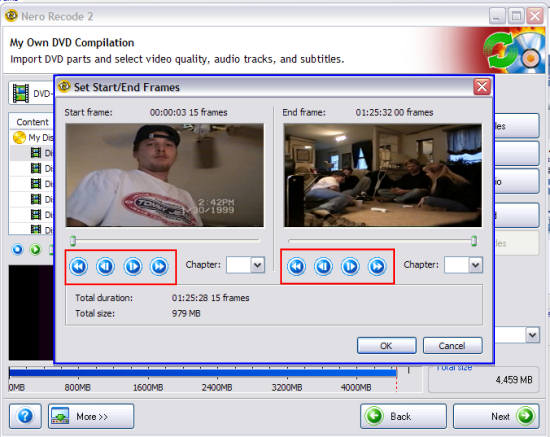
After clicking the "Start/End" button, a new window will pop up allowing you to fast forward and rewind parts of that title (blue). Find the place you want to it to start at and the place you want it to end by using the fast forward button and the rewind button (red). Click the "OK" button when you are finished. Don't forget to do that to each title if you have multiple titles. [Screen Shot Below]
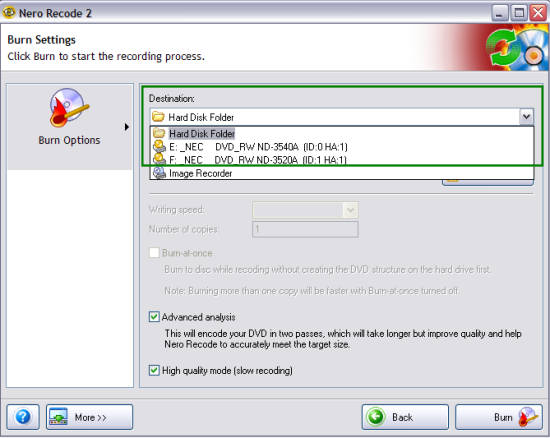
That will return you back to the main Recode screen. Just click the "Next" button to go to the "Burn Settings" screen , then select a "Destination" folder/directory that you want Recode to save the files in or pick your burner to have Nero Recode automatically burn it to a disc for you (green). [Screen Shot Below]
That will return you back to the main Recode screen. Just click the "Next" button to go to the "Burn Settings" screen , then select a "Destination" folder/directory that you want Recode to save the files in or pick your burner to have Nero Recode automatically burn it to a disc for you (green). [Screen Shot Below]

