

 Home
HomePage 2 of 3: Making a DVD from your Home Movies Using Nero Recode 2
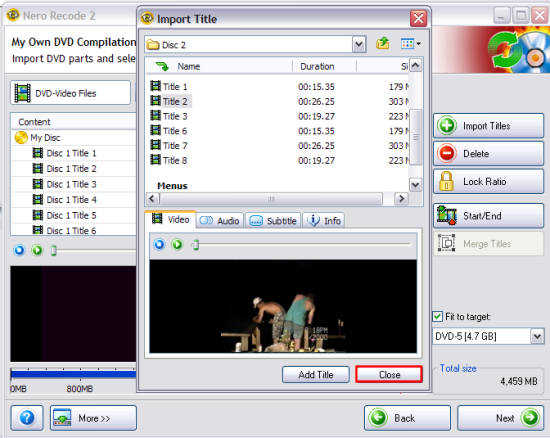
After you have picked all the titles you want, click the "Close" button (red). [Screen Shot Below]
That will bring you back to the main Recode screen. Now we are going to use the "Start/End" feature (blue) of Nero Recode. The reason why is when I recorded my home movies, sometimes the camera stayed on for about 15 min after before I actually stopped it. So what I am going to do here is actually cut that part out of each title that has it.
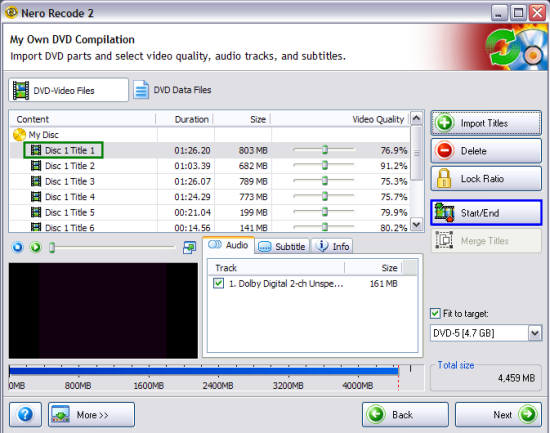
Click the title you wish to edit (green), then click the "Start/End" button (blue). [Screen Shot Below]
That will bring you back to the main Recode screen. Now we are going to use the "Start/End" feature (blue) of Nero Recode. The reason why is when I recorded my home movies, sometimes the camera stayed on for about 15 min after before I actually stopped it. So what I am going to do here is actually cut that part out of each title that has it.
Click the title you wish to edit (green), then click the "Start/End" button (blue). [Screen Shot Below]


