Home
HomePage 4 of 5: MP4 Encoding - conversion from other format
This section looks at how to encode a MP4 from another video format, specifically AVI/DVD to a H.264/AAC based MP4.
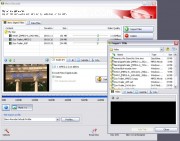
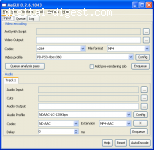
MeGUI and StaxRip are both multi purpose conversion tool that supports the MP4 container format and most forms of video as input (including AVI/DVD/VOB). For H.264 encoding, x264 is used. x264 is considered to be the best free H.264 encoder available at the moment (most of the x264 options are covered in our x264 Options Explained guide). Both MeGUI and StaxRip uses AviSynth, so almost all video formats are support as input, but you don't need to know how to create your own AviSynth scripts as either tools are provided to create the scripts, or the script creation is done automatically for you. For a complete guide on H.264 MP4 encoding, please refer to our MeGUI H.264 Conversion Guide or H.264 Encoding using StaxRip guide. There are also guides that allows you to make Xbox 360 and PS3 compatible MP4/H.264 files.

In addition to consoles, many other devices such as the Apple TV both support MP4/H.264, and there are one-click encoders specifically available to make compatible files for these devices (see the iPhone and Apple TV links for guides).
For commercial options, you can try Nero Recode, which allows easy DVD to MP4 conversion (MP4 is in Nero Digital format, which can either be MPEG-4 ASP or AVC for the video, and LC/HE AAC for the audio).