Home
HomePage 3 of 5: MP4 Conversion - conversion to other formats
MP4 Conversion - conversion to other formats:
This section looks at how to convert a MP4 file to an AVI file or to a DVD.
MP4 to AVI Conversion:Dr. DivX is an open source tool from DivX.com that supports MP4 to DivX conversion. The output file will be in .divx format, and it can be renamed to .avi afterwards (you may need to turn off the "hide extension for known file types" option within Windows - see image). There is a section in the YouTube to DivX Conversion Guide that shows some instructions on how to convert FLV files to DivX - the instructions are identical for MP4 to DivX conversion (just substitute the "FLV" file with your "MP4" file.
SUPER is another freeware tool that supports MP4 to AVI conversion, and also conversion to many other formats. It's slightly more complicated than Dr. DivX, and you'll need to know about video resolution, framerate, bitrate and some other attributes of video conversion. The actual usage is fairly intuitive, just select the container format (AVI), codec to use (eg. DivX), audio codec (eg. MP3), output video resolution/framerate/bitrate and output audio properties, drag the original MP4 file into the file list and start encoding.
SUPER is MEncoder based. MEncoder (part of the MPlayer package) is a multi-platform (Windows, Mac OS X, Linux Red Hat / Fedora binaries available) encoding tool. You can use MEncoder separately to convert MP4 to a variety of formats without using a GUI like SUPER.
For commercial tools, there is Apple QuickTime Pro, but it has limited support for H.264 based MP4 files. There is also Total Video Converter, a trial version is available to download.

MP4 to DVD Conversion:
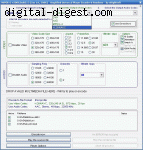
There are quite a few DVD authoring tools that will support any file format that DirectShow (or in some cases, ffmpeg) supports, so it's very likely that you will be able to convert your MP4/H.264 file to DVD. You can read a roundup of the most popular of these DVD authoring tools. In particular, FAVC, DVD Flick are both worth a try.
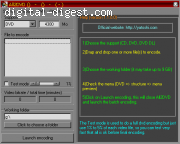
Satsuki All2DVD, as the name suggests, can convert a whole bunch of file formats directly to DVD. The output is an ISO image file which can be burned using ImgBurn (included in package). It's fairly straight forward to use and the whole process only requires free software.
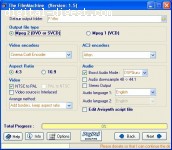
The FilmMachine is another MP4 to DVD conversion tool. It should support most MP4 files, but may have trouble with certain ones (like the one I used to test for this guide, which was a MP4 with 720p H.264 video and AAC audio) - generally, if the file plays in QuickTime, then most software will support it.
Commercial options include TMPGEnc XPRESS and Nero Vision (part of the Nero package).