

 Home
HomeSome of you may already know about my original blog, The Perfect Pitch, which covered anything from Arsenal Football Club to plasma TVs. It was a bit confusing to be honest, and so I’ve decided to separate the football stuff from the non football stuff … and all the non football stuff are now here, in this new blog. All the non football blog entries from TPP are now here too.
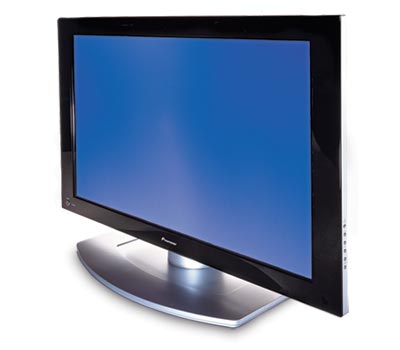 To start off, I want to talk about some TV buying tips. The questions of buying a new LCD or plasma has come up quite a few times on the forum recently, so I thought I would collect all my thoughts in this blog post.
I’m not going to go into another LCD vs Plasma debate simply because it’s getting quite boring, and that I’ve already covered it in a previous blog entry. Instead, I’ll list some of the features that you should be looking at:
- HDMI Inputs – regardless of what you feel about this massively copy protected connection system, it is here to stay and it’s going to get more popular. The Xbox 360, PS3, Blu-ray/HD DVD players, DVD recorders, DVD upscalers, HDTV boxes and pretty much every digital video device will be using them. You need to make sure the TV has as many of these as possible, otherwise you may need to invest in a HDMI receiver or switcher (both are quite expensive, although this HDMI switcher from Joytech is quite affordable). HDMI also have version numbers, the latest (at the time of this post) is version 1.3a. You should aim to get the latest version, but in all honest truths, it probably won’t matter much to you unless you need pass-thru support for the latest Dolby/DTS audio formats (if your player can decode them, then you won’t even need the pass-thru support).
- Resolution – I would say the time is now right to start thinking about buying 1080p displays. Not just displays that can accept 1080p input, but displays with native resolution of 1920×1080. It might not matter much to smaller screens (say less than 42/46″), but people do notice a difference even on 32″ displays. Of course, if you plan on doing PC work on the display, then having a higher resolution is essential. Also look for displays that can do 1080p/24. These displays can refresh at 72/120Hz to avoid the need for 3:2 pulldown on film content – in other words, it will display Blu-ray/HD DVD without the judder effect, to give you full flowing motion just like in the cinemas.
- PC Input – There is a very good chance that you will want to connect your PC to your new TV, especially if you are running a HTPC setup. So it’s essential that your TV has PC input. While HDMI can be used (with a DVI -> HDMI cable), but it’s not really great for PC input because unless the TV accepts PC resolutions/refresh through the HDMI input, you’ll be limited to 720p/1080i/p, which is not ideal for things like games (that usually only support PC resolutions such as 1024×768). If the TV has a dedicated VGA or DVI input, then that’s good (for the DVI input, check to make sure it supports HDCP copy protection), as it usually means PC resolutions are supported (but check the manual to make sure). The common resolutions that it will hopefully support should be 1024×768, 1280×768, 1280×720, 1600×1200, 1920×1080. The refresh rate is also important, and it should support 50/60/72/75/100/120 Hz if possible.
- Other issues – If you own an Xbox 360, and you are in a PAL territory, then you will also need the TV do support PAL-60 mode, basically PAL at 60 Hz. This is because Xbox 360 games are sometimes 60 Hz only games (actually I think the majority are PAL-60), and if your TV does not support PAL-60, you won’t be able to play these games. It’s one of those things people often don’t think about, but you may be surprised at how many TVs do not support PAL-60 (but mostly older ones though). You should also check to see (in the store) if the TV displays non HD content well or not … some HD displays only display HD content well, but SD content looks quite bad and blurry. It’s to do with the internal scaler, and some TVs have better scalers than others.
So there you have it, some tips to help you find the perfect TV. Of course, one that matches all the above criteria might cost quite a bit more than the cheapest one available, but I think it’s worth it. If the thing is going to cost $1,500 or something, you might as well spend an extra $500 to get the best.
Happy Shopping!


