With the re-design of Digital Digest, we have also added the ability for software submissions (both adding new software and updating an existing software) to be completed through a web interface.
Please note: We are no longer accepting software that allows for the ripping or decryption of DVDs and other types of media.
To obtain access to our web admin interface, please follow these steps:
- First, sign up to an account on our site if you haven't already
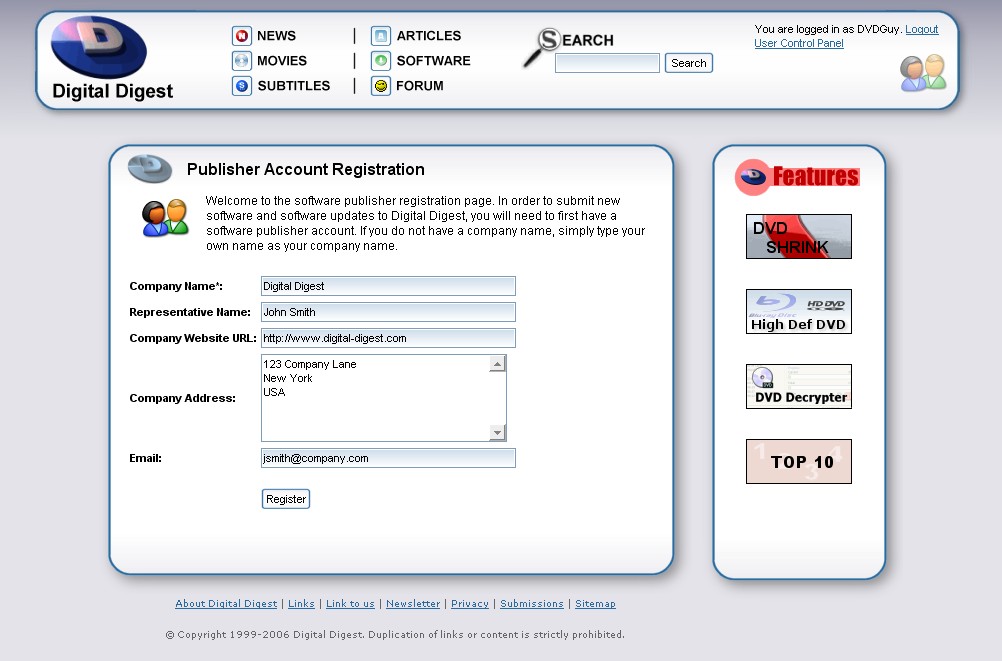
- Once signed up and logged in, go to this page to register your publisher details. Once submitted, your details will need to be approved by one of our staff before your publisher account becomes active (until then, your account will act like a normal user account, with one small difference shown below)
- Once your publisher details are submitted (approved or still pending approval), a few publisher related options become available in your User CP. These options allow you to edit your publisher details (even while they are pending approval) and also to select which of our listed software already belongs to you, if any (again, pending approval).
- Once your publisher details have been approved (you will receive an email when this occurs), you should now have access to the web admin section (the link of which will be in the email that is sent to you). Here, you will be able to edit your existing software (eg. add new screenshots, update changelog, change download links, etc...) and add new software - any new software you add will come under your publisher account, so there is no need to select them manually later on in your User CP. All submissions will require approval by our staff before it will be displayed on our website.
If you would like to submit an article to us, please contact us directly to receive further information on our submission process.
Please note: We are no longer accepting article submissions from commercial websites, including article/advertorials designed to promote products or services. |

|
|
|
|
| |
|
|
|
|

 Home
Home