Digital Digest -> Software ->

NextPVR

A fully featured Personal Video Recorder (PVR), allowing you to schedule TV recordings and view and pause live TV.
Author/Publisher:
Language: English
Ease of use: Not Rated
Latest Version: 2.4.3 (details)
OS Support: Windows 2000 Windows XP Windows Vista Windows 7
License: Freeware
Last Updated:
Page Viewed: 59020 times

Downloads:

Download: NPVRSetup_2_4_3.exe   NPVRSetup_2_4_3.exe

Description:Download GB-PVR - release notes and requirements
Version:2.4.3 (added Mar 24, 2012 - view changelog)
Size:19.85 MB


Show All Downloads & Links (1 more)

Old Version Downloads (12 downloads)

Screenshots & Images:

Screenshot Screenshot Screenshot Screenshot Screenshot

Description:

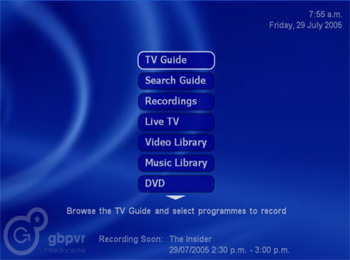
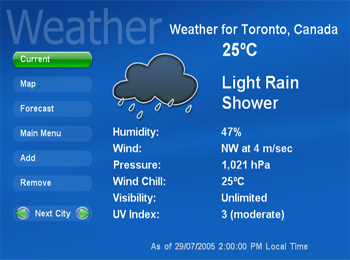
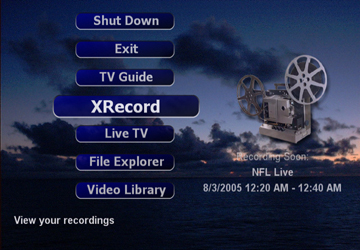
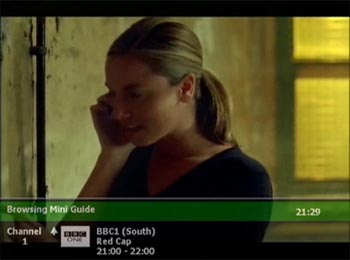
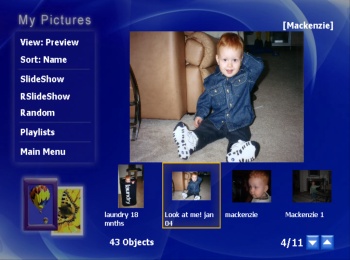
NextPVR (formerly GB-PVR) is a fully featured Personal Video Recorder (PVR), allowing you to schedule TV recordings and view and pause live TV. In additional to this PVR functionality, it also acts as a media center allowing you to watch movies, listen to music, view pictures and listen to FM radio. GB-PVR also supports specialist hardware decoders including Sigma Designs XCard, Hauppauge PVR350 and Hauppauge MediaMVP. GB-PVR also supports multiple tuners, allowing you to record more multiple channels at one time.


Categories:

OS Compatibility:

Windows 2000/Windows XP/Windows Vista/Windows 7

Revision History:

Version 2.4.3
  • Release Date: Mar 24, 2012
  • Download(s):
  • improved skipping in .ts files, using new NPVRTSReader2.ax. Main fixes were several users had long pauses after skipping, inaccurate skipping in live tv and playback on in-progress recordings, improved skipping from client PCs.
  • fixed an issue with 'whats new' list position not selecting correct recording after playback if new recording had occurred.
  • fixed an issue that could lead to high CPU usage on NMT after playing video.
  • fixed a couple of bugs with the new channel groups functionality in the TV Guide.
  • added ability to manually force the use certain teletext pages for subtitles. This was useful in a case where the broadcaster wasnt providing subtitle page numbers in the DVB teletext descriptor.
  • comskip info now available on client PCs.
  • fixed a bug with failed recordings that a re-attempted on another tuner, that could result in a long ever-running recording.
  • fixed a problem with resuming playback on NMT
  • updated version of NEWA.
  • added a "nextpvr.exe -reload" command line parameter that can be used to tell the recording service to reload it's list from the database.
  • removed a few log messages that were in some setups causing logs to fill up and roll over quickly.
  • fixed a problem where video library wasn't accepting nextpvr's native xml metadata format when stored in a separate file rather the embedded ADS
  • in libraries, pressing A-Z will now jump to first item that starts with that let. 0-9 continues to jump to a percentage in the list, the same as previous releases.
  • added setting allow user to choose FF/RW key behaviour. You can use the previous skip skip, or new fast play function.
  • fixed an minor issue with vertical main menu when several of the menu options had been disabled, leaving 'less than or equal' to the number of displayed menu items.
  • fixed an error that could occur when running installer on client machine
  • NDigitalHost.exe now also honoring the setting
  • fixed a bug with where edits to a digital channel's settings were not saved when you hit ok.
  • minor change to the loading order of cover art.
  • fixed a problem that was causing buffer files to behind on disk after watching live tv
  • updated version of tag-sharp
  • a couple of minor skin fixes.
View complete revision history

Rate this software:

Your Rating:
You have not voted yet!

Average: 3.23/5
Total Ratings: 84


Software Submissions