|
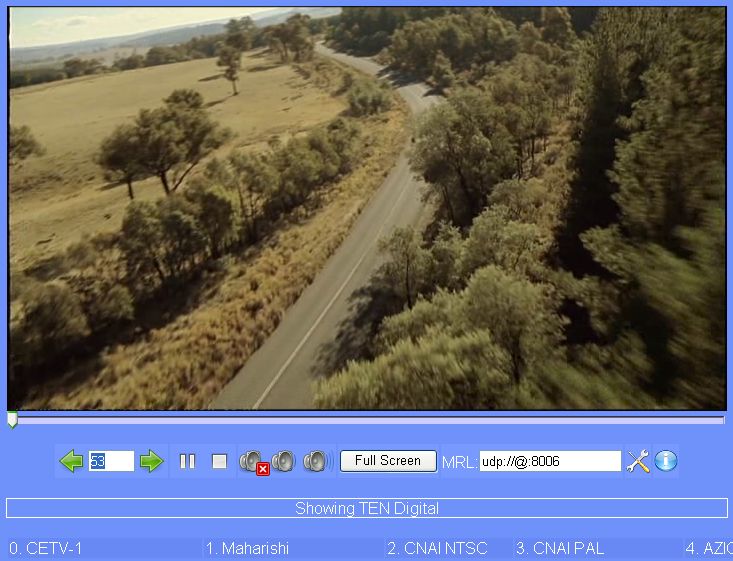
DV Scheduler is an application for TV viewing, recording, and streaming. It currently supports DVB-C, DVB-S, DVB-T, ATSC (work in progress), analogue TV, FM radio, USB cameras, and other DirectShow enabled devices.
 |
Scheduler |
DV Scheduler is an application for TV viewing, recording, and streaming. It currently supports DVB-C, DVB-S, DVB-T, ATSC (work in progress), analogue TV, FM radio, USB cameras, and other DirectShow enabled devices. Once installed it allows control and use of the capture devices through a standard web browser, either locally or through a network or internet.
Main features:
- Unrestricted multiple recording, viewing, and streaming of channels in the same frequency multiplex with one capture card. Multiple recording, viewing, and streaming of different channels in the same frequency multiplex will use only one card, optimizing card usage.
- Watch TV locally and over a network/LAN. The TV client is multi-platform including Windows, Linux and Mac.
- Preview and watch multiple channels at the same time on multiple independent windows.
- Saving recording as an MPEG program stream (MPEG-PS) and at the same time saving the teletext subtitle in SubViewer format (SRT).
- Streaming over a network (UDP, RTP, HTTP, etc).
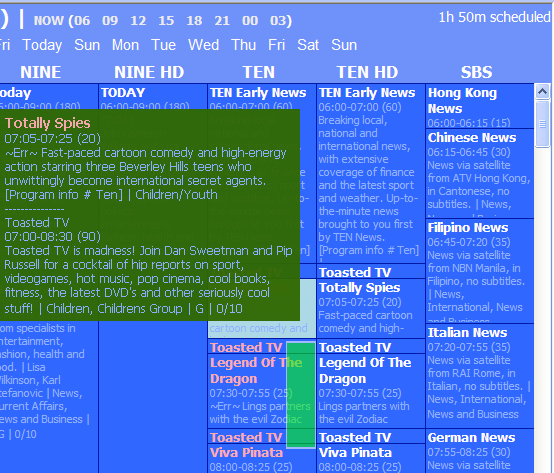
- Vertical and horizontal EPG themes with color categories. If used in conjunction with XMLTVedt multiple EPG sources can be combined and conflicting EPG times can be shown in red.
- One-click recording and Auto-Add feature to automatically schedule recordings based on keywords.
- Customizable output format to allow watching, network streaming, on-the-fly transcoding, and more, of the digital broadcast.
- Capture engine(s) used are configurable, allowing use of different capture engines.
Windows XP
Version 6.05
- Release Date: Mar 17, 2016
- Download(s):
-
- Added parsing of ini files (for channel scan). - Added support for silent install (use /S command line option). - Updated Greece DVB-T frequencies for Auto-Scan (by Dimitri). - Updated Australian DVB-T channel logos (by bazzaa). - Updated Australian DVB-T frequencies. - Updated DVB-S frequencies. - Added $enccapturepath2percent keyword for VLC's HTTP live streaming's index- url parameter. - Miscellaneous minor edits and fixes.
View complete revision history
|

|
Rate this software:
Your Rating:
You have not voted yet!
Average: 3.17/5
Total Ratings: 9
|

 Home
Home

 DVScheduler_v6.05.exe