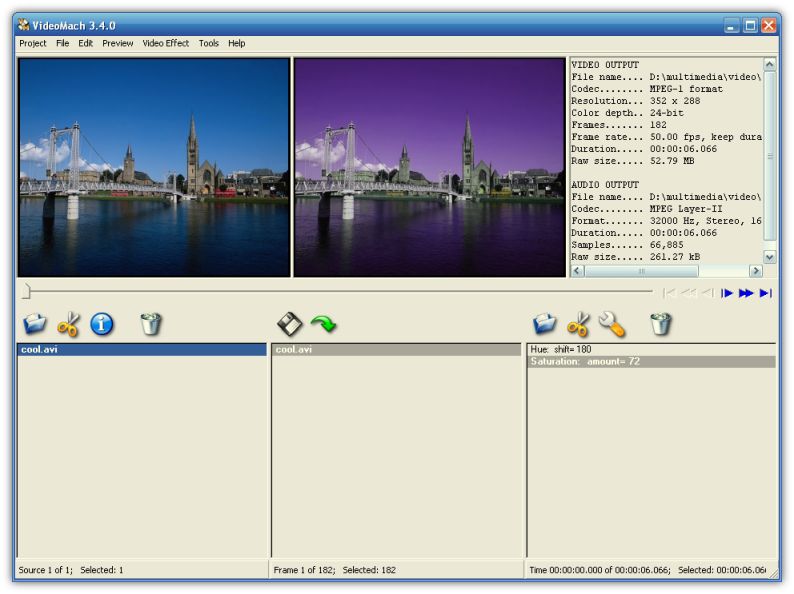
VideoMach is a powerful audio/video builder and converter. Use it to construct video clips from still images, enhance your recorded material or convert video, audio and image files between popular media formats.
VideoMach features:
Suports popular video and image formats (mpeg, avi, divx, flc, jpeg, png, tif, gif, bmp and more)
Reads and writes standard Linux and UN*X image formats (xpm, pnm, sgi, ras and more)
Supports most popular audio formats (mp3, mp2, ogg, wav, ac3)
Imports the output of high-speed imagers and time-lapse cameras (bayer, cine)
World's fastest image sequence detection, more than 50,000 images per second
Professional-quality MPEG, AVI and Bayer readers, video is decoded at highest quality unlike in most media players
Fastest software MPEG encoder, more then 120 frames per second
Can read or write very large MPEG files, up to million terabytes
Creates industry standard VideoCD MPEGs by NTSC and PAL / SECAM video specs
Connects to both Video For Windows (VFW) and DirectShow (DS) interfaces ensuring support for vaste number of AVI codecs / subformats
Easy to navigate but powerful AVI output video / audio codecs selection dialog
Integrated media player
Convert image sequences to video files
Join video and audio clips to a single output file
Rotate, resize and crop videos to the desired size
Extract images and audio from a media clip
Change video and audio codec, data rate, resolution, aspect ratio and quality of a media clip
Speed up or slow down video, or a part of it
Appy any of industry-standard video filters and functions like Brightness, Contrast, Gamma Correction, Deinterlace, Mirror, Motion Blur, Fade In/Out, White Balance, Sharpen, Emboss and many more
Deploy special tools like Matrix, Temporal Average or Count Colors
Automate the process of conversion by using projects and command-line parameters
Changed: Program is installed for all users on a single machine
Changed: Registration for one user on a single machine works for other user account as well, except for the Guest account that must be registered independently
Fixed: Blur filter was missing from the list
Fixed: In some rare cases vertical resolution of uncompressed AVI files was interpreted wrongly
Fixed: Output Settings window was resetting dithering options
Fixed: Output file was unfinished in some cases
Rate this software:
Your Rating: You have not voted yet!
Average: 3.12/5
Total Ratings: 13


 Home
Home


 Official Download Page