Digital Digest -> Software ->

Q DVD Author

'Q' DVD Author is a Linux GUI frontend for dvdauthor and other related tools.
Author/Publisher:
Language: English
Ease of use: Not Rated
Latest Version: 2.3.0 (details)
OS Support: Linux/Unix
License: Open Source
Last Updated:
Page Viewed: 17898 times

Downloads:

Download: qdvdauthor-2.3.0.tar.gz   qdvdauthor-2.3.0.tar.gz

Description:Download Q DVD Author
Version:2.3.0 (added Dec 29, 2011 - view changelog)
Size:6.35 MB


Show All Downloads & Links (1 more)

Old Version Downloads (6 downloads)

Screenshots & Images:

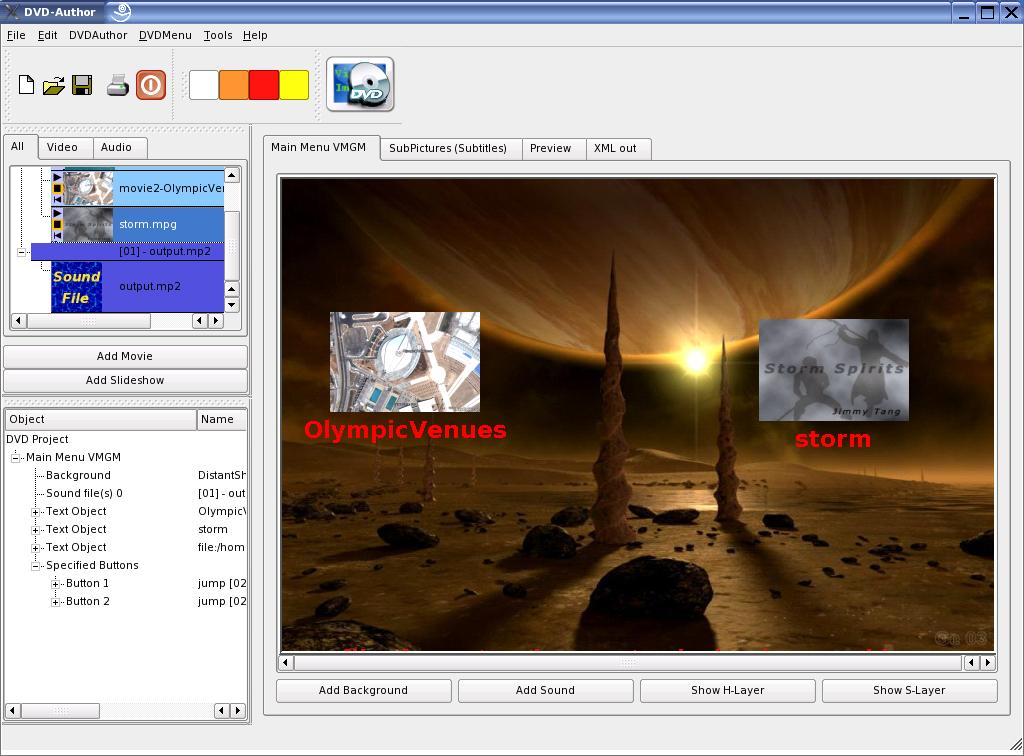
Main Window
Main Window
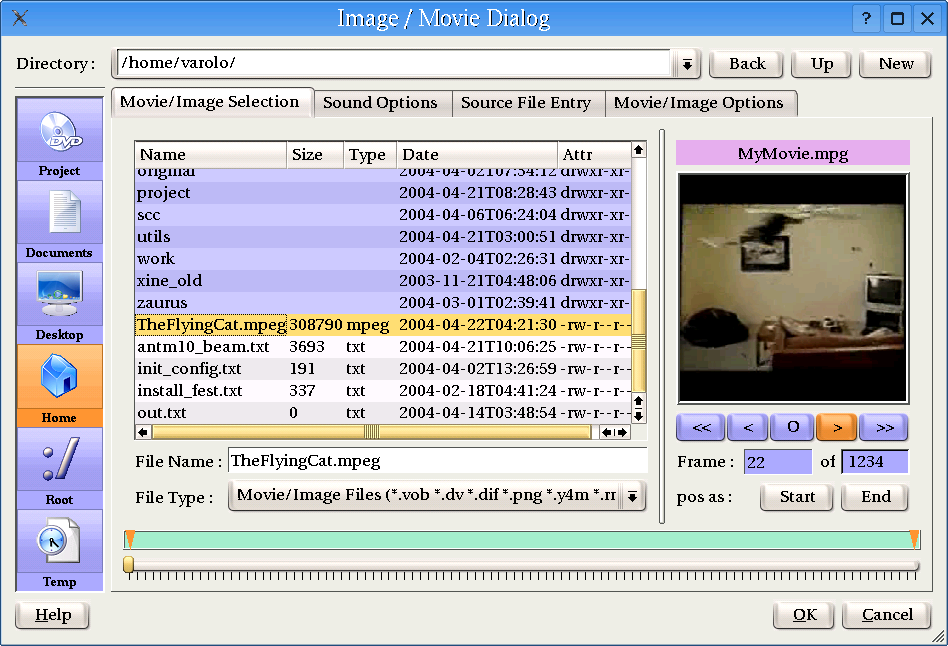
Source Selection
Source Selection

Description:

'Q' DVD Author is a Linux GUI frontend for dvdauthor and other related tools.

The goal of 'Q' DVD-Author is to provide a complete DVDAuthoring solution for Linux with the emphasis of ease of use and a complete set of functionality.


Categories:

Supported File Formats:

Output Files: DVD, IFO/BUP

OS Compatibility:

Linux/Unix

Revision History:

Version 2.3.0
  • Release Date: Dec 29, 2011
  • Download(s):
  • Added sorting functionality in DialogImages / DialogFiles, to enable better control for generated slideshows.
  • Fixed a couple of crashing bugs in DialogImages / DialogFiles relating to VirtualFolder usage.
  • Added Ken Burns effect transitioning for Slideshows.
  • Added KenBurns-slideshow dialog.
  • Redesigned the ComplexDVD plugin for the OneClickWizard. It is 100% utilizing scripts to create the GUI, and handle the random file retrieval from the internet.
  • Added hdrcreme.sh, dreamscene.sh, and fantom-xp.sh scripts
  • BUGFIX: QRender ignores NoKenBurns if selected on a per image option
  • QRender disconnects from QDVDAuthor and does no longer update the progress.
  • Bugfix: KenBurnsDialog: After removing of an image we need to redo the alternating colors.
  • Bugfix: After we return to the DialogSlide - dialog, we need to recalculate the Slideshow length, and change the header # of img / # of vids.
  • SetupDialog is missing a default KenBurns option .
  • Added DialogImages for Slideshow context menus.
  • FewClickWizard: When too many buttons being generated the dialog is streteched vertically.
  • Add 4:3/16:9 to Setup dialog -> Slideshow tab.
View complete revision history

Rate this software:

Your Rating:
You have not voted yet!

Average: 3.25/5
Total Ratings: 2


Software Submissions