News Articles
Movies Software
DivX, XviD, DVD Subtitles Forum
DigiWiki Codecs

Username:
Password:  
Remember Login?
Sign Up
 

Software - > Fraps

Movie Capture
Enlarge Image Enlarge Image: Movie Capture
More Images More Images

Downloads


Join Our Newsletter
Title: Fraps
Author/Publisher: Official Website
Ease of use: Not Rated
Latest Version: 2.9.4 (details)
OS Support: Windows 2000 Windows XP Windows 2003 Windows Vista
License: Shareware, $AUD47.00
Date Added: May 25, 2006
Last Updated: Jan 15, 2008
Page Viewed: 28134 times

  Email Updates
email me whenever this software gets updated

Send to Friend   Send to Friend

User Rating:

Details / Vote Now
User Comments:
Post Your Comments

Summary Links Images Ratings History Tools

Categories:

Main Categories: AVI (DivX, XviD ...), Capture/Record
Sub Categories:

Supported File Formats:

Output Files: AVI, BMP, JPG, PNG

Description:

Fraps is a universal Windows application that can be used with all games using DirectX or OpenGL technology. In its current form Fraps performs many tasks and can best be described as:
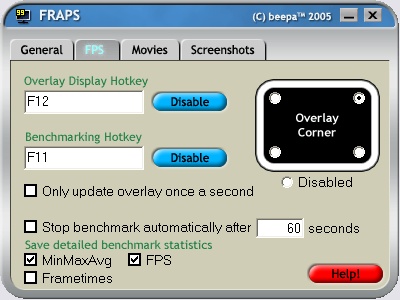
  • Benchmarking Software - See how many Frames Per Second (FPS) you are getting in a corner of your screen. Perform custom benchmarks and measure the frame rate between any two points. Save the statistics out to disk and use them for your own reviews and applications.

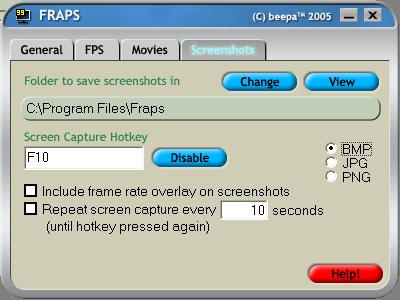
  • Screen Capture Software - Take a screenshot with the press of a key! There's no need to paste into a paint program every time you want to capture the screen. Your screen captures are also automatically named and timestamped.

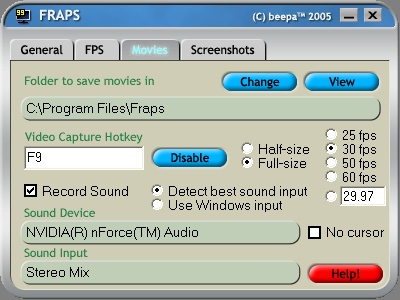
  • Realtime Video Capture Software - Have you ever wanted to record video while playing your favourite game? Come join the Machinima revolution! Throw away the VCR, forget about using a DV cam, game recording has never been this easy! Fraps can capture audio and video up to 1152x864 and 100 frames per second!

Revision History:

Version 2.9.4
  • Release Date: Jan 15, 2008
  • Added 64-bit Fraps FPS1 codec
  • Added support for resolutions up to 2560x1600 on single core CPUs
  • Fixed crash when recording with sound under Vista SP1
  • Fixed D3D9 recording speed on x64 versions of Windows
  • Fixed Windows start bug when Fraps installed in a folder with a space in the name
  • Improved compatibility with 3rd party graphic utilities
View complete revision history

Downloads:

Download: FRAPS294.exe Title: FRAPS294.exe
Link: Download
Size: 969 KB

Description: Download Fraps


Download: Official Download Page Title: Official Download Page
Link: Download

Description: Download Fraps from the official site


Related Articles:

Read Article: Is your computer fast enough for high definition DVD playback? Title: Is your computer fast enough for high definition DVD playback?

Link: Read Article

Description: A guide which let you know if your computer is fast enough to play back high definition DVDs


User Rating:

  Average Rating: Your Rating:
Registered Users:
Non-Registered Users: (7 votes)

User Comments:

Sorry, but you must be logged in to use this feature.

Please note that the forum has a separate login/registration system. You will need to sign up and login to the forum separately.

Username:
Password:
Remember Login?
 

Don't have an account? Sign up here
Lost your login/password?
Top 10

Software Submissions