Digital Digest -> Software ->

DVD PixPlay

Create DVD, VCD, or PC slideshows from your photos, videos, and music
Author/Publisher:
Language: English
Ease of use: Not Rated
Latest Version: 7.03 (details)
OS Support: Windows 95 Windows 98 Windows Me Windows 2000 Windows XP Windows Vista Windows 7
License: Shareware, $USD29.50
Last Updated:
Page Viewed: 19617 times

Links:

Download: Official Download Page   Official Download Page

Description:Download a trial version of DVD PixPlay


Screenshots & Images:

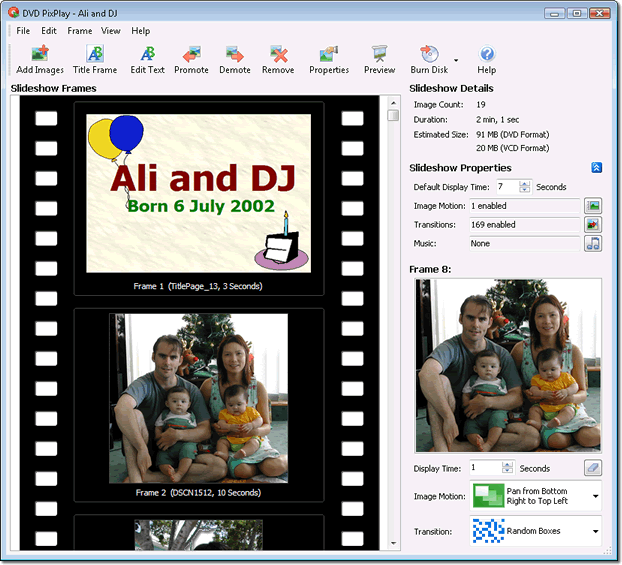
Main Screen
Main Screen
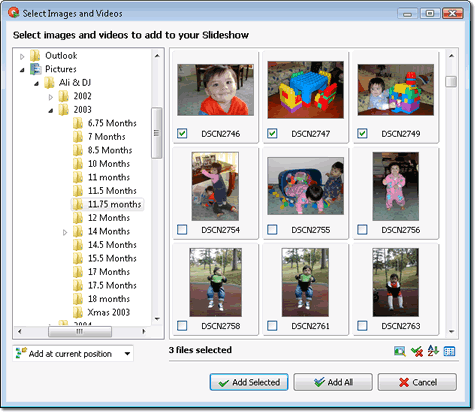
Add Images
Add Images
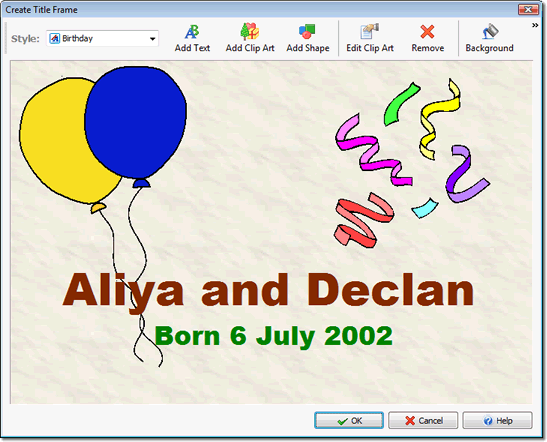
Add Title
Add Title
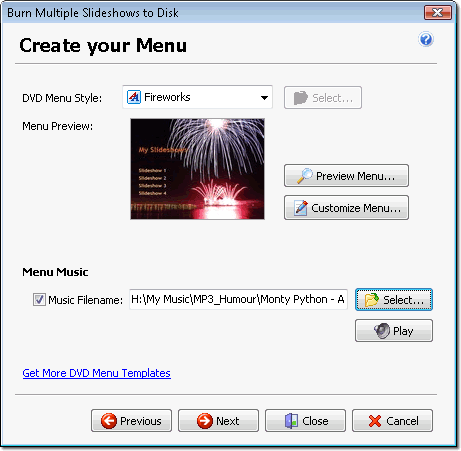
Create DVD Menus
Create DVD Menus

Description:

Create DVD, VCD, or PC slideshows from your photos, videos, and music - and burn them directly to a disc. Your family and friends can play your slideshow discs on their TV with a DVD player, or on their computer. With DVD PixPlay, you'll create personalized discs that are as easy to use as an ordinary DVD. With more than 40 image motion effects and 160 transition effects, you can send your friends and family thoughtful keepsakes that they will cherish forever.

Top 10 new features in version 7.0:

  1. PC and DVD+PC formats now available for multiple slideshow disks
  2. Labels and DVD buttons offer drop shadows, bordered text and can be rotated to any angle
  3. Images added to title pages can now be locked to their aspect ratio and include a colored border
  4. More powerful project properties with slideshow looping and stretching to audio available even when previewing
  5. Improved New Project wizard including creation of title pages from your own images
  6. Revamped Multiple Slideshow Disk wizard
  7. 35 new DVD Menus and Title Page style templates
  8. Projects can now be cloned when saving them to a new filename
  9. High quality algorithm now used when creating title and other pages containing photos

  10. Faster creation of DVD and PC format slideshows


Categories:

Supported File Formats:

Input Files: AVI, BMP, GIF, JPG, MP3, MPG, PNG, WAV
Output Files: DVD, VCD

OS Compatibility:

Windows 95/Windows 98/Windows Me/Windows 2000/Windows XP/Windows Vista/Windows 7

Revision History:

Version 7.03
  • Release Date: Sep 7, 2011
  • Added: Automatically relocates music files in moved folders
  • Added: Some improvement to outputting of logging info while burning
  • Added: PixPlay automatically downsizes very large images when adding them to a project
  • Changed: Auto-cropping is disabled by default
  • Changed: Optimized for TV pixels by default
  • Added: Preview from start or current frame are now separate menu items
  • Fixed: Better memory-handling of very large images to reduce errors creating transition and motion effect frames
  • Added: More control over motion effect zooming added to Project Options
  • Changed: Automatically pads the margin for frame captions on DVDs to avoid overscan
  • Changed: Default font for frame captions to Tahoma
  • Added: New easter egg in Insert Text dialog
  • Added: Default frame caption margin is now 3%
  • Added: Toolbar now includes a button to enter your serial number
  • Added: Total overhaul of Program Options dialog to make it more logically arranged
  • Added: Better error message when choking on video files
View complete revision history

Rate this software:

Your Rating:
You have not voted yet!

Average: 4.13/5
Total Ratings: 4


Software Submissions