This program takes a progressive MPEG2 video elementary stream, and applies pulldown flags to change it to a higher legal MPEG2 output frame rate. It also allows changing/correction of timecodes.
DGPulldown is useful for applying traditional 3:2 pulldown. It is also useful for converting 25fps PAL progressive material to NTSC. It allows you to encode your movie to MPEG2 at 25fps using progressive encoding. This saves a lot of bits and therefore allows for much better quality with the same bit budget. Also, compared to methods that first slow down the video and then apply 3:2 pulldown, there is no need to process the audio.
Input Files: DVB, MPG
Output Files: DVB, MPG
Windows 2000/Windows XP
Version 1.0.11
- Release Date: Feb 23, 2007
- This version fixes the drop frame option. The option was ignored and so only the auto mode worked. It was not possible to enable or disable drop frame using the 3-state checkbox.
View complete revision history


 Home
Home


 dgpulldown1011.zip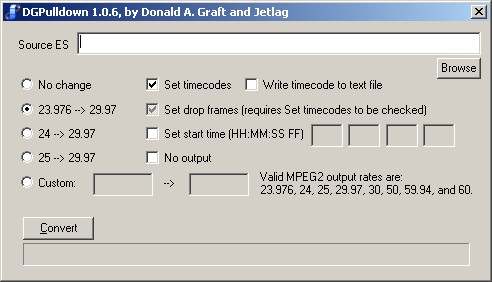
 AVI to a DVD Compliant MPEG-2 File Using QuEnc