News Articles
Movies Software
DivX, XviD, DVD Subtitles Forum
DigiWiki Codecs

Username:
Password:  
Remember Login?
Sign Up
 

Software - > AMCap

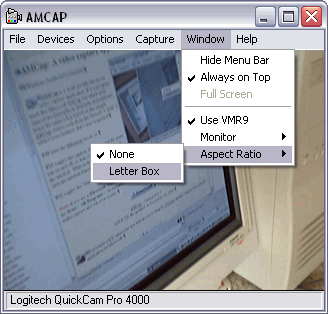
Screenshot
Enlarge Image Enlarge Image: Screenshot

Downloads


Join Our Newsletter
Title: AMCap
Author/Publisher: Noel Danjou
Ease of use: Not Rated
Latest Version: 9.20 (details)
OS Support: Windows 95 Windows 98 Windows Me Windows 2000 Windows XP Windows 2003
License: Shareware, $USD12.00
Date Added: Mar 2, 2006
Last Updated: Jun 18, 2008
Page Viewed: 16292 times

  Email Updates
email me whenever this software gets updated

Send to Friend   Send to Friend

User Rating:
(2 votes)
Details / Vote Now
User Comments:
s44s44: many thanks for your attantion...
More / Post Your Comments

Summary Links Images Ratings History Tools

Categories:

Main Categories: AVI (DivX, XviD ...), Capture/Record
Sub Categories:

Supported File Formats:

Output Files: AVI, BMP, JPG, PNG

Description:

AMCap is a small yet fully functional video capture and preview application compatible with Microsoft DirectShow (formerly ActiveMovie, hence the name). It is based on the sample AMCap source code from the Microsoft DirectX 9 SDK. I added many features that I was requested, including:
  • still capture (Ctrl+L) in BMP, JPEG and PNG
  • support for compression (Windows Media 9 Series only)
  • remember Video Input, Video Standard and Video size from previous session
  • full screen mode (ALT+Enter)
  • support for multi-monitor (using VMR9)
  • caption bar and menu on/off (F11)
  • always on top feature (F12)
The VMR9 option enables support for the multi-monitor, zooming, aspect ratio and deinterlacing features (Microsoft DirectX 9.0 required.)

Revision History:

Version 9.20
  • Release Date: Jun 18, 2008
  • UNICODE only version
  • Delayed snap feature fully rewritten and enhanced
  • possibly supports more video capture devices
  • removed UAC prompt in Vista
  • fixed: STI registration was creating duplicate incomplete Registry keys (use sticlean.exe to remove all invalid keys from the Registry)
  • fixed: OSD color changes were not applied
  • fixed: TV programs with blank names were not loaded
  • fixed copy of still images to the clipboard
  • added YUV mode if deinterlacing is available
  • added overlay feature to put a logo on-screen, to use a picture as comparator, etc.
  • added support for additional video renderers (including custom video renderer)
  • added the /vdevice parameter to override the video capture source specified in the .ini file
  • added AutoPlay registration to installation so that AMCap is listed when a video capture source is plugged in
  • added "Maintain Aspect Ratio" Window menu option. If this option is cleared the window can be freely resized to any aspect ratio otherwise aspect ratio is locked
View complete revision history

Downloads:

Download: Official Download Page Title: Official Download Page
Link: Download
Size: 140 KB

Description: Download AMCap from the official site


Download: amcap.zip Title: amcap.zip
Link: Download
Size: 302 KB

Description: Download AMCap


User Rating:

  Average Rating: Your Rating:
Registered Users: (2 votes)
Non-Registered Users: (9 votes)

User Comments:

Sorry, but you must be logged in to use this feature.

Please note that the forum has a separate login/registration system. You will need to sign up and login to the forum separately.

Username:
Password:
Remember Login?
 

Don't have an account? Sign up here
Lost your login/password?
Top 10

Software Submissions