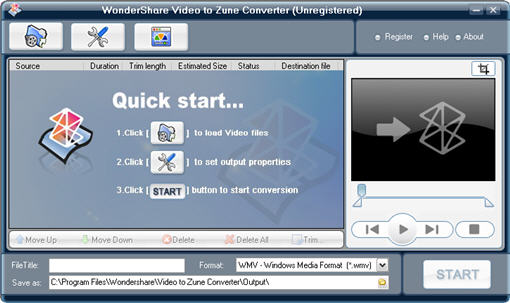
Wondershare Video to Zune Converter is a powerful video converter for Microsoft Zune.It is capable of converting almost all popular video formats such as vob, DivX, XviD, MOV, rm, rmvb, MPEG, WMV, AVI, ASF, DAT to Zune compliant formats.
Wondershare Video to Zune Converter is a powerful video converter for Microsoft Zune. The Video to Zune Converter is capable of converting almost all popular video formats such as vob, DivX, XviD, MOV, rm, rmvb, MPEG, WMV, AVI, ASF, DAT to Zune compliant formats. All the conversion processes are very easy and fast with high quality. Also, it is combined with more features such as scene capture that brings you more fun in the video experience. Feature Highlights:
1.Support almost all kinds of popular video formats Convert DivX, MOV, rm, rmvb, MPEG, WMV, AVI, ASF, DAT, etc to Zune compliant formats.
2.Fast copy video files to Microsoft Zune Provide the super fast converting speed to copy your favorite videos to your Zune.
3.Support batch conversion Simply join multiple video files and convert them at the same time.
4.Support preview You can preview the videos before you convert them and preview the results real-time.
5.Video Trimming and Splitting Convert any clip or segment of input file. You can choose start point and duration at will Scene cutting.
6.Cut off the redundant part of the scene such as the black borders of videos Particular video/Audio output settings.
7.You can use the default settings or set parameters of the video/audio such as contrast, brightness, etc.
8.Easy to Use Simple and user-friendly interface makes the software so easy to use that only a few clicks are enough.
Wondershare Zune Video Suite is a powerful and discount pack including the two excellent Zune conversion tools: Wondershare DVD to Zune Converter and Wondershare Zune Video Converter.


 Home
Home


 video2zune_trial.exe