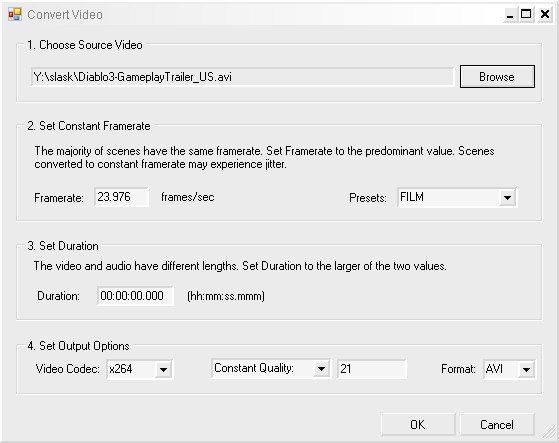
Experiencing a progressive loss of audio sync in a video? Variable framerates may be the cause.
This tool is an AviSynth script with GUI which uses Avidemux as a backend. It simplifies and automates the process of converting variable framerate video to constant framerate video.
Features
- Transcoding to constant framerate.
- Batch processing.
Limitations
- Audio tracks are not processed. Mux them after conversion.
- Avidemux filters are not supported or processed.
Input Files: AVI, AVS
Output Files: AVI
Windows XP/Windows Vista
Version 3.2.9.523
- Release Date: May 24, 2009
- Download(s):
- Added a 'Reset Filter' utility because of the ongoing random issues with all codecs where blocky and blurry areas
appear in the rendered output. Deblocking commands were useless. A possible cause is the framecount attribute
in DirectShowSource which seems to trigger the problem. The new utility runs a sample render job to reset the filter
used by DirectShowSource. It is usually successful but must be used again if blocky output occurs.
View complete revision history


 Home
Home


 VariableFramerateRx.exe