Software - > CodecInstaller

Analyze video
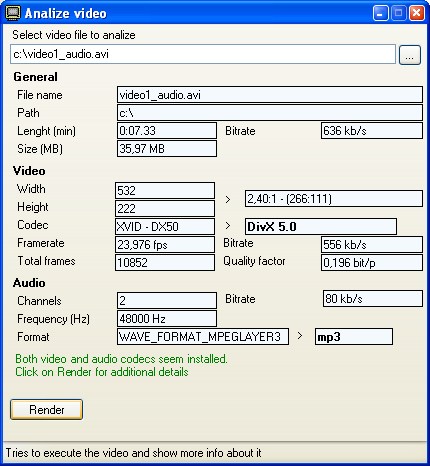
Enlarge Image Enlarge Image: Analyze video
More Images More Images

Downloads


Join Our Newsletter
Title: CodecInstaller
Author/Publisher: JockerSoft (details)
Ease of use: Beginners
Latest Version: 2.10.2 (details)
OS Support: Windows 98 Windows Me Windows 2000 Windows XP Windows 2003 Windows Vista
License: Donationware
Date Added: Jun 30, 2007
Last Updated: Sep 23, 2008
Page Viewed: 8849 times

  Email Updates
email me whenever this software gets updated

Send to Friend   Send to Friend

User Rating:
Vote Now

Summary Links Images Ratings History Tools

Related Forum Threads:

Loading

Downloads:

Download: setup_CodecInstaller_full.exe Title: setup_CodecInstaller_full.exe
Link: Download
Size: 3.07 MB

Description: Download CodecInstaller - Microsoft .NET Framework 2.0 required


Download: Official Download Page Title: Official Download Page
Link: Download

Description: Download CodecInstaller from the official site - Microsoft .NET Framework 2.0 or higher required


Description:

Ever had a movie where you could hear only the sound but there were no video? Or only video and no sound? That's almost certainly a codec missing! CodecInstaller is here to help you understand which codec you need and to let you install it in minutes.

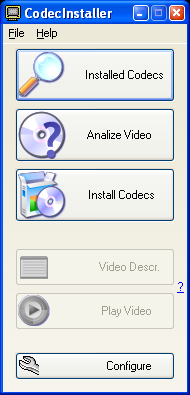
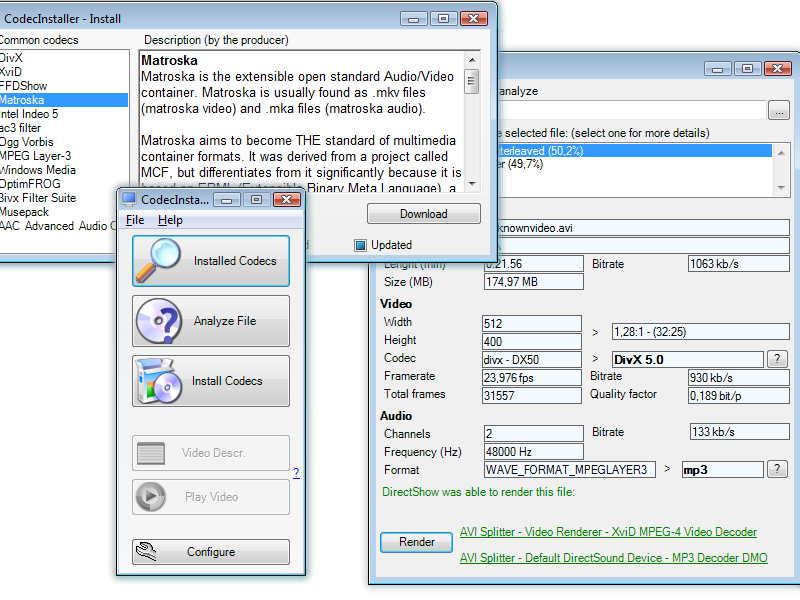
CodecInstaller is a Windows program that detects the Audio and Video codecs installed on your system, analyzes files to understand which codecs they require and suggests you to install them. Check out the features tour for usage examples and screenshots of the program.

CodecInstaller can also be used to distribute video files on a CD, to be sure that who receives the CD will have all the necessary codecs installed: with a single tool he will be able to check if the codecs are already installed and up-to-date. CodecInstaller contains a MovieLauncher that displays informations about the distributed video file (author, plot, director...) along with a screenshot and a 'Play' button

This program can be used to analyze files: it supports avi, mpeg, wmv, wma, ogg, flac, mpc, mp3, mp4, wav, wx and will show technical data such as width/height and ratio, length, video codec, framerate, size, bitrate, total frames, quality factor and metadata such as title, album, year (if available)

Categories:

Supported File Formats:

Input Files: AAC, AC3, AVI, DivX, FLV, H.264, MP2, MP3, MP4, MPG, OGG/OGM, WAV, WMA, WMV, XviD

Revision History:

Version 2.10.2
  • Release Date: Sep 23, 2008
  • bug fixes
  • Crawler Toolbar updated
View complete revision history
Codecs

For video playback problems, please visit afreeCodec.com

User Rating:

  Average Rating: Your Rating:
Registered Users: No ratings recorded
Non-Registered Users: (3 votes)

User Comments:

Sorry, but you must be logged in to use this feature.

Please note that the forum has a separate login/registration system. You will need to sign up and login to the forum separately.

Username:
Password:
Remember Login?
 

Don't have an account? Sign up here
Lost your login/password?
Top 10

Software Submissions