

 Home
HomePage 3 of 3: Burning a Image with ImgBurn
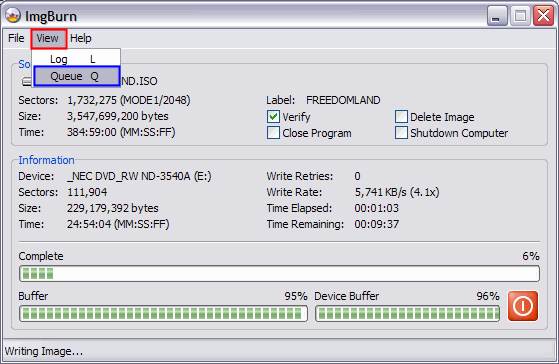
To load images into the queue after you have started burning, click "View" at the top (red), then click "Queue" (blue). [Screen Shot Below]
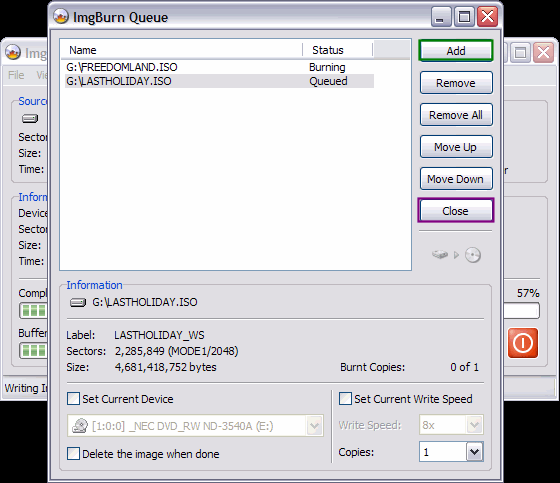
This screen will come up, just do as before. Click the "Add" button (green) to load new images in the queue, and then click the "Close" (purple) button after you are done to return to the main ImgBurn screen. [Screen Shot Below]
This screen will come up, just do as before. Click the "Add" button (green) to load new images in the queue, and then click the "Close" (purple) button after you are done to return to the main ImgBurn screen. [Screen Shot Below]

