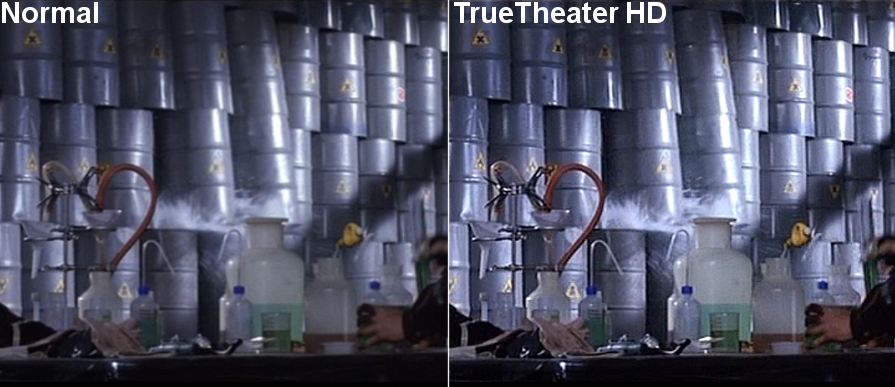
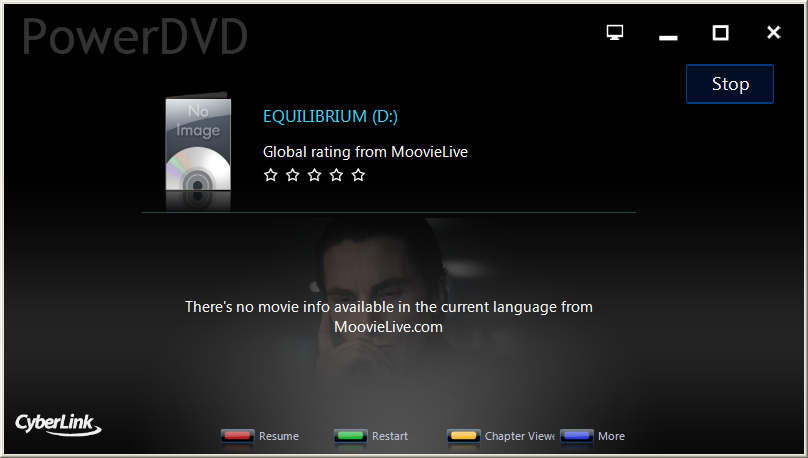
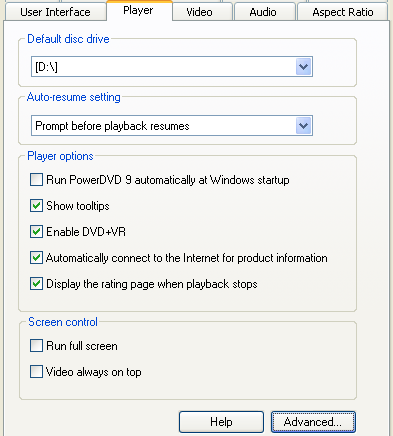
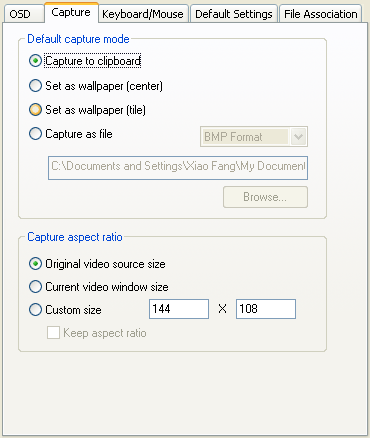
This is an archive of all reviews of Cyberlink PowerDVD. There is a separate article where you can read the latest review of PowerDVD.
Please use the page select drop down menu above, or the article navigation links below to select an archive PowerDVD review to read.
Note : This is an archived review for an older version of PowerDVD. For the latest review, please refer to this page.
NEW in 2.5.1028
To see a complete review of the latest version of PowerDVD, please refer to this page.
To put is simply - this is the best version of PowerDVD ever, in fact I even consider it as the best software DVD player in the current bunch!! This player has all the feature you need, improved quality and decoder efficiency - a very high quality piece of software.
Note : This is an archived review for an older version of PowerDVD. For the latest review, please refer to this page.
NEW in 2.5.1115
To see a complete review of the latest version of PowerDVD, please refer to this page.
This retail release adds 1 more (cool purple - see right) skin and several other neat touches. And as if they've read my review, they've added the much needed RGB color controls - now it is just as good as WinDVD 2000. The only missing feature is still the much needed fast rewind button, but other than that, this player is perfect !! The rest of the review is still valid, except for points dealing with the lack of RGB control.
NEW in 2.5.1028
To put is simply - this is the best version of PowerDVD ever, in fact I even consider it as the best software DVD player in the current bunch!! This player has all the feature you need, improved quality and decoder efficiency - a very high quality piece of software.
Decoding Efficiency
Although not as efficient as soft-Cinemaster, it is as good, if not better than InterVideo's WinDVD, the current best overall player. You'll still need a fast CPU, at least a PII-350, to get 30fps playback. Good, but not the best.
Video Quality
While older versions of PowerDVD was always considered to be a poorer quality decoder compared to the rest, PowerDVD 2.5 is a whole different story.
The picture quality is clear, and no longer suffers from the slight dithering problems of earlier releases. But on playing certain discs, I did notice the distinct lack of green, and an excess of red and blue. This could have been avoided if a RGB control was added (now available in 2.5.1115)- WinDVD still wins out here.
Note : This is an archived review for an older version of PowerDVD. For the latest review, please refer to this page.
To see a complete review of the latest version of PowerDVD, please refer to this page.
This release seems to the best yet, with many concerns raised over previous versions have been examined and corrected. The first noticeable change is the addtion of the rewind button - which comes in variable speeds just like the fast forward button, although it's not as smooth as the fast forward action.
Second, there are now some additional options under the "size" menu. You can now playback widescreen titles as full-screen (without the need for DVD Genie). 3 options, 2.35:1, 1.85:1 and 1.66:1 are included (see picture below), this feature is unique to the PowerDVD player.
The other changes/additions are not so obvious. The most useful, however, has to be the Windows NT 4.0 (service pack 3 needed - see the what's new document for more information) and Windows 2000 support - finally outdoing WinDVD in this area.
The next new feature is the inclusion of DTS pass-thru for a wide range of sound cards (including the SB-Live range and some Aureal cards - see the what's new document for more information)
The last of the major new features is the support for Motion Compensation for the GeForce 256 (and also DDR) card and the Neomagic MagicMedia 256AV chip.
There are also a range of bug fixes, which you can read more in the what's new document provided with PowerDVD 2.5.5.
Note : This is an archived review for an older version of PowerDVD. For the latest review, please refer to this page.
NEW in 2.5.5 Build 0202
To see a complete review of the latest version of PowerDVD, please refer to this page.
This release is really just a service release, not really adding anything new, but does fix a few significant bugs. The changes are :
* For original GeForce 256 Hardware Motion Compensation support under Win9x,
  it requires 32MB of video Ram. However, it is now working for GeForce 256-based
  cards with 16MB video RAM only.

* Features like Hardware Motion Compensation, Dolby Digital/DTS S/PDIF pass-thru
  and multi-channel Dolby Digital output are driver dependent and are now supported
  only under Win9x by most audio and video chip vendors. Those features are
  not supported under Windows 2000 and Windows NT 4.0 in current stage.

* An user prompt is added for recommending installing bus master IDE driver under
  Windows NT 4.0 environment during setup time.

* Fix a problem that on SiS630 systems with video driver V1.01b or later installed,
  Macrovision function can not work properly.
Note : This is an archived review for an older version of PowerDVD. For the latest review, please refer to this page.
To see a complete review of the latest version of PowerDVD, please refer to this page.
Unlike build 0202, this build release adds a few more features, in particular, with the Pan-scan implementation. There are also some other notable additions, which is described in detail below.
The first notable addition is the Pan-scan support. If you don't know what it is, Pan-Scan is basically a PowerDVD mechanism that allows you to watch widescreen movies as full screen titles (by zooming in) and you can manually "pan and scan" and picture by using your mouse to physically drag the picture left and right.
Although this feature was present in earlier releases, it was only available for anamorphic (16:9) enhanced movies - you could not use this feature with standard widescreen movies. With this new build, support for widescreen non-anamorphic movies has been added, meaning that you can now view any DVD movie in glorious full-screen - although most DVD die hard fans would never watch a movie that wasn't in the original theatrical aspect ratio.
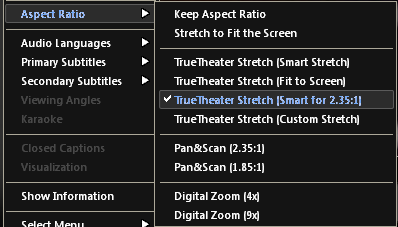
As you can see, only the standard 2.35:1 and 1.85:1 aspect ratios are supported - fortunately, most DVDs fall into either of these 2 aspect ratios.
Second, there is now limited support for Microsoft HID interface for keyboards with multimedia buttons. This is kind of cool since if you have one of those keyboards with play, stop, pause ... buttons on them, you can now control PowerDVD using these buttons - this support is said to have been only tested under Windows Millennium RC version at the time of released.
The other changes/additions are not so obvious. There is the improved Motion Compensation and subpicture alpha blending support for nVidia GeForce2 GTS version - a important addition given the popularity of GeForce cards these days.
Also added is 4-channel Dolby Digital output support for sound cards using ESS Allegro.
The next new feature is the inclusion of DTS pass-thru for a wide range of sound cards (including the SB-Live range and some Aureal cards - see the what's new document for more information)
The last of the major new changes is a bug fix to do with detection and support of Enhanced 3DNow! instructions on Athlon/Duron processors.
Note : This is an archived review for an older version of PowerDVD. For the latest review, please refer to this page.
NEW in 3.0
Click here to read the official PowerDVD 3.0 readme file for a brief of what's new in this release.
Most of the changes/new features in PowerDVD 3.0 has been covered in our PowerDVD 3.0 preview. This page covers some of the other things that haven't been covered, the things that are not so obvious and also explains some of the new features in greater detail.
To see a complete review of the latest version of PowerDVD, please refer to this page.
New Audio Decoder
The first thing you notice is the increased audio volume and quality. Audio has always been PowerDVD's weak point, and it seems that the engineers at Cyberlink has finally realised what was wrong and took the steps to fix it.
Dolby Pro-logic decoding is also now supported, which means that for things like DVD trailers and other bonus materials (which are usually only encoded in Dolby Pro-logic) will sound a lot better now.
Dolby Headphones are now also supported. For more information on what Dolby Headphones are, please read my review of this feature as first found in MGI's SoftDVD Max player.
In addition, PowerDVD now support 4 speaker audio for the SB-Live range under Windows 2000. The new decoders are also certified by Dolby Laboratory for 2/4/6 channel decoding. From my testing, the volume seems to have doubled, and is very close to the quality produced by Intervideo WinDVD's audio decoders, which are considered to be the best.
New Video Decoder
While Cyberlink does claim that there is now an "enhanced MPEG video decoder", there wasn't any great differences between this and the older 2.55 (build 0620) decoder - at least the difference wasn't as great as the audio decoder. The decoder still seemed a little more blurry than the Intervideo video decoder, evident even in Toy Story 2's FBI warning screen - with WinDVD, you could see clearly the words "Federal Bureau of Investigation" in the FBI logo ; with PowerDVD, while you could still make out the words, they are perhaps a little bit more blurry than comfort. Decoding performance remains the same, and perhaps a little faster when testing the same scene in Toy Story 2.
Dual Subtitles and Closed Captions
Dual subtitles is an unique PowerDVD feature, which allows you to select up to 2 subtitles to display during DVD playback. This is particularly good if you happen to be watching a DVD with someone else who speaks a different language. But other than that, this feature remains a gimmick, but one that may prove nice to have in the future, and may even prove to be useful at some time in the future.
Closed caption support is also now present, bringing PowerDVD in line with WinDVD and soft-Cinemaster, both of which has support for this feature sometime ago. Closed captions are captions especially designed for people with hearing difficulties, and differ from subtitles by being larger (easily readable - see below) and also contains additional aural information (eg. description of background noise).
PowerDVD Toolbar
Just like the Windows Toolbar or the Creative Launcher applications (included with the Liveware software for SB-Live cards), PowerDVD now features such a toolbar for easy access to the frequently used controls (play, stop, pause ...). Unfortunately, as mentioned in the preview, there is no way to "auto hide" this toolbar (an option available for both the Windows and Creative Launcher toolbars), and as such, it takes away a precious amount of screen real estate. At the very least, a short-cut key should have been provided, which would had made this feature much better. But it was a nice idea anyway.
The rest
To quickly go through the rest of the chanages/additons :
Navigation
- Now includes slow motion reverse playback, A-B repeat (the repetition of a user selectable segment - from point A to point B), playlist enhancements (added support for M3U playlist files) and a step backwards frame function (see below).
Skins
- Now includes 3 additional skins, including Submarine (screenshot on this page), Fly and Eyeball (screenshots on this page).
OS Support
- PowerDVD now features Microsoft WHQL (Windows Hardware Quality Lab) certification with Windows 98, Millennium and 2000. In addition, PowerDVD now support 4 speaker audio for the SB-Live range under Windows 2000.
Note : This is an archived review for an older version of PowerDVD. For the latest review, please refer to this page.
POWERDVD 3.0 BETA PREVIEW
This preview is done so in a sort of "Before and After" comparison with PowerDVD 2.55 Build 0620. Note that this is a beta version, so the final version may look nothing like this - although this is unlikely.
Note : PowerDVD 3.0 has been officially released, and you can read the official release's "what's new" information on the this page. Please note that this is a beta preview, so if information in the official release's "what's new" contradicts information here, then you can assume that the information on the official release's "what's new" page is the correct and up to date one.
PowerDVD 2.55
PowerDVD 3.0
Performance :
On a Celeron 333a with no DVD acceleration and using DirectSound's "Dolby Surround" option, PowerDVD 3.0 seem to be a little slower than PowerDVD 2.55, but only by a very small margin of a few percents, perhaps accounted for by the small increase in quality (below).
Quality :
On a Celeron 333a with no DVD acceleration, PowerDVD 3.0 seems to be a little better in quality than PowerDVD 2.55, but not by any significant differences. Overall, pictures looked less "blurry" - although some people I know actually prefers it this way (less harsh on the eye)
Interface :
New forward/backwards step frame buttons added for easier navigation
General Settings :
New option for toolbar (see below)
New toolbar (at top) that can moved to all sides of the desktop for easier DVD control. It will be present even if PowerDVD is minimized - would have been nice if it had an "auto hide" or "resize" feature
Audio Settings :
New Dolby Headphones support and also Pro-logic support with 4/6 channel audio
Skins :
PowerDVD 3.0 now comes with 5 skins, including the "Eye" skin above - most of these skins are already available for download on this page
I-Power :
New i-Power built in DVD portal has been enhanced. Although this is really just a simple HTML addition, it is still much better than any other DVD player's web support
Digital Zoom :
PowerDVD 3.0 now supports digital zoom of up to 9 times
Dual Subtitles :
PowerDVD 3.0 now has the ability to display 2 sets of subtitles on screen at the same time (see below)
PowerDVD 3.0's dual subtitles in action
Closed Caption :
PowerDVD 3.0 now has the ability to display closed captions (see below)
PowerDVD 3.0's closed captioning in action
Conclusion :
Some interesting new features, especially Dolby Headphones and the dual subtitles support (a little gimmicky, but nice to have) - closed caption support is also a big plus. There are probably more changes "beneath the hood", but we'll all have to wait until the final release to find out what these changes are.
Note : PowerDVD 3.0 has been officially released, and you can read the official release's "what's new" information on the this page. Please note that this is a beta preview, so if information in the official release's "what's new" contradicts information here, then you can assume that the information on the official release's "what's new" page is the correct and up to date one.
Note : This is an archived review for an older version of PowerDVD. For the latest review, please refer to this page.
New in 4.0 XP
Click here to read the official PowerDVD 4.0 readme file for a brief of what's new in this release.
This page tries to list all the significant new features of PowerDVD 4.0 XP - if you want to see a complete review of the latest version of PowerDVD, please refer to this page.
There are now two major versions of PowerDVD for sale - Standard and Deluxe. The Standard version does not include DTS/Dolby Pro-Logic II/SRS TurSurround XT/Dolby Digital Surround EX support and all other related functions that is included in the Deluxe edition.
New Audio Features
Following WinDVD 3.0's lead in introducing DTS decoding to the PC, PowerDVD 4.0 XP has also added DTS decoding, so we can all finally hear our beloved DTS Audio CDs and DVDs.
Those lucky enough to have 8-channel output sound cards can also now enjoy Dolby Digital Surround EX in full discrete 8 channels of audio - now that's what I call surround :)
Dolby Pro-Logic II decoding has been added (Dolby Pro-Logic was added for PowerDVD 3.0), which allows you to enjoy multi-channel audio from a standard 2-channel track.
The reverse is also true in that the new SRS TruSurround XT support means that multi-channel audio tracks can be outputed through 2 speakers, and the surround sound "simulated" by using audio effects (by tricking your brain into thinking the sound is coming from all sides - similar to what Dolby Headphone does with stereo headphones). Similary, this can be simulated by using the DirectSound3D or A3D, and there is a "virtual speaker" option that allows you to move the "simulated" speaker positions.
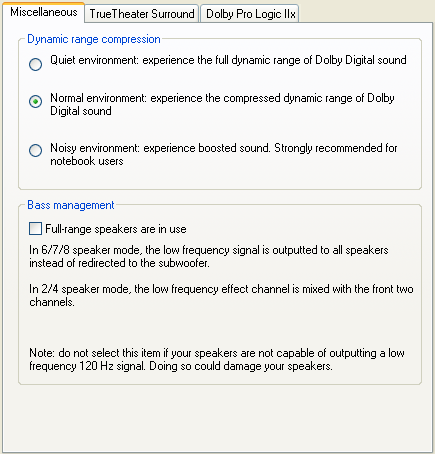
Following complaints from some users about the dynamic range of DVDs and how this affects overall volume when playing back DVDs, some dynmaic range control options has been added. LFE decoding has also been added, for those which the speakers to handle it.
New Video Features
While there does not seem to be any enhancement to the actual video decoder, some of the video related functions has been improved. The video adjustments has been improved, and now allows adjustments for a greater range of video properties (eg. contrast, colors, saturation). Users not wanting to tweak the settings too much are given ready-to-use profiles (eg. Theatre, Bright, Vivid) they can choose to suit their taste. You can also save your own profiles for later use.
The video capturing functions has also been enhanced, and you are now able to capture either at the current window's size, or the size of the original video.
Lastly, you can now switch on the "Screen is Always On Top" feature, which many users in the past have requested, and better support for video cards (Dual View) and monitors (proper support for widescreen monitors).
New Playback Modes
PowerDVD 4.0 has greatly simplified the file/disc opening system, which has confused users in the past (ie. File playback mode and Disc playback mode). Now all file/disc opening functions are accessed through the "Select Source" button. Not only that, but PowerDVD 4.0 has added hard-disk playback mode (IFO parsing), which should delight all rippers and those who "shift-view" their rental DVDs - this option was not available in PowerDVD 3.0, and you can only do it in WinDVD 3.0 if you use the "subst" trick (disclaimer : making copies of copyrighted material that you have not bought is illegal, so don't do it :)
There is also the new "resume play" function, which those with standalone DVD players should be familar with. Basically, "resume play" allows you to stop the DVD you are playing, perhaps even shut down the player, and the next time you insert the same disc, the player will allow you to resume to where you last left off. A manual prompt can be set to be shown everytime a "resumable" disc is inserted, or it can be automatically selected and used each and every time.
New Interface Features
One of the new interface features of PowerDVD 4.0 is it's new "minimized" skin support. What this basically means is that for the new PowerDVD 4.0 compliant skins, a "minimized" or smaller version of the skin can be used to save precious desktop space. The "minimized" skin will only have the most basic functions on it.
The other noticeable new feature is the enhanced toolbar. The toolbar first made its appearance in PowerDVD 3.0, and I wasn't too thrilled about it since it did not have an auto-hide feature. Well, it seems the engineers at Cyberlink has taken note, and auto-hide is now the default option for the toolbar. The toolbar can also be customized (like any good Windows toolbar), and you can add/remove buttons as you please. The screenshots below show the tool bar with the minimum and maximum number of buttons (it has been edited somewhat to fit into this page).
The "configuration" panels has also been tweaked, and only the most frequently used/basic functions are now located in plain sight, with the advanced configuration options now hidden in the advanced sections, accessible using the "advanced" button.
On-screen-display has also been tweaked, and the new "show information" feature is pretty neat too.
The new skins (especially Cystal XP) also look pretty nice :)
OS Support
With the moniker "XP" (PowerDVD 4.0 "XP") included in the latest version of PowerDVD, of course it is fully compatible with Windows XP (new look-and-feel of Windows XP windows and dialogues are fully integrated). It is also still compatible with Windows 98, Me and 2000, with limited functionality in Windows NT.
Note : This is an archived review for an older version of PowerDVD. For the latest review, please refer to this page.
Information/Review
Below is the specs for the test system used :
Pentium-III 1000
512 MB PC-133 CAS-2 SDRAM
NVIDIA GeForce2 Ultra
SB-Live Platinum 5.1
Pioneer A05 16X DVD-ROM drive
Windows 98 SE
PowerDVD 4.0 XP Deluxe
While older versions of PowerDVD was always considered to be a poorer quality decoder compared to the rest, PowerDVD 2.5/3.0 has changed the story somewhat.
The picture quality is clear, although less defined than than WinDVD, but the difference is quite small, and hardly noticeable on your standard monitor. WinDVD still seems to win the vote for the best possible picture output, but only by a slim margin.
Rating : A
(updated 9 December 2002)
Decoding Efficiency
Although not as efficient as soft-Cinemaster, it is as good, if not better than InterVideo's WinDVD. Good, but not the best. With modern CPUs, there is almost no difference between the performance of PowerDVD and WinDVD, so efficiency is becoming less of a problem all the time.
Rating : A
Video Support
Plenty of video cards/chips are supported by Cyberlink PowerDVD for acceleration, some of them still quite new on the marget (eg. ATI Radeon 7500/8500 and GeForce3 Ti500). Please refer to the Acceleration Support section to see if your card is supported.
Again, PowerDVD's video support is superior to that of WinDVD's, although things such as this can be easily fixed through patches as new cards are releasd. Accleration support is becoming less of an issue as CPUs gets faster and faster (much like decoder efficiency), and since acceleration adds unwanted picture quality loss, most would prefer to have it turned off.
PowerDVD 4.0 does promise support for Dual-View on most of the more popular video cards that supports this feature.
Rating : A
(updated 9 December 2002)
Audio Quality/Support
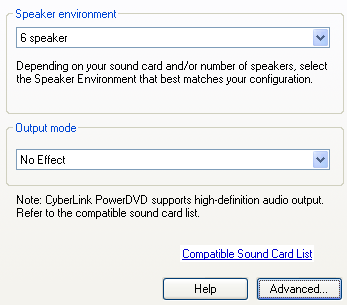
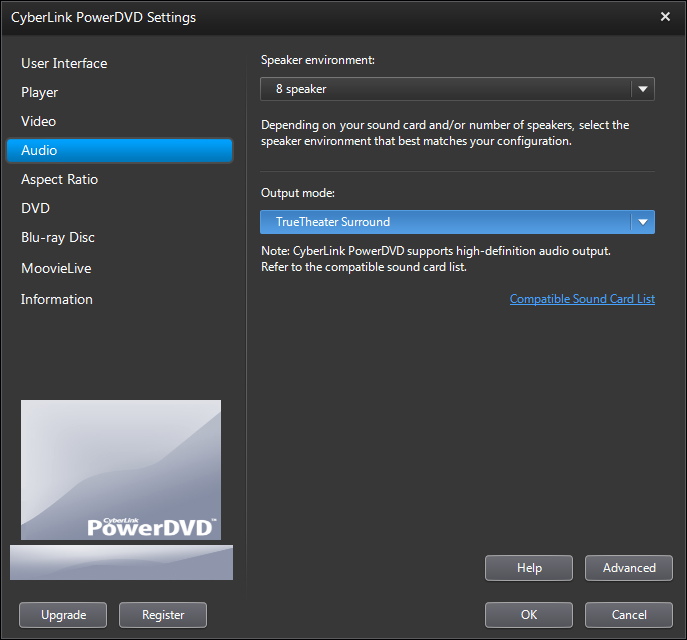
Audio has been the main focus of this new release - with DTS, Dolby Pro-Logic II, Dolby Digital Surround EX, SRS TruSurround XT and DS3D/A3D Virtual Speaker support being added in the more expensive Deluxe edition of PowerDVD 4.0 XP. Audio volume has been dealt with by including dynamic range control, and LFE decoding has finally been implemented (with WinDVD having it many releases ago).
All the usual Dolby Digital, MPEG, Dolby Headphones support are still in there.
Audio quality is clear and volume (with the proper dynamic range compression settings) is loud enough. I would say that Cyberlink has put a lot of work into improving audio quality and support, to do some much needed catch up with WinDVD 3.0, and surpassing it in many areas as well.
Audio Quality Rating : A+ Audio Support Rating : A
(updated 9 December 2002)
Captions/Subtitles
PowerDVD 4.0 like 3.0 supports both closed captions and subtitles - in fact, it even supports dual subtitles (2 different subtitles can be displayed at the same time, one on top of the screen, the other on the bottom) - and dual subtitles can also be displayed at the same time as closed captions, which means 3 subtitles/captions can be simultaneously displayed at the same time. Closed captions are displayed as white text on a transparent background, which isn't as clear as WinDVD's white text on a black background setup - WinDVD also supports more subtitles being displayed at once (up to 4!!), although you can argue this is an overkill, considering many DVDs don't even have 4 subtitles. There has been no apparent change between version 3.0 and 4.0.
Rating : A
Capture
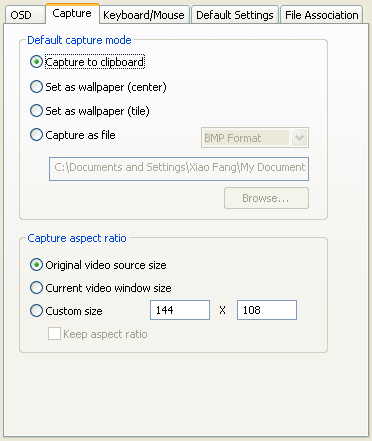
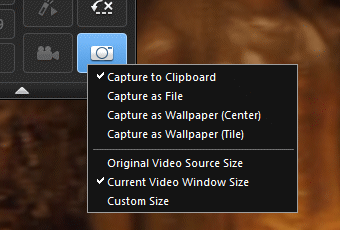
With PowerDVD's implementation, you do have the ability to capture to clipboard, instead of a file, and you have the ability to specify a location to store the captured file. PowerDVD even includes a option to capture to your Windows desktop. PowerDVD 4.0 adds the option to capture either at the original resolution of the video source, or at the current window size. WinDVD's implementation is much more limited (there is only an option to capture to a BMP file), so PowerDVD wins clearly in this department.
Rating : B+
(updated 9 December 2002)
User Interface
The interface of PowerDVD 4.0 remains largely unchanged from that of PowerDVD 3.0. The main difference is the toolbar, which now "auto-hides", and the "Select Source" option, which allows for better opening of file/discs. Both of these have been covered in the What's New for PowerDVD 4.0 page, so please refer to it for more details. Another improvement is the re-organisation of the "configuration" panels, by hiding more advanced configuration options with an added "advanced" button, thereby making it more accessible to beginners. These improvements in interface solves some of the more confusing/frustrating problems of previous versions.
Below is the User Interface Review for PowerDVD 3.0 :
PowerDVD by far has the best interface of any software DVD players. The first thing you notice is the new interface. In fact, the interface is very flexible, allowing you to change the "skin" whenever one become available (currently there are 5 skins included in the retail package). Menus are easy to access, all the options are available with a right-click as well as on the main console. PowerDVD 3.0 also now a toolbar option, which overlays a toolbar at the side of your desktop screen that contains the most used controls (see this page and this page for more information and screen shots) - although the implementation of this toolbar could have been done better (eg. the inclusion of a "auto hide" feature).
There is also a wide range of shortcut keys, which is also nice to have for those with good memories and/or a dislike of multiple mouse movements/clicks.
Rating : B+
(updated 9 December 2002)
OS Support
PowerDVD is supported under a wide range of Windows version, including 98, Me and 2000, as well as NT 4.0. Because of the limitations of driver/multimedia support under NT/2000, not all of the enhanced features (like acceleration support) will be available. PowerDVD 4.0 XP is, of course, the first DVD player to be made specifically for the platform (other DVD players may require patching to obtain Windows XP compatibility, and may not have the Windows XP look and feel).
Rating : A+
Zooming
Zoom support has been added in WinDVD 2000 version 2.1 and in a way it is both superior and inferior to the implementation in PowerDVD. Whereas WinDVD offers you free control over zoom (you can drag any area on screen to zoom to), PowerDVD's controls are more accurate, and much better suited to make widescreen features play in full-screen (eg. it includes presets to make standard widescreen aspect ratio movies to play back in full screen). The digital zoom is of excellent clarity - no pixelations.
The biggest problem is with playing widescreen AVI/DivX files, since PowerDVD removes the "keep aspect ratio" option for playing these kinds of files, when zoomed to full screen, the proper aspect ratio is lost. WinDVD does not have this problem.
This feature remains unchanged from PowerDVD 3.0, with the same problems as before (ie. playing widescreen AVIs), so rating has been downgraded :(
Rating : B+
Acceleration Support
For the latest information on hardware compatibility and acceleration support, please refer to this page.
Note : This is an archived review for an older version of PowerDVD. For the latest review, please refer to this page.
New in 5.0
Click here to read the official PowerDVD 5.0 readme file for a brief of what's new in this release.
This page tries to list all the significant new features of PowerDVD 5.0 - if you want to see a complete review of the latest version of PowerDVD, please refer to this page.
Note that there are two versions of PowerDVD : Standard and Deluxe. All descriptions below are for the Standard version of PowerDVD, unless otherwise stated.
As with the previous version of PowerDVD, there are two major versions of PowerDVD for sale - Standard and Deluxe. The Standard version does not include DTS and Dolby Virtual Speakers support, but includes all the other functions that is included in the Deluxe edition.
New Video Features
Being consistent with their trademarked technology naming convention, new video features for PowerDVD are appropriately named CLEV and CLPV.
CLEV stands for "Cyberlink Eagle Vision" and is PowerDVD's new filtering capability. It dynamically adjusts contrast/brightness/colors to bring out details in the picture.
CLPV stands for "Cyberlink Pano Vision". Now this must be a truly first in terms of software DVD player - the first non-linear zoom. Where CLPV comes in handy is display full screen content on widescreen monitors (and vice versa). It will take a 4:3 picture, stretch the picture around the edges more so than in the middle, and thereby turning it to fit into 16:9 displays. This way, the center of the picture is always less distorted than the outer edges, and assuming most of the action appears in the center of the picture, the overall distortions will be less alarming.
Still capturing has been improved with the option to capture at different pre-set resolutions.
New Audio Features
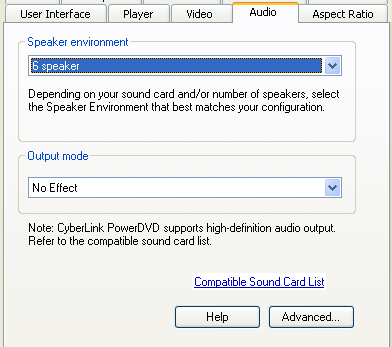
The biggest single new audio feature of PowerDVD 5.0 is the newly added CLMEI (Cyberlink Multi-Channel Environment Impression). In plain speak, this is Cyberlink's own "simulated surround" engine, which allows you to up-convert standard stereo audio into multi-channel audio.
Also new (in the Deluxe version of PowerDVD only) is Dolby Virtual Surround (DVS). This is sort of the anti-thesis of CLMEI, as DVS tries to give you the impression of multi-channel audio using only standard stereo speakers.
WinDVD 3.0 first introduced the concept of time stretching, and PowerDVD 5.0 now also includes this feature. Time stretching allows you to playback the movie faster, but retain the natural pitch of the audio.
And with the release of new sounds cards (eg. Sound Blaster Audigy 2) with higher definition audio output, 24bit/96kHz LPCM audio output will be something that you'll probably want, especially when playing back high resolution audio.
PowerDVD 5.0 also adds TruSurroundXT Headphone, based on existing TruSurroundXT technology already present in PowerDVD 4.0.
New Playback Modes
DivX playback is now integrated into the player, meaning that you no longer required to download the DivX codec for playing back DivX content. Note that most of the advanced features (such as zooming, CLPV and CLEV) are not supported during DivX playback.
Note : This is an archived review for an older version of PowerDVD. For the latest review, please refer to this page.
Previous versions of PowerDVD had a problem of the video picture being too soft and blurry. From initial testing, the new version of PowerDVD appears to be better, although it still does appear a little softer than WinDVD 5.0.
However, upon closer inspection, one could tell that the extra brightness/contrast and sharpness does yield just slightly more artifacts.
Notice in the comparison above the extra definition of the fur for WinDVD 5.0 over PowerDVD 5.0, but notice that when zoomed in, the same area presents more artifacts. It certainly looks like a sharpness filter (notice the bright edge around the two strands of hair in the lower comparison) has been applied in WinDVD 5.0's case. On a computer monitor, the extra sharpness and brightness of WinDVD 5.0 does give a better looking picture, but on a larger display, the artifacts would be quite noticeable. The artifacts are even more noticeable when there are patches of color, like the blue sky background. On this occasion, while WinDVD's sharpness impressed me, I prefer PowerDVD's lack of artifacts, as I am more inclined to playback DVDs on a large screen (where the sharpness is lost, but the artifacts are amplified). If you mainly playback DVDs on your PC monitor, than WinDVD's picture quality will not disappoint. Call it a tie.
With that said, the picture quality of both players are near perfect, and more than acceptable for computer based DVD playback.
Rating : A
Decoding Efficiency
Decoder efficiency was tested with 2 channel decoding turned on and all other filters/effects turned off. With modern CPUs, there is almost no difference between the performance of PowerDVD and WinDVD, so efficiency is becoming less of a problem all the time. PowerDVD does seem to have a more volatile CPU usage (eg. going from 26% to 38%, while WinDVD hovered around 33-35%) - this won't be a problem unless you have an older CPU (eg. a PIII-500). I doubt efficiency can be increased without sacrifising quality, not that it matters all that much with today's range of CPUs.
Rating : A+
Video Support
Acceleration support remains largely unchanged from the previous version of PowerDVD. The single biggest video support feature is CLEV (I'll talk about CLPV when I get to zooming). As described previously on the "What's New" page, CLEV (Cyberlink Eagle Vision) is a technology that promises to dynamically improve picture quality by adjusting the contrast/saturation/brightness. In other words, it aims to improve the picture quality by changing the scene's brightness/contrast/colors as appropriate. While it does seem to work (details in darker scenes are more visible, and color more vibrant), some scenes are meant to be dark, and applying CLEV (or WinDVD's similar Video Effects) on these scenes brought out grain and other artifacts.
There are two CLEV modes - full screen and split screen. I really don't see how the split screen view would help anyone (except for us reviewers, when testing the effects of CLEV), but it is included here (just as it was included with WinDVD's similar "Video Effects").
WinDVD's "Video Effects" (and in particular, the "Movie Effector" filter) and PowerDVD 5.0's CLEV both do similar things and both have similar effects. WinDVD does have a few extra "Video Effects" presets (such as "Negative"), but as I mentioned in the WinDVD review, I personally do not find much use for this feature.
The other major new video feature is time stretching, which was added in WinDVD 4.0. This feature allows you to playback the movie at a faster rate with audio that does not have it's pitch distorted. Again, the importance of this feature is debatable, although WinDVD does have "PAL TruSpeed" as a result of this feature (the ability to playback PAL content at the right speed of 23.976 FPS, instead of 25 FPS) - PowerDVD does not have an equivalent of this feature.
DivX support has been added as well (WinDVD also has DivX Support) - this allows you to playback DivX (5.x) content without the DivX codec.
Rating : A
Audio Quality/Support
Audio quality hasn't changed much, and is of a very high quality. With special effects (such as dynamic range compression) turned off with both PowerDVD and WinDVD, PowerDVD does seem a little louder and clearer, but the differences are small.
The last release of PowerDVD concentrated on bringing more audio support to the PC-DVD platform (including DTS, Dolby Pro-Logic II, Dolby Digital Surround EX, SRS TruSurround XT and DS3D/A3D Virtual Speaker support), so it's not too surprising to find that not much has changed in the latest version of PowerDVD. The main additions are CLMEI, Dolby Virtual Speakers (Deluxe version only) and TruSurroundXT Headphone.
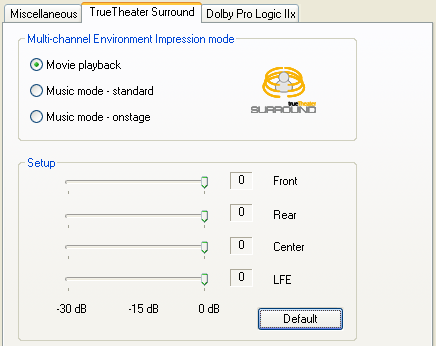
CLMEI (Cyberlink Multi-Channel Environment Impression) is Cyberlink's own "simulated surround" engine. It converts stereo sources for multi-channel (eg. 4, 6 channels) use.
This functionality actually already exists in the previous version of PowerDVD, in the form of Dolby Pro-Logic II - but CLMEI offers more configuration options in that it allows you to adjust each speaker's output level.
Dolby Virtual Speakers was first added in WinDVD, and now PowerDVD also have this feature. This does the opposite of CLMEI, and reduces multi-channel audio to fit into 2 speakers, and uses techniques to trick your ears into thinking that there are in fact more speakers than that.
Again following WinDVD, PowerDVD 5.0 now also adds TruSurroundXT Headphones support, again similar to Dolby Headphones and basically does Dolby Virtual Speakers with headphones.
Audio Quality Rating : A+ Audio Support Rating : A
Captions/Subtitles
There has been no apparent change in terms of subtitles support between version 3.0 and 4.0 and 5.0.
PowerDVD 5.0 like 3.0 and 4.0 supports both closed captions and subtitles - in fact, it even supports dual subtitles (2 different subtitles can be displayed at the same time, one on top of the screen, the other on the bottom) - and dual subtitles can also be displayed at the same time as closed captions, which means 3 subtitles/captions can be simultaneously displayed at the same time. Closed captions are displayed as white text on a transparent background, which isn't as clear as WinDVD's white text on a black background setup - WinDVD no longer supports multiple subtitles.
Rating : A
Capture
With PowerDVD's implementation, you do have the ability to capture to clipboard, instead of a file, and you have the ability to specify a location to store the captured file. PowerDVD even includes a option to capture to your Windows desktop. PowerDVD 5.0 adds the option to capture at a custom resolution, as well as at the original resolution of the video source, or at the current window size. Overall, both PowerDVD and WinDVD's capture facilities are about the same. WinDVD has the additional ability to preview captures before saving, select between JPG/BMP and email integration.
NVDVD has introduced audio capturing, and so both WinDVD and PowerDVD will have to catch up in this area.
Rating : A
User Interface
The interface of PowerDVD 5.0 remains largely unchanged from that of PowerDVD 3.0/4.0, apart from the new skin. The main difference is the ability to hide parts of the right click menu, as to reduce the size of the menu.
Below is the User Interface Review for PowerDVD 3.0/4.0 :
The interface is very flexible, allowing you to change the "skin" whenever one become available (currently there are 5 skins included in the retail package). Menus are easy to access, all the options are available with a right-click as well as on the main console. PowerDVD 3.0 also now a toolbar option, which overlays a toolbar at the side of your desktop screen that contains the most used controls (see this page and this page for more information and screen shots) - although the implementation of this toolbar could have been done better (eg. the inclusion of a "auto hide" feature).
There is also a wide range of shortcut keys, which is also nice to have for those with good memories and/or a dislike of multiple mouse movements/clicks.
Ripped DVD playback support has been improved. In the previous version, you had to load in the "video_ts.ifo" file of the ripped folder in order to playback the ripped DVD. This was somewhat confusing, as many people didn't know which IFO file to open. PowerDVD 5.0 now, like WinDVD, allows you to open the ripped directory, instead of the "video_ts.ifo", which makes more sense.
PowerDVD could improve it's interface by introducing the docking concept (the main console can be docked to the playback window, to form one entity) that WinDVD now uses and to move more of the right click menu and configuration options to be available on the main console (eg. WinDVD's sub-panel idea). It should also move some of the advanced settings away from the configuration section, and make it accessible from the main console or the right click menu.
Rating : A
OS Support
PowerDVD is supported under a wide range of Windows version, including 98, Me, 2000, XP, as well as NT 4.0. Because of the limitations of driver/multimedia support under NT/2000, not all of the enhanced features (like acceleration support) will be available.
For mobile computing, power saving and other features are usually built into the OS. WinDVD 5.0 adds a Mobility Technology Pack which bundles mobile computing features (such as power saving profiles) into the DVD player itself, which is a good way of extending playback time, even if your OS does not have proper mobile technology support. PowerDVD loses points because it lacks this functionality.
Rating : A
(Updated 5th July)
Zooming
This section describes zooming and aspect ratio issues.
CLPV (Cyberlink Pano Vision) is Cyberlink's new zooming algorithm (for widescreen to fullscreen and more importantly, fullscreen to widescreen conversion/zooming). With CLPV, the center of the picture is zoomed less than the outer edges of the picture - assuming most of the action is near the center of the screen, this presents less distortions to the viewer. It sort of has a telescopic/panoramic look to it. This is actually quite a neat feature, and I was pleased to say that it works quite well, especially for fullscreen to widescreen conversion.
Unfortunately, none of the zooming options are available when playing back non DVD content, which is a shame.
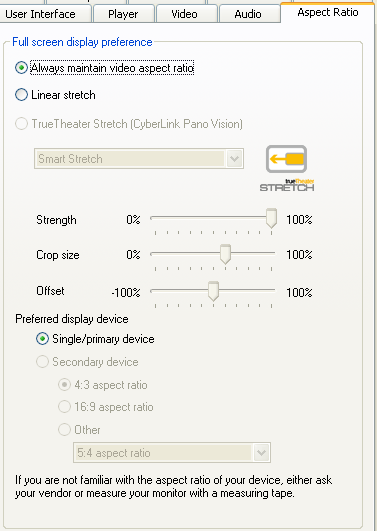
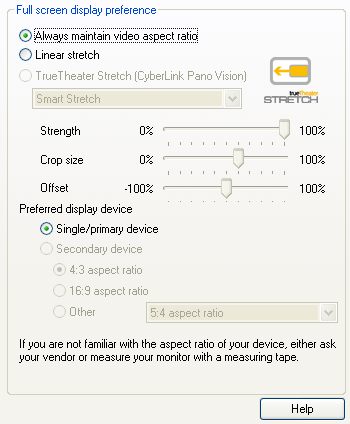
Previously, neither PowerDVD nor WinDVD supports custom zoom (ie. allows you to set, on a scale, how much to zoom in the X/Y directions) - this feature could prove very useful for those that permanently connects their computer to their 16:9 home theater device (eg. projector or television). PowerDVD 5.0 tries to solve this problem by allowing you to set a custom aspect ratio (eg. 16:9, 16:10) for the secondary graphic device. While this helps, it would be better if the primary device's aspect ratio could also be changed, or more precisely, allow completely custom aspect ratios (eg. 17:8, or any other random aspect ratio) for both the primary and secondary playback devices. But it's a move in the right direction.
Rating : A
Value
As mentioned previously, there are two versions of PowerDVD, Standard and Deluxe. The standard versions retails for $39.95 and the deluxe version is $30 dearer, at $69.95. The only difference between these versions is DTS decoding and Dolby Virtual Speaker support. If you don't have lots of DTS DVDs, or don't mind listening to the 2.0 or 5.1 Dolby tracks that are mandatory for DTS DVDs, then the Standard version stands for excellent value, while the Deluxe version is still very well priced compared to the competition.
Rating : A
(updated 4 July 2003)
Note : This is an archived review for an older version of PowerDVD. For the latest review, please refer to this page.
New in 6.0
This page tries to list all the significant new features of PowerDVD 6.0 - if you want to see a complete review of the latest version of PowerDVD, please refer to this page.
Note that there are two versions of PowerDVD : Standard and Deluxe. All descriptions below are for the Standard version of PowerDVD, unless otherwise stated.
As with the previous version of PowerDVD, there are two major versions of PowerDVD for sale - Standard and Deluxe. The Standard version does not include Dolby Pro Logic IIx decoding, Dolby Digital EX decoding, MLP decoding, DTS decoding, DivX Pro playback and DVD-Audio playback.
New Video Features
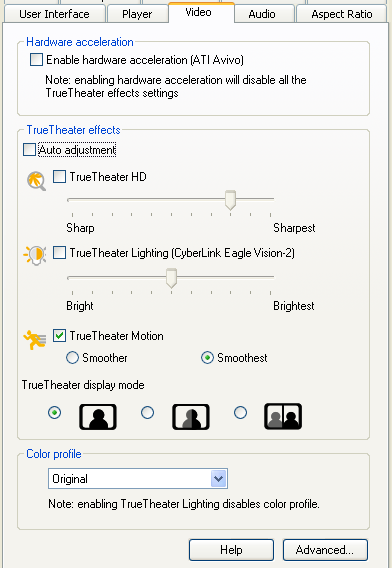
The previous version of PowerDVD saw the introduction of CLEV ("Cyberlink Eagle Vision" - video filtering) and CLPV ("Cyberlink Pano Vision" - non linear fullscreen/widescreen conversion). The new version of PowerDVD features the second generation CLEV-2. CLEV-2 adjusts a scene's chroma and luminance to enhance image detail in scenes that are normally too dark or too bright.
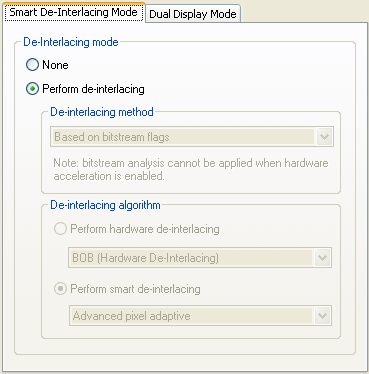
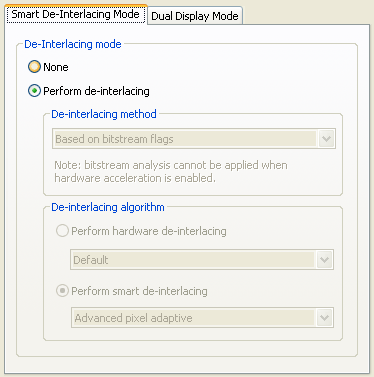
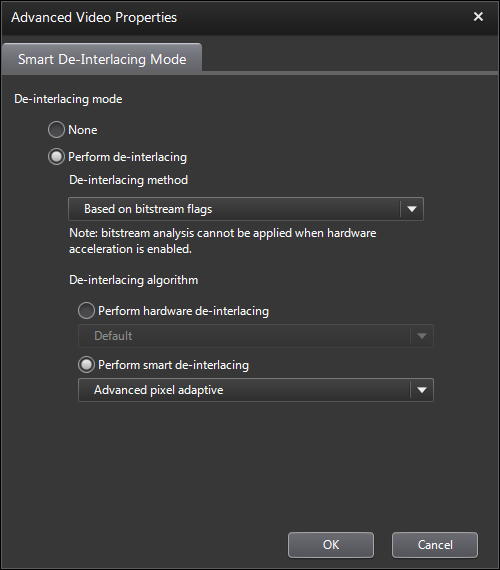
PowerDVD 6.0 also introduces "Smart De-Interlacing Mode" has three de-interlacing algorithms, Pixel Adaptive, Median and Bob. All three algorithms can be selected manually or a smart algorithm used to determine when de-interlacing should be used (can also be set to turn on based on the bitstream flag, a bitstream analysis or to always perform de-interlacing).
New Audio Features
Most of PowerDVD's changes are in the audio department this time round...
The biggest single new audio feature of PowerDVD 5.0 was CLMEI (Cyberlink Multi-Channel Environment Impression). In plain speak, this is Cyberlink's own "simulated surround" engine, which allows you to up-convert standard stereo audio into multi-channel audio. PowerDVD 6.0 now features the second generation implementation of this technology, suitably called CLMEI-2.
You can also use the alternative Dolby Pro-Logic IIx (available in the Deluxe version) to perform the same task of expanding 2 channel audio for multi-channel use.
The previous version of PowerDVD also introduced Dolby Virtual Speaker, which is the opposite of the above technologies as it turns an multi-channel audio source into 2 channel audio that sounds like it has multi-channels by using audio tricks. Cyberlink now has it's own version of the same technique called CLVS (Cyberlink Virtual Speaker).
DVD-Audio (MLP decoding) support is also now available in the Deluxe version of PowerDVD, bringing it in line with WinDVD's support for the same format.
And again following the trend, PowerDVD 5.0 added TruSurroundXT Headphone while PowerDVD 6.0 implements Cyberlink's own version of the same technology, CLHP (Cyberlink Headphones).
Audio equalizer presets have also been introduced. Available presets include "Classical", "Techno", "Country" - altogether 14 different audio presets. There is also audio pitch scaling.
New Playback Modes
WMV-HD support is a new playback feature for PowerDVD 6.0 - this feature is supported in both the Standard and Deluxe versions.
DivX Pro playback is now integrated into the player for the Deluxe version, meaning that you no longer required to download the DivX codec for playing back DivX Pro content. Note that most of the advanced features (such as zooming, CLPV and CLEV) are not supported during DivX playback.
DVD±VR support has also been improved since the last version. DVD-VR is now supported on DVD-R media and DVD+VR playback/random access support is not available. For those that don't know, DVD±VR is a kind of DVD that can be edited after is has been produced, making it an ideal format for standalone DVD recordable. You can find out more about DVD±VR here.
Note : This is an archived review for an older version of PowerDVD. For the latest review, please refer to this page.
Information/Review
Below is the specs for the test system used :
AMD Athlon XP 2500+
1GB DDR400 RAM
NVIDIA FX 5700
On-Board 5.1 Audio
Liteon 16x DVD-ROM
Windows XP Pro SP2
PowerDVD 6.0 Deluxe
Doing a side by side comparison between WinDVD 6.0 and PowerDVD 6.0, there is for all practically purposes no difference between the video quality of both players. In previous versions of PowerDVD, it's picture tend to produce a softer picture, but with less artifacts, but the difference is small enough not to be noticed unless one is specifically looking for differences. With both players configured without video acceleration and with brightness/contrast at the original/default settings, PowerDVD 6.0 now actually looks a little sharper than WinDVD, although again, the differences are very subtle. I think both players have reached a stage where it is almost impossible to improve upon picture quality.
Rating : A+
Decoding Efficiency
Decoder efficiency was tested with 2 channel decoding turned on, video acceleration turned off and all other filters/effects turned off. The result was a bit of a surprise. WinDVD averaged around 20% CPU usage, which is quite normal, but with PowerDVD 6.0, the average was much higher, at around 70% and occasionally going into the 90's. Thinking this was a mistake, I tested PowerDVD 6.0 on another computer (this time a P4 3.2 GHz), and the results were more normal, with both WinDVD and PowerDVD consuming roughly the same amount of CPU resources. A Windows restart did not seem to help, although with video acceleration turned on, the performance was much better (at around 30%), but still higher than it should be. Right now, I am suspecting it's an issue with DMA busmastering on my test system, because ripped DVD files playback without the high CPU usage - but it's strange that WinDVD is not affected by this problem on the same system.
PowerDVD's does feels more efficient due to its faster loading speed and a less laggy interface.
Rating : A
Video Support
CLEV has been updated in PowerDVD 6.0, and with CLEV turned on, the picture looked brighter with more vibrant colors. But as with any picture enhancement (mostly just adjustments of specific contrast settings), details is lost and color bleeding and loss of color accuracy can occur. An example of CLEV enhancement is shown below (actual screenshot of CLEV in action):
WinDVD's "Video Effects" (and in particular, the "Movie Effector" filter) and PowerDVD 6.0's CLEV both do similar things and both have similar effects. WinDVD does have a few extra "Video Effects" presets (such as "Negative"), but as I mentioned in the WinDVD review, I personally do not find much use for this feature.
Smart De-Interlacing is the major new video feature in the latest version of PowerDVD. This is one of those set and forget settings, and whether this will improve your picture of not depends on the kind of content (ie. interlaced content) being viewed. Most DVDs now carry progressive content, and have interlaced content for extras and made for TV material. The "bitstream analysis" option is particularly welcomed, since many DVDs do not properly set the correct bitstream flag for interlaced content.
WMV-HD playback is now available, and playback was good within PowerDVD (because my test WMV-HD files were on the hard disk, the excessive CPU problem I noticed earlier made it more CPU intensive to playback a DVD than a WMV-HD file). I did notice some aspect ratio problems with the T2 HD sample trailer available from Microsoft's WMV-HD website.
DivX support has been upgraded to support DivX Pro features in the Deluxe version.
Overall, WinDVD just shades PowerDVD in this area because it has more video filters, and can do most if not all the things that PowerDVD can do (including WMV-HD playback, without the aspect ratio problems noted in the T2 sample trailer).
Rating : A
Audio Quality/Support
Audio quality was top notch in the previous version of PowerDVD, and it remains so here. There are many settings here to improve audio volume due to DVD's dynamic range, but with everything turned on to improve volume, it's still a little bit softer than WinDVD with the same enhancements. Excessive volume amplification can cause loss of audio quality, so it's a fine balance.
In terms of audio features, this is where most of PowerDVD 6.0's changes are. A trend by Cyberlink has been to implement their own versions licensed audio technologies, such as virtual surround and headphones technologies. This trend is very obvious in PowerDVD 6.0, as all the TruSurround technologies have been replaced by Cyberlink versions that works exactly the same.
Before we get to that, let concentrate on the improvements made to existing audio features. CLMEI (Cyberlink Multi-Channel Environment Impression - Cyberlink's own "simulated surround" engine) has been upgraded to CLMEI-2. It converts stereo sources for multi-channel (eg. 4, 6 or 8 channels) use.
This functionality also exists in the form of Dolby Pro-Logic II - but CLMEI offers more configuration options in that it allows you to adjust each speaker's output level. This is part of the trend I mentioned before about Cyberlink introducing their own versions of licensed technologies, and replaces the existing TruSurround version. Dolby Pro-Logic IIx is also available in the Deluxe version of PowerDVD.
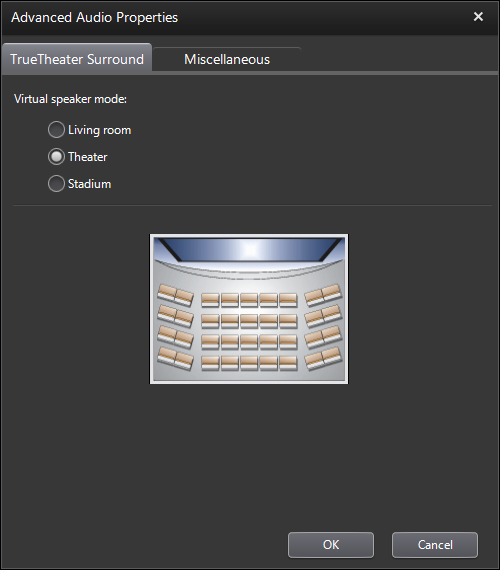
PowerDVD 5.0 added Dolby Virtual Speakers, which does the opposite of CLMEI and plays back multi-channel audio using only 2 speakers (with audio tricks to trick your ears into thinking there are more than just two speakers - not a substitute for multi-channel audio, but works quite well). Again, the trend continues here since Cyberlink has introduced CLVS (Cyberlink Virtual Speaker). The available settings determine how big you want your listening environment to sound, just like Dolby Virtual Speaker, but here you get more meaningful option names like "Theatre" or "Stadium", rather than just "Wide 1" and "Wide 2".
The trend continues with CLHP (Cyberlink Headphone), again Cyberlink's version of a licensed Dolby technology. The same options ("Living Room", "Theatre", "Stadium") for CLVS are available here.
This trend will allow Cyberlink to reduce licensing costs, and it would be interesting to see a low budget version of PowerDVD that does not have Dolby Pro-Logic IIx, Virtual Speaker and Headphones, but only Cyberlink equivalent of the same technologies.
DVD-Audio (with video content) playback is now available as well in the Deluxe version, which is a welcomed addition. CPPM protected content is supported, but I was not able to continue pass the CPPM activation check. Other than that, DVD-Audio playback was flawless and all the normal DVD audio features (like CLHP) are available as well.
New in PowerDVD 6.0 are audio presets (DSP) - 14 preset like "Classical", "Techno", "Country" are included. PowerDVD is doing a little bit of catching up in this area because WinDVD already includes DSP, which includes 17 presets and a custom equalizer mode.
Audio Quality Rating : A+ Audio Support Rating : A+
Captions/Subtitles
There has been no apparent change in terms of subtitles support between version 3.0, 4.0, 5.0 and now 6.0.
PowerDVD 5.0 like 3.0 and 4.0 supports both closed captions and subtitles - in fact, it even supports dual subtitles (2 different subtitles can be displayed at the same time, one on top of the screen, the other on the bottom) - and dual subtitles can also be displayed at the same time as closed captions, which means 3 subtitles/captions can be simultaneously displayed at the same time. Closed captions are displayed as white text on a transparent background, which isn't as clear as WinDVD's white text on a black background setup - WinDVD no longer supports multiple subtitles.
Rating : B+
Update 28th June 2005: The release of WinDVD 7.0 has decreased the Captions/Subtitles rating for PowerDVD because of improvements made by WinDVD, particular in the area of DivX subtitle support.
Capture
With PowerDVD's implementation, you have the ability to capture to clipboard, instead of a file, and you have the ability to specify a location to store the captured file. PowerDVD even includes a option to capture to your Windows desktop wallpaper. PowerDVD 6.0 does not add anything new to this area. WinDVD has the additional ability to preview captures before saving, select between JPG/BMP and email integration.
NVDVD has introduced audio capturing, and so both WinDVD and PowerDVD will have to catch up in this area.
Rating : A
User Interface
The interface of PowerDVD 6.0 remains largely unchanged from that of PowerDVD 3.0/4.0/5.0. There is a new skin and some options have been moved to the main console in a left sided sub-panel, as I wished for in my PowerDVD 5.0 review. It's similar to WinDVD's sub-panel idea, but only the essential settings are present. This new sub-panel also works with the previous skins that are included.
The only thing I don't like about the new skin is that it moves the eject button to the navigational sub-panel.
Below is the User Interface Review for PowerDVD 3.0/4.0 :
The interface is very flexible, allowing you to change the "skin" whenever one become available (currently there are 5 skins included in the retail package). Menus are easy to access, all the options are available with a right-click as well as on the main console. PowerDVD 3.0 also now a toolbar option, which overlays a toolbar at the side of your desktop screen that contains the most used controls (see this page and this page for more information and screen shots) - although the implementation of this toolbar could have been done better (eg. the inclusion of a "auto hide" feature).
There is also a wide range of shortcut keys, which is also nice to have for those with good memories and/or a dislike of multiple mouse movements/clicks.
As noted earlier, the interface does not feel laggy and the program loads quite quickly, so it's slightly ahead of WinDVD in this area.
Rating : A
Update 28th June 2005: The release of WinDVD 7.0 has decreased the Interface rating for PowerDVD because of improvements made by WinDVD.
OS Support
PowerDVD is supported under a wide range of Windows version, including 98, Me, 2000, XP, as well as NT 4.0. Because of the limitations of driver/multimedia support under NT/2000, not all of the enhanced features (like acceleration support) will be available.
For mobile computing, power saving and other features are usually built into the OS. WinDVD 5.0 adds a Mobility Technology Pack which bundles mobile computing features (such as power saving profiles) into the DVD player itself, which is a good way of extending playback time, even if your OS does not have proper mobile technology support. PowerDVD now has mobile power setting options as well, surprisingly something that Cyberlink hasn't made a big fuss over, although mobile multimedia computing is very important these days.
Rating : A+
Zooming
This section describes zooming and aspect ratio issues, and mostly remain unchanged from PowerDVD 5.0
CLPV (Cyberlink Pano Vision) is Cyberlink's new zooming algorithm (for widescreen to fullscreen and more importantly, fullscreen to widescreen conversion/zooming). With CLPV, the center of the picture is zoomed less than the outer edges of the picture - assuming most of the action is near the center of the screen, this presents less distortions to the viewer. It sort of has a telescopic/panoramic look to it. This is actually quite a neat feature, and I was pleased to say that it works quite well, especially for fullscreen to widescreen conversion.
Unfortunately, none of the zooming options are available when playing back non DVD content, which is a shame.
Previously, neither PowerDVD nor WinDVD supports custom zoom (ie. allows you to set, on a scale, how much to zoom in the X/Y directions) - this feature could prove very useful for those that permanently connects their computer to their 16:9 home theater device (eg. projector or television). PowerDVD tries to solve this problem by allowing you to set a custom aspect ratio (eg. 16:9, 16:10) for the secondary graphic device. While this helps, it would be better if the primary device's aspect ratio could also be changed, or more precisely, allow completely custom aspect ratios (eg. 17:8, or any other random aspect ratio) for both the primary and secondary playback devices. But it's a move in the right direction.
PowerDVD now also has dual display settings for setting up cloning/mirroring of displays across two displays, although your graphics driver should already have these type of options available.
Rating : A
Value
As mentioned previously, there are two versions of PowerDVD, Standard and Deluxe. The standard versions retails for $49.95 (an increase of $10 over the previous version) and the deluxe version is $20 dearer, at $69.95. The only difference between these versions are noted in the review above, but to sum up, the Deluxe version has Dolby Pro-Logic IIx decoding, DTS decoding, DVD-Audio playback and DivX Pro support (Dolby Virtual Speaker has been added to PowerDVD 6.0 Standard). The Standard version stands for very good value, but the Deluxe version is only slighly more expensive, very well priced compared to the competition and now has quite a few additional features over the Standard version.
Rating : A
Note : This is an archived review for an older version of PowerDVD. For the latest review, please refer to this page.
New in 7.0
This page tries to list all the significant new features of PowerDVD 7.0 - if you want to see a complete review of the latest version of PowerDVD, please refer to this page.
Note that there are two versions of PowerDVD : Standard and Deluxe. All descriptions below are for the Standard version of PowerDVD, unless otherwise stated.
As with the previous version of PowerDVD, there are two major versions of PowerDVD for sale - Standard and Deluxe. The Standard version does not include the Notebook Power Saver, UPnP Sharing, Dolby Pro Logic IIx decoding, CLVS, Dolby Digital EX decoding, MLP decoding, DTS decoding, AAC decoding, H.264 Playback, DivX Pro playback, DVD-Audio playback, and support for CPRM and VCPS.
New Video Features
CyberLink Eagle Vision (CLEV)-2 was introduced in the previous version of PowerDVD. CLEV adjusts a scene's chroma and luminance to enhance image detail in scenes that are normally too dark or too bright. CLEV-2 has been improved in this latest version of PowerDVD, now called Adaptive CLEV-2, which as the name suggests, dynamically adapts the adjustments.
New Audio Features
A wide range of DTS decoding options have been added to the Deluxe version of PowerDVD and also in a separate audio add-on pack. DTS 96/24 Decoding has now been added to the Deluxe version, while DTS-ES Matrix, Discrete and DTS Neo:6 are available in a separate add-on pack (for both the Deluxe and Standard versions).
AAC decoding has also been added (Deluxe version), which is very useful for MPEG-4 playback.
New Playback Modes
MPEG-4 AVC (H.264) playback has been added to PowerDVD Deluxe (previously available in a separate add-on pack). H.264 has been chosen to be part of both Blu-ray and HD DVD standards, and so the native support for this format is the next logical step to having full high definition DVD playback support within PowerDVD. MPEG-4 AVC (.mp4) files are also becoming much more common, as versions of it is used by portable devices such as the PSP and iPod, and playback on the PC has always been an issue (the need to install codecs, etc...).
A new form of copy protection are also supported - VCPS (Video Content Protection System).
New Usability Features
If the previous version of PowerDVD can be described as one that focused on audio enhancements, then this version of PowerDVD is one where the user interface has been the main focal point.
Emulating the interface features that were released in WinDVD a couple of major revisions ago, PowerDVD now adds Docking, Mini and Wheel Control modes.
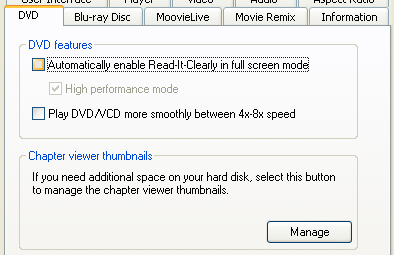
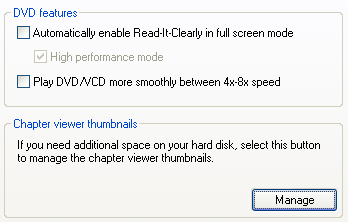
One of Digital Digest's most requested features has been the ability to change the positioning of DVD subtitles, mainly to allow the subtitles to be displayed in the black bars of a widescreen movie, as opposed to being on top of the picture it-self. PowerDVD 7.0 adds a features called "Read-It-Clearly", which does exactly this.
Normal Subtitles
Read-It-Clearly Subtitles
The "Say-It-Again" function automatically replays back the last bit of dialogue with a click of a button - the algorithm will playback to the point where a noticeable break in the audio is heard.
There are also several notebook related power saving features, such as "See-It-All" which speeds up playback so that the movie finishes before the battery runs out, a built-in battery meter and built-in mobility features to save power for the Deluxe version.
Other Features
The other main feature of PowerDVD 7.0 Deluxe is the support for UPnP media servers, which WinDVD has supported as well since version 7.0. PowerDVD can now act as a client for these servers, which are increasingly becoming standard parts of home network and home theatre setups.
Note : This is an archived review for an older version of PowerDVD. For the latest review, please refer to this page.
Information/Review
Below is a review for the latest version of PowerDVD.
Below is the specs for the test system used :
AMD Athlon XP 2500+
1GB DDR400 RAM
NVIDIA FX 5700
On-Board 5.1 Audio
Liteon 16x DVD-ROM
Windows XP Pro SP2
PowerDVD 7.0 Deluxe
Doing a side by side comparison between WinDVD 7.0 and PowerDVD 7.0, there is for all practically purposes no difference between the video quality of both players. In previous versions of PowerDVD, it's picture tend to produce a softer picture, but with less artifacts, but the difference is small enough not to be noticed unless one is specifically looking for differences. With both players configured without video acceleration and with brightness/contrast at the original/default settings, PowerDVD looks a little sharper than WinDVD, although again, the differences are very subtle. I think both players have reached a stage where it is almost impossible to improve upon picture quality.
Rating : A+
Decoding Efficiency
Decoder efficiency was tested with 2 channel decoding turned on, video acceleration turned off and all other filters/effects turned off. The result was a bit of a surprise the last time round for PowerDVD 6.0, as the CPU usage averaged a very high 70% (although it could have been due to my system, rather than PowerDVD). In comparison, WinDVD averaged only around 20% CPU usage, which should have been the normal result. It's good to see that CPU usage is much more normal now for PowerDVD, with an average of 20 to 25% (tested on the same system that was giving out how results the last time round).
PowerDVD's does feels more efficient due to its faster loading speed and a less laggy interface, although the difference to WinDVD is less noticeable now since PowerDVD has many of the same interface features as WinDVD and the result is a slightly more sluggish interface.
Rating : A+
Video Support
CLEV has been updated again in PowerDVD 7.0, and with CLEV turned on, the picture looked brighter with more vibrant colors. But as with any picture enhancement (mostly just adjustments of specific contrast settings), details is lost and color bleeding and loss of color accuracy can occur. A slider is available to adjust the amount of CLEV enhancement (see the What's New page for a Flash demonstration of CLEV). New in PowerDVD 7.0 is the "Automatic" option, which automatically adjusts CLEV for you.
An example of CLEV enhancement is shown below (actual screenshot of CLEV in action - click to enlarge):
WinDVD's "Video Effects" (and in particular, the "Movie Effector" filter) and PowerDVD's CLEV both do similar things and both have similar effects. WinDVD does have a few extra "Video Effects" presets (such as "Negative"), but as I mentioned in the WinDVD review, I personally do not find much use for this feature.
Smart De-Interlacing was the major new video feature in the last version of PowerDVD. This is one of those set and forget settings, and whether this will improve your picture of not depends on the kind of content (ie. interlaced content) being viewed. Most DVDs now carry progressive content, and have interlaced content for extras and made for TV material. The "bitstream analysis" option is particularly welcomed, since many DVDs do not properly set the correct bitstream flag for interlaced content.
High definition playback, including WMV-HD playback, has been available for a few versions. Playback was very good within PowerDVD. When high definition content was detected, PowerDVD gave an option to temporarily turn off CLEV-2 and smart deinterlace, and I thought that was a nice feature. The aspect ratio problems with the T2 HD sample trailer (available from Microsoft's WMV-HD website) found in the previous version is now gone as well.
DivX support is included (DivX Pro features in the Deluxe version only). There is also the new built in H.264 playback in the Deluxe version, previously available as an add-on pack.
Overall, WinDVD just shades PowerDVD in this area because it has more video filters, but this in itself is not really enough to put one player above another.
Rating : A+
Audio Quality/Support
Audio quality was top notch in the previous version of PowerDVD, and it remains so here. There are many settings here to improve audio volume due to DVD's dynamic range, but with everything turned on to improve volume, it's still a little bit softer than WinDVD with the same enhancements. Excessive volume amplification can cause loss of audio quality, so it's a fine balance.
In terms of audio features, most of the improvements were made in the previous version, and this version complete the range of supported DTS formats. DTS 96/24 Decoding has now been added to the Deluxe version, while DTS-ES Matrix/Discrete (7.1 audio) and DTS Neo:6 (2 channel to multi-channel expander) are available in a separate add-on pack (for both the Deluxe and Standard versions).
CLMEI (Cyberlink Multi-Channel Environment Impression - Cyberlink's own "simulated surround" engine) has been upgraded to CLMEI-2. It converts stereo sources for multi-channel (eg. 4, 6 or 8 channels) use.
This functionality also exists in the form of DTS Neo:6 and Dolby Pro-Logic II - but CLMEI offers more configuration options in that it allows you to adjust each speaker's output level. Dolby Pro-Logic IIx is available in the Deluxe version of PowerDVD while Neo:6 is part of an extra add-on pack.
PowerDVD 5.0 added Dolby Virtual Speakers, which does the opposite of CLMEI and plays back multi-channel audio using only 2 speakers (with audio tricks to trick your ears into thinking there are more than just two speakers - not a substitute for multi-channel audio, but works quite well). Cyberlink's version of the same thing is CLVS (Cyberlink Virtual Speaker). The available settings determine how big you want your listening environment to sound, just like Dolby Virtual Speaker, but here you get more meaningful option names like "Theatre" or "Stadium", rather than just "Wide 1" and "Wide 2".
CLHP (Cyberlink Headphone), again Cyberlink's version of a licensed Dolby technology. The same options ("Living Room", "Theatre", "Stadium") for CLVS are available here. (For some reason, I could not find this option in PowerDVD 7.0 - the Dolby and TruSurroundXT options are still there - this options is listed in the help file as well as on the website).
DVD-Audio (with video content) playback is available in the Deluxe version. CPRM protected content is supported, and the problem I had with the activation check failing in the previous version was not evident anymore. DVD-Audio playback was flawless and all the normal DVD audio features (like CLHP) are available as well.
PowerDVD 7.0 contains 14 DSP presets like "Classical", "Techno", "Country" are included. WinDVD includes 17 presets and a custom equalizer mode.
Once again, PowerDVD earns full marks in the area of audio quality and support.
Audio Quality Rating : A+ Audio Support Rating : A+
Captions/Subtitles
After being somewhat neglected in previous updates to PowerDVD, subtitles support has finally been updated, and it's an update that is quite interesting. PowerDVD 7.0 now adds a subtitle mode called "Read-It-Clearly", which basically re-positions the subtitles within the black bars of a widescreen movie, to make it clearer to read. To enable this function, a configuration option must be turned on first, and a warning about possible video corruption is given (more on that later).
Once enabled, I noticed video corruption in windowed mode on this test system (although on another test system with a GeForce 6600, there was no such corruption). Full-screen playback was fine, although the playback quality suffered a bit. Read-It-Clearly does work as described, with the option to select which type of widescreen movie you are watching so that the subtitles can be placed correctly. It will also allow two sets of subtitles to be displayed at the same time, both with Read-It-Clearly turned on (one set to "Top", the other set to "Bottom"), meaning that you can have two sets of subtitles and neither is overlayed on top of the actual video - nice.
Normal Subtitles
Read-It-Clearly Subtitles
Dual subtitles can also be displayed at the same time as closed captions, which means 3 subtitles/captions can be simultaneously displayed at the same time. Closed captions are displayed as white text on a transparent background, which isn't as clear as WinDVD's white text on a black background setup - WinDVD no longer supports multiple subtitles.
While not mentioned in anywhere in particular, DivX subtitle is supported by PowerDVD 7.0. The subtitle file I used was placed in the same folder as the AVI/DivX file (same filename), and it was automatically loaded. I could not see how to load subtitle files manually like in WinDVD. Nevertheless, it's a welcomed addition, and along with Read-It-Clearly support, makes PowerDVD's subtitle support slightly ahead of that of WinDVD.
Rating : A
Capture
With PowerDVD's implementation, you have the ability to capture to clipboard, instead of a file, and you have the ability to specify a location to store the captured file. PowerDVD even includes a option to capture to your Windows desktop wallpaper. PowerDVD 7.0 does not add anything new to this area. WinDVD has the additional ability to preview captures before saving, select between JPG/BMP and email integration.
Still no audio or video capturing, which is a shame (although copyright concerns may be partly to blame).
Rating : A
User Interface
Most of PowerDVD 7.0's changes are in the user interface. First off, you'll notice a brand new OSD (on screen display) system, which now features some nice graphics.
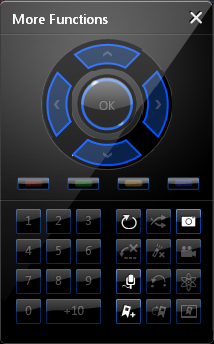
The new skin looks very good and can be expanded (with a nice 3D flipping effect) to the left and right with additional options for audio/video filters, a numpad and some navigation functions. All the most frequently used functions are found on this main console. Clicking on the display area of the main console will also change the "backlight" color of the console, the options black, green, orange, red and blue are available.
Probably as part of the move towards Windows Vista style user interfaces, the main console is also transparency when it is in stopped mode.
Taking a leaf out of WinDVD's book, PowerDVD 7.0 now also features a docked UI mode.
There is also a Control Wheel mode.
Last of all, there is a Mini mode, which is actually a taskbar toolbar which can be enabled (To enable the mini player mode, right click an open area of the Windows taskbar, select Toolbars, and then click PowerDVD 7), and when it is, minimizing PowerDVD will display the mini player controls.
The whole interface feels a little bit more "heavy" (sluggish) than previous version, no doubt due to the new interface features, but it is still a very clean and fast interface to use. The interface improvements are welcomed and does improve the usability.
Rating : A+
OS Support
PowerDVD is supported under a wide range of Windows version, including MCE, 98, Me, 2000, XP. Because of the limitations of driver/multimedia support under 98/Me/2000, not all of the enhanced features (like acceleration support) will be available. Please note that there are reports of problems with Windows XP x64 (PowerDVD 6.0 worked without problems). 64-bit Windows is not one of the officially listed platforms supported by PowerDVD 7.
For mobile computing, power saving and other features are usually built into the OS. PowerDVD has mobile power setting built into the software as well.
There is also a new function called "See-It-All", which speeds up playback so that a movie will finish before the battery runs out. Not sure how useful this feature is, since watching a movie in fast forward (even if the pitch is corrected) can be disruptive or highly amusing.
Rating : A+
Zooming
This section describes zooming and aspect ratio issues, and mostly remain unchanged from PowerDVD 5.0
CLPV (Cyberlink Pano Vision) is Cyberlink's new zooming algorithm (for widescreen to fullscreen and more importantly, fullscreen to widescreen conversion/zooming). With CLPV, the center of the picture is zoomed less than the outer edges of the picture - assuming most of the action is near the center of the screen, this presents less distortions to the viewer. It sort of has a telescopic/panoramic look to it. This is actually quite a neat feature, and I was pleased to say that it works quite well, especially for fullscreen to widescreen conversion.
Unfortunately, none of the zooming options are available when playing back non DVD content, except for the "Stretch to Fit Screen" option (which is actually one option that may be handy to have for non DVD content).
PowerDVD now also has dual display settings for setting up cloning/mirroring of displays across two displays, although your graphics driver should already have these type of options available.
Rating : A
Value
As mentioned previously, there are two versions of PowerDVD, Standard and Deluxe. The standard versions retails for $49.95 and the deluxe version is $20 dearer, at $69.95. The differences between the two versions are:
Notebook Power Saver, (available for Standard version in an add-on pack, $19.95)
UPnP Sharing,
Dolby Pro Logic IIx decoding,
CLVS,
Dolby Digital EX decoding,
MLP decoding,
DTS decoding,
AAC decoding,
H.264 Playback,
DivX Pro playback,
DVD-Audio playback,
and support for CPRM and VCPS
Additionally, DTS-ES Matrix, DTS-ES Discrete and DTS Neo:6 are available in a separate add-on pack for both the Standard ($39.95) and Deluxe versions ($19.95).
The Standard version is good value for a fairly complete media and DVD player, but the Deluxe version is only slightly more expensive, very well priced compared to the competition and now has quite a few additional features over the Standard version. Also consider that a Standard version plus the Mobility add-on pack will cost the same as the Deluxe version with Mobility built in and all the above additional features. Definitely get the Deluxe version if you can afford it.
Rating : A
Note : This is an archived review for an older version of PowerDVD. For the latest review, please refer to this page.
What's New in PowerDVD 8
Click here to read the official PowerDVD version comparison page.
This page tries to list all the significant new features of PowerDVD 8 (as compared to PowerDVD 7) - if you want to see a complete review of the latest version of PowerDVD, please refer to the next page.
There are now three major versions of PowerDVD for sale - Standard, Deluxe and Ultra. When PowerDVD 7 was first released, there was no Ultra version - it was later added to include Blu-ray and HD DVD playback, making it the first commercially available software for doing this task. The features listed in bold are new to PowerDVD 8 (as compared to PowerDVD 7 Standard/Deluxe)
These features are new to all versions of PowerDVD:
MPEG-2 HD support
TrueTheaterâ„¢ Lighting (replaces CLEV)
TrueTheaterâ„¢ Stretch (replaces (CLPV)
TrueTheater Surround (replaces CLMEI-2)
HDMI support
Movie Remix
Movie Collection Manager
The Deluxe version adds the following to the Standard version:
MPEG-4 AVC (H.264) support
DVD-Audio support
DivX Pro support
Dolby Pro Logic IIx support
Dolby Virtual Speaker support
Dolby Headphone support
Dolby Digital EX (7.1 ch) decoding
MPL decoding
DTS 96/24 Decoding
AAC decoding
UPnP File Sharing
CPRM/VCPS support
The Ultra version then adds the following on top of the features of the Deluxe version:
Blu-ray disc support
AVCHD support
SMPTE VC-1 support
SPDIF Mixing
Dolby TrueHD (7.1-channel) decoding
Dolby Digital Plus (5.1-channel) decoding
DTS-HD (7.1-channel) decoding
DTS-ES Matrix and DTS-ES Discrete; DTS Neo:6
These features have been removed from PowerDVD 8 Ultra as compared to PowerDVD 7 Ultra:
HD DVD support
New Video Features
CyberLink Eagle Vision (CLEV)-2 was introduced a few versions ago. Here, it undergoes a name change to TrueTheater™ Lighting. The actuality functionality appears unchanged. CLEV or TrueTheater Lighting adjusts a scene's chroma and luminance to enhance image detail in scenes that are normally too dark or too bright. Another function that had a name change is CLPV, which is now known as TrueTheater™ Stretch. TrueTheater™ Stretch provides non linear stretching for changing the aspect ratio of video - for example, fullscreen movies can be made widescreen by stretching the picture on the outer edges (where it is less noticeable) and not stretching as much in the center.
New Audio Features
Previously available in a separate add-on pack, DTS-ES Matrix/Discrete and Neo:6 are now standard in the Ultra version of PowerDVD.
The rest of the new audio features are Blu-ray related. Support for both 2 channel and multi-channel Dolby Digital Plus, Dolby TrueHD and DTS-HD are present.
New Playback Modes
The first of PowerDVD 8's three new major features is the Movie Remix mode. While technically not a playback mode, it allows you alter what you would define as "normal" playback. This is basically a simple and fun way to edit your movies on the fly, things like adding speech bubbles, new subtitles, video effects and then allowing you save and upload these effects online for other people to enjoy. You know how there are those YouTube videos of scenes from Down Fall with different subtitles to change the scene to describer football results or the latest Xbox 360 Live account banning? Well, this is what Movie Remix mode is for.
New Usability Features
The second of PowerDVD 8' three new major features is the MoovieLive service, which is a new web portable that contains movie and disc information. You can connect online to download information about the current movie you are playing. Previous versions of PowerDVD has something similar called "Movie Encyclopedia", but this new functionality is much improved and you can now easily update information yourself. Everything from cover art to cast/crew info and even personal reviews can be shown and updated.
Also part of the MoovieLive service is the ability to keep DVD/Blu-ray collection records (the third major new feature, in case you were keeping count). Every time you play something, the disc can be identified through ther MoovieLive server and then you can add this disc to your collection list.
New Interface Features
The PowerDVD interface has been revamped. Other than a new skin, there is no more dockable/undockable console ... it's just one joint interface now. Gone are the pop-up windows asking you if you want to resume movie playback or not, as everything has been integrated into the main display area in a web browser type interface.
The only things that can pop up is the "More Functions" box, which contains the numeric keys and other navigation features.
The rest of the interface, such as the right click menu system, remains unchanged.
Note : This is an archived review for an older version of PowerDVD. For the latest review, please refer to this page.
Review
Below is a review for the latest version of PowerDVD. Please take into account the fact that all ratings are for PowerDVD 8 Ultra. Any features not found in the Standard or Deluxe versions of PowerDVD will be indicated.
Below is the specs for the test system used:
Pentium-4 3.2 GHz
1GB DDR400 RAM
ATi Radeon 9800 XT
Sound Blaster Audigy 2 ZS Platinum Pro
Liteon 16x DVD-ROM
Xbox 360 HD DVD add-on drive
Windows XP Pro SP2
BenQ 17" (no HDCP, connected via VGA)
Additional test system used:
Toshiba Satellite M40 Notebook
Intel Pentium M 2.00 GHz
1GB DDR400 RAM
NVIDIA GeForce Go 6600 128mb PCI-Express
Xbox 360 HD DVD add-on drive
Windows XP Pro SP2
Installation and Setup
Installation and setup was painless. Because of the need to connect to an online service (MoovieLive), you do need to agree to a few more things and you might optionally want to sign up for an account online to access all the MoovieLive features.
The configuration options should be familiar to users of PowerDVD. All the usual options you would expect are there. Let's go through the various setup sections:
The options on the "Player" tab are all as they were in the previous version and are pretty self-explanatory. More options are hidden under the "Advanced" button. Here are some slightly more useful settings that control things like on-screen display, screenshot capturing settings and file associations.
The "User Interface" section allows you to download and choose a new skin (none available at the time of this review), as well as customize the start-up picture and software language.
The "MoovieLive" tab is new to PowerDVD 8. Here is where you configure the sign in information for the online MoovieLive service, with an auto-login function to make it easier for frequent usage. You can disable the MoovieLive functions if you wish here. More about the MoovieLive related functions later in the review.
The "Movie Remix" tab is also new to PowerDVD 8, again more about it in detail later on. Here, you can set the default duration of effects.
On to the heart of the configuration area. Video configuration presents pretty much the same options as previous versions. Except that CLEV-2 has been renamed TrueTheater Lighting. The "Advanced" button hides some additional functions. Now there is where I ran into the first bug with this new version - with no video loaded, accessing the "Advanced" button caused PowerDVD to crash without an error message (this is definitely computer specific, since on another machine, PowerDVD did not crash). When it didn't crash, it would allow me to access the de-interlacing and stretching options like previous versions.
The "Audio" tab allows you to change the speaker settings and output effects mode (TrueTheater Surround, formerly CLMEI, Dolby Pro-Logic IIx and DTS Neo:6). To configure the output effects settings, you can click on the "Advanced" button.
If you have the Ultra edition of PowerDVD 8, you will have the "BDROM" tab. Here, you can configure the Blu-ray playback settings such as where you would like persistent storage files to be located (these are things like bookmarks, downloads when PowerDVD is updated with BD-Live compatibility). You can also specify your network speed, your country code and of course, the region settings with a limited change counter. Of course, there's an easy way to by-pass the region protection, and you can read our Blu-ray Region-Free Guide for more information.
There is also an "Information" tab that will display information about your current system and technical information about the movie you are playing.
DVD Playback
DVD playback was largely faultless. While you might expect there be nothing left in this arena to update after eight generations, WinDVD 9 did manage to add something innovative in this area by including All2HD, a HD upscaling feature. PowerDVD does not have anything in comparison.
Zooming is the same as previous versions. They are located under the "Aspect Ratio" section of the right click menu. You can select to zoom widescreen movies to make them fullscreen (two presets for movies with 1.85:1 and 2.35:1 AR), as well as 4x and 9x digital zoom. The mouse can then be used to pan the zoomed area. A little less flexible than WinDVD's mouse drag zoom functions, but possibly more practical as WinDVD 9 didn't allow for widescreen to fullscreen conversion.
Image capturing is via a button on the main console. Unlike WinDVD, you cannot view the captured images within PowerDVD, although you have more flexible options such as capturing to clipboard, wallpaper, or even the PowerDVD start-up image, as well as the capture to file option. There is no animated GIF or video capturing. The windows Print-Screen key also appears to be disabled when playing back BD/HD movies, just like in WinDVD 9, so it looks like it's an intentional copy protection method.
The typical video properties options are available under configurations -> video -> advanced -> color. Here, you can adjust brightness/contrast/color/saturation settings, and create profiles for easy access. Clicking on the "Display More Functions" button on the main console brings up a pop-up console that allows you to select the saved profiles. You can also select TrueTheater Lighting (see comparison screenshot below) to use Cyberlink's own patented lighting control method, either in automatic mode or manual mode.
MoovieLive: Movie Info
This new feature in PowerDVD 8 aims to provide you with some useful information whenever you play a movie. The information is downloaded from Cyberlink's servers and you can help to ensure the accuracy of the information by adding/editing movie information. Everything from cover art, to cast/crew info to release date and even user generated reviews can be uploaded or downloaded.
With so much emphasis on user generated data, the obvious flaw is that many movies are simply not in the database at the moment, and information contained might be inaccurate. Apart from just viewing movie information, you can also see a list of Movie Remixes available for this movie, either created by yourself, or uploaded by other users (more on the Movie Remix feature later on). You can also add personal notes, although the "I own this discs" checkbox does not appear to be linked to the movie collection manager features of PowerDVD 8. And lastly, "Disc Info" shows the available audio/video tracks and other information that can be obtained from the disc and uploaded to the MoovieLive servers. Some useful features, depending on your preference for this sort of thing, but all very well integrated into the PowerDVD 8 interface.
MoovieLive: Movie Collection
Another new feature, and one that might be quite useful for those wanting to keep track of their growing movie collection. The advantage of having such a manager built into the player is that it can simplify the process of adding your movies to your collection manager software, since it's all done when you play the movie for the first time. There are two modes, one for keeping the collection online, or you can use the offline mode to keep your collection organized. A list of your movie remixes are also available to view here. Overall, this is an easy to use movie collection manager with integration with MoovieLive server generated information. The actual features of the collection manager might be a bit light compared to proper software packages or even some online collection managers, but it is more than enough for casual usage and I suspect if you don't already have a movie collection manager software, then you might find this feature more than adequate.
Movie Remix
This is where PowerDVD lets you have some fun. Movie Remix is basically a simplified movie editor, that allows you to add various effects and objects to the movie. Things like alternate subtitles, speech bubbles. You can create some very silly things, replace audio tracks or just add new subtitles tracks for foreign language films like those Hitler "Downfall" clips you see on YouTube all the time. Creativity is your friend.
The interface is easy to use, if a bit sluggish on my (not so powerful) PC. Once you have made your changes, you can save them to file or even upload your changes online. The actual movie doesn't get saved/uploaded, it's only the set of changes you have made to them (basically a text file stating which objects you added, where they are added on screen, start/end times and other information). This way, you can download other people's remixes quickly without having to download any video, assuming their remixes are based on the same disc as yours (at least the same timing). Overall, this is a fun feature and it's fairly easy to use. Whether it becomes popular or not, depends on user participation, although it won't really be a threat to edited movies on YouTube.
Blu-ray/HD DVD Playback
Now that most surprising exclusion from PowerDVD 8 has been HD DVD support. The previous Ultra edition of PowerDVD supported HD DVD playback, and while HD DVD has died a relatively quick death as a format, it still doesn't fully explain why PowerDVD 8 Ultra has removed playback functionalities, not when competitors such as WinDVD and Arcsoft Totalmedia Theater are both keeping the HD DVD playback functions intact. However, I've since written a guide that allows you to get back HD DVD support under the retail version of PowerDVD 8 - read the guide to find out how to re-enable HD DVD playback under PowerDVD 8 Ultra.
Unfortunately, PowerDVD Ultra still will not support playback under older hardware. This is not a copy protection requirement, since WinDVD 9 Plus Blu-ray allows for playback with older hardware, and the AACS copy protection scheme does not call for prevention of playback as VGA based playback is still suppose to work (even if resolution has been reduced). While you might argue that people with older video hardware won't be able to play Blu-ray movies smoothly anyway, to not give the option at all seems a bit heavy handed, especially when said old video hardware is still being sold in shops and when combined with a powerful CPU, it should still be capable of Blu-ray playback if not for this artificial barrier.
Playback on notebook/laptops will work for with PowerDVD Ultra and WinDVD because the connection path between graphics chip and monitor is hard-wired. See, if PowerDVD Ultra can detect this, why not allow VGA playback on older cards?
When it does all work, PowerDVD Ultra supports Blu-ray Profile 1.1 (BonusView) and will provide a free update for Profile 2.0 (BD-Live) very soon. Decoding for all the new high bitrate audio formats are covered, although there are question marks over how much downscaling goes on before the audio reaches your speakers.
My test system does not really have the power to fully decode Blu-ray/HD DVD. WinDVD seems to handle decoding a bit better than PowerDVD Ultra - some scenes are almost watchable in WinDVD, as compared to the 5 FPS you get on PowerDVD. Since it's still relatively early days for Blu-ray and HD DVD playback, and since my test system is not really up to spec in terms of playing back HD content to the fullest, I'll reserve a full review of PowerDVD's Blu-ray and HD DVD playback (for things like DD+, Dolby TrueHD and DTS-HD MA decoding) for a later guide.
User Interface/Usability
I really like the way PowerDVD's interface and various features are all integrated. There are very few pop-up prompts, external programs/windows that open - it's all done within the main display area, whether that's playback resume or movie remixing.
The fullscreen mode allows the playback controls to pop up and hide away quite conveniently, but there are no options to control how it should behave (eg. auto-hide, hide after X seconds ...) unlike in WinDVD. Fast forwarding and rewind is curtesy or a playback speed slider bar just below the play button, which I thought was a nice way to enable fast forward/rewind and select the speed all at the same time (separate keyboard shortcuts are also available to toggle the various forward/rewind modes).
PowerDVD also has a "mini-mode", which when activated, places a mini playback control box within the Windows task bar. It is activated by enabling the "PowerDVD 8" toolbar on the task bar first, and then when PowerDVD is minimized, the mini-mode player will appear. It works quite nicely for playing music where you don't need to see the display.
Overall, the interface is quite easy to use for both new and old users, with some good touches to enhance usability.
PowerDVD 8 Ultra Ratings:
- Performance - Quality - Usability - Features - Value - Overall
Note : This is an archived review for an older version of PowerDVD. For the latest review, please refer to this page.
What's New in PowerDVD 9
Click here to read the official PowerDVD version comparison page.
This page tries to list all the significant new features of PowerDVD 9 (as compared to PowerDVD 8) - if you want to see a complete review of the latest version of PowerDVD, please refer to the next page.
Here’s a list of all the new features found in PowerDVD 9 - the following apply to all editions of PowerDVD (Standard, Deluxe and Ultra) unless otherwise stated:
TrueTheater HD
TrueTheater Motion
PowerDVD Cinema Mode
FancyView Navigation
HDMI 1.3 Support
Let's go through each of these new features one by one.
TrueTheater HD
Corel WinDVD introduced something similar, called All2HD, in the last version of WinDVD. This is basically the DVD (or SD video) upscaler, and you have the option to change the sharpness setting to control how much the upscaling will look. Just like All2HD, this works very well and does not eat too much into the CPU usage side of things. There is a comparison screenshot below (click on the thumbnail to view it at full size) which shows pretty "clearly" how TrueTheater HD works in improving the picture quality.
TrueTheater Motion
TrueTheater motion is equivalent of picture smoothing systems on HDTVs that add additional frames to the picture to make motion smoother. Basically it will convert 24 FPS to 72 FPS by displaying each frame 3 times, of course your display has to support 72 Hz mode for this to be effective, and so it is mainly for output to HDTVs, rather than PC monitors.
PowerDVD Cinema Mode
This is an interesting new interface feature. Basically, this presents a new streamlined interface for PowerDVD, where most of the functions are hidden, and is more suited for home theater operation using a remote control (rather than the mouse/keyboard). Things like colour coded buttons corresponding to remote buttons for certain operations, more simplified menus and buttons, and these types of things (see screenshots below). Overall, it’s pretty effective, and at the very least, it gives you another interface option that looks a bit more stylish than the standard one. But the most important function of this feature is to better integrate PowerDVD with Windows Media Center, and this can then make Blu-ray playback a seamless part of WMC (WMC does not support Blu-ray by default, even in the upcoming Windows 7 version).
FancyView Navigation
This is another interface option, but instead of changing how PowerDVD looks, it changes how the DVD content looks. For example, when viewing a DVD, you can click on the “FancyView†chapter viewer to display a 3D chapter selector, even if the DVD in question is still using plain old static chapters. Although you could argue as to the point of all this, but it does make things a bit more interesting and something to show off to your friends if you’re using PowerDVD to drive your home theater setup.
HDMI 1.3 Support
And finally, but possibly the least exciting feature (or the most, depending on your sound setup) is HDMI 1.3 support. This means support for both video and 8 channel LPCM audio over the same HDMI cable, which means that if you are connecting your PC to your HDTV through your receiver with HDMI audio support, then you can get the best possible sound output. There is even bitstreaming support (transmission of undecoded bitstream for your receiver to handle the decoding), but this does require specific supported audio cards such as the Auzen X-Fi Home Theater HD card. It’s all now possible thanks to HDMI 1.3 support.
Note : This is an archived review for an older version of PowerDVD. For the latest review, please refer to this page.
Review
Below is a review for the latest version of PowerDVD. Please take into account the fact that all ratings are for PowerDVD 9 Ultra. Any features not found in the Standard or Deluxe versions of PowerDVD will be indicated.
Installation and setup was painless. Because of the need to connect to an online service (MoovieLive), you do need to agree to a few more things and you might optionally want to sign up for an account online to access all the MoovieLive features.
The configuration options should be familiar to users of PowerDVD. All the usual options you would expect are there. Let's go through the various setup sections:
The options on the "Player" tab are all as they were in the previous version and are pretty self-explanatory. The only new option is the "Display the rating page when playback stops", which is part of PowerDVD's new more "movie library" approach to playback. More options are hidden under the "Advanced" button. Here are some slightly more useful settings that control things like on-screen display, screenshot capturing settings and file associations.
The "User Interface" section allows you to download and choose a new skin (none available at the time of this review), and the software language.
The "MoovieLive" tab was first added in PowerDVD 8. Here is where you configure the sign in information for the online MoovieLive service, with an auto-login function to make it easier for frequent usage. You can disable the MoovieLive functions if you wish here.
The "Movie Remix" tab was also first added to PowerDVD 8. Here, you can set the default duration of effects, and in PowerDVD 9, there's a new option to auto-save your edits.
On to the heart of the configuration area. The TrueTheater options are presented here, which is also accessible through a pop-up panel in the main player interface. New in version 9 is the TrueTheater HD and Motion options, added to the TrueTheater Lighting option first added in PowerDVD 8. The "Advanced" button hides some additional functions, although the TrueTheater Stretch options have been moved onto it's own "Aspect Ratio" tab (see below).
All the aspect ratio options have been moved to a new "Aspect Ratio" tab. This is where the TrueTheater Strech option can now be found (previously hidden under Video -> Advanced), and you can also configure the output monitor/TV type here.
The "Audio" tab allows you to change the speaker settings and output effects mode (TrueTheater Surround, formerly CLMEI, Dolby Pro-Logic IIx and DTS Neo:6). To configure the output effects settings, you can click on the "Advanced" button. PowerDVD supports HD audio, but as of currently, only selected chipsets/cards are supported (notably Realtek ALC885, Realtek ALC889 and Auzentech X-Fi HomeTheater HD).
If you have the Ultra edition of PowerDVD 9, you will have the "Blu-ray Disc" tab. Here, you can configure the Blu-ray playback settings such as where you would like persistent storage files to be located (these are things like bookmarks, downloads when PowerDVD is updated with BD-Live compatibility). You can also specify your network speed, your country code and of course, the region settings with a limited change counter (now with a nice and colourful map to show you what the regions are). There might be a way to by-pass the region protection if your Blu-ray drive is not hardware locked, and you can read our Blu-ray Region-Free Guide for more information.
There is also a new "DVD" tab, which moves two options previously found under "Video" to here.
There is also an "Information" tab that will display information about your current system and technical information about the movie you are playing.
DVD Playback
In my review for PowerDVD 8, I noted that DVD playback was largely faultless, but there were no innovations such as WinDVD's HD upscaling function, All2HD. PowerDVD 9 corrects the situation by making this version's "main" selling point what they call TrueTheater HD and TrueTheater Motion, the former is basically their version of All2HD. Both of these new features are for DVD playback only. As noted in the "What's New" page previously, TrueTheater HD worked quite well visually as the screenshot comparison below shows, and as to CPU usage, with it turned on (and with other TrueTheater effects off), DVD playback consumed around 21% of the CPU, compared to 11% with TrueTheater HD turned off and hardware acceleration turned on (hardware acceleration has to be off for TrueTheater HD to work). It's a trade-off in terms of CPU usage, but for those with large 1080p screens, it should be worth it.
TrueTheater Lighting is now placed in the section and seems to be working just as well as in the previous version, comparison picture below. CPU usage increased from 11% to 15% with TrueTheater Lighting turned on (and nothing else).
Also new is TrueTheater Motion, which now allows 24 FPS material to be output at a much more motion friendly 60 to 72 FPS, through use of interpolation (adding "in-between" frames). For people with computer monitors, it probably won't make a huge difference, but it should on larger TV type displays (although the TV itself probably also has a similar feature that may/may not work better). CPU usage increased to 20% with this option turned on.
With all three TrueTheater options turned on, CPU usage frequently spiked above 30%, which won't bother your average Core 2 Duo CPUs, but on smaller Atom based systems, this could cause some problems.
Zooming is the same as previous versions. They are located under the "Aspect Ratio" section of the right click menu. You can select to zoom widescreen movies to make them fullscreen (two presets for movies with 1.85:1 and 2.35:1 AR), as well as 4x and 9x digital zoom. The mouse can then be used to pan the zoomed area. A little less flexible than WinDVD's mouse drag zoom functions, but possibly more practical as WinDVD 9 didn't allow for widescreen to fullscreen conversion.
Image capturing has been relegated away from a button on the main console, to the "more functions" pop-up window. It is here that you can also create bookmarks, turn on the karaoke mode, and access the number pad and other navigational controls. As for the capture, unlike WinDVD, you cannot view the captured images within PowerDVD, although you have more flexible options such as capturing to clipboard, wallpaper, as well as the capture to file option. There is no animated GIF or video capturing. The windows Print-Screen key also appears to be disabled when playing back BD/HD movies, just like in WinDVD 9, so it looks like it's an intentional copy protection method.
MoovieLive: Movie Info
MoovieLive largely remains unchanged from PowerDVD 8, so the following will read pretty much the same as the section from PowerDVD 8's review. This feature in PowerDVD aims to provide you with some useful information whenever you play a movie. The information is downloaded from Cyberlink's servers and you can help to ensure the accuracy of the information by adding/editing movie information. Everything from cover art, to cast/crew info to release date and even user generated reviews can be uploaded or downloaded.
With so much emphasis on user generated data, the obvious flaw is that many movies are simply not in the database at the moment, and information contained might be inaccurate. The data are a lot more accurate in PowerDVD 9 than in 8, but the cover art is still mostly wrong or missing (for example, I could not find any cover for while searching for "WALL-E", nor the right cover for The Dark Knight). Apart from just viewing movie information, you can also see a list of Movie Remixes available for this movie, either created by yourself, or uploaded by other users (more on the Movie Remix feature later on). In the previous version, the "I own this discs" checkbox did not appear to be linked to the movie collection manager features of PowerDVD. This has been corrected, and once you enter in enough information as to be able to "Save" the movie information, the "Add to My Movies" button is activated and you can use this to add everything to the movie collection manager portion of PowerDVD. And lastly, "Disc Info" shows the available audio/video tracks and other information that can be obtained from the disc and uploaded to the MoovieLive servers. Some useful features, depending on your preference for this sort of thing, but all very well integrated into the PowerDVD interface.
MoovieLive: Movie Collection
Another new feature of PowerDVD 8, and one that might be quite useful for those wanting to keep track of their growing movie collection. The advantage of having such a manager built into the player is that it can simplify the process of adding your movies to your collection manager software, since it's all done when you play the movie for the first time. There are two modes, one for keeping the collection online, or you can use the offline mode to keep your collection organized. A list of your movie remixes are also available to view here. Overall, this is an easy to use movie collection manager with integration with MoovieLive server generated information. The actual features of the collection manager might be a bit light compared to proper software packages or even some online collection managers, but it is more than enough for casual usage and I suspect if you don't already have a movie collection manager software, then you might find this feature more than adequate.
PowerDVD 9's new FancyView display system (more on that below) is now also integrated with the collection manager, allowing you to view and search your movie collection is a 3D manner that's quite effective, although the missing cover art problem described above makes the feature less useful than it should be (see screenshot below).
Movie Remix
This is where PowerDVD lets you have some fun. Movie Remix is basically a simplified movie editor that allows you to add various effects and objects to the movie. Things like alternate subtitles, speech bubbles. You can create some very silly things, replace audio tracks or just add new subtitles tracks for foreign language films like those Hitler "Downfall" clips you see on YouTube all the time. Creativity is your friend.
The interface is easy to use, definitely designed for beginners. Once you have made your changes, you can save them to file or even upload your changes online. The actual movie doesn't get saved/uploaded, it's only the set of changes you have made to them (basically a text file stating which objects you added, where they are added on screen, start/end times and other information). This way, you can download other people's remixes quickly without having to download any video, assuming their remixes are based on the same disc as yours (at least the same timing). Overall, this is a fun feature and it's fairly easy to use. Whether it becomes popular or not, depends on user participation, although it won't really be a threat to edited movies on YouTube.
Blu-ray/HD DVD Playback
PowerDVD 9 continues to upgrade Blu-ray playback, now supporting everything including BD-Live and 24-bit HD audio output. To test PowerDVD 9, I used the two most popular Blu-ray titles available, The Dark Knight (US, VC-1) and Iron Man (US, MPEG-4 AVC/H.264). The selection of these two titles are also intended to test the two most common video types, VC-1 and AVC. Both discs had Dolby TrueHD 5.1 audio, which was decoded as 24-bit LCPM outputted through a 5.1 system connected through analog output. Video Acceleration was turned on.
Disc start-up times was fairly quick, taking less than 10 seconds in both cases. With Iron Man's BD-Live functions, selecting to download the latest upgrades made the start up process take up to a minute, but this is easily skipped and it won't always be needed. There was some problem starting the Iron Man disc at first, but was solved by removing persistent storage data for the disc and restarting PowerDVD.
Picture and audio quality was superb as expected, and no frame drops were observed. This is not unexpected, as the CPU and GPU combo used to test PowerDVD 9 exceeds minimum specs by quite a bit, as the CPU alone without GPU hardware assist would have decoded Blu-ray titles without too much fuss, let alone with ATI's more advanced GPU assist (ATI Radeon HD cards support full acceleration for both VC-1 and AVC, unlike Nvidia cards which only have partial acceleration for VC-1).
Actual CPU usage for both titles were recorded and you can see the task manager graphs below. CPU usage for both video types hovered around 15-20%, rarely exceeding 25%. Also note the page file usage jumping to over 1GB, despite memory being available.
PowerDVD 9: AVC CPU Usage
PowerDVD 9: VC-1 CPU Usage
The Print-Screen is disabled for Blu-ray playback. Interestingly, Print-Screen is not disabled when PowerDVD's Cinema Mode is activated - a loophole that will most likely be closed down sooner rather than later I think.
HDMI 1.3 output is now supported as well. It is somewhat unclear which audio formats are supported for bitstreaming.
User Interface/Usability
Another major new feature for PowerDVD 9 is the "Cinema Mode". This is basically a minimalized version of the PowerDVD 9 user interface, designed to be used in conjunction with Windows Media Center and MCE remotes. Switching between the two modes is done through a button at the top of the playback window. Once Cinema Mode is activated, the normal right click menu and other more advanced functions are no longer available, replaced by more simplified and easier to navigate by remote versions.
PowerDVD 9: Cinema Mode (click on image to see larger version)
Overall, Cinema Mode is very effective and gives you an experience much closer to that of using a standalone Blu-ray player than ever before.
Also new is FancyView. It is available for two functions within PowerDVD 9, one is for DVD chapter view, and the other is to view your movie collection through 3D navigation of the cover art. Both are effective, if slightly gimmicky (for the chapter view at least - the movie collection manager FancyView is actually quite useful, if Cyberlink's MoovieLive service can be improved to have more accurate cover art).
The other parts of PowerDVD remains largely unchanged, with a updated skin and other smaller updates that generally work well.
I really like the way PowerDVD's interface and various features are all integrated. There are very few pop-up prompts, external programs/windows that open - it's all done within the main display area, whether that's playback resume or movie remixing.
PowerDVD also has a "mini-mode", which when activated, places a mini playback control box within the Windows task bar. It is activated by enabling the "PowerDVD 9" toolbar on the task bar first, and then when PowerDVD is minimized, the mini-mode player will appear. It works quite nicely for playing music where you don't need to see the display.
Overall, the interface is quite easy to use for both new and old users, with some good touches to enhance usability. The new features in PowerDVD 9 add quite a bit in the usability stakes.
Stability
Unfortunately, stability, at least in Windows XP, remains a mixed bag. While reviewing PowerDVD, it crashed on me several times without as much as an error message, and as noted before, it refused to load the Iron Man Blu-ray disc until a reboot and a clear of the Blu-ray persistent storage files. Most of these problems will probably be fixed in upcoming patches.
PowerDVD 9 Ultra Ratings:
- Performance - Quality - Usability - Features - Value - Overall
Note : This is an archived review for an older version of PowerDVD. For the latest review, please refer to this page.
What's New in PowerDVD 10
This page tries to list all the significant new features of PowerDVD 10 (as compared to PowerDVD 9) - if you want to see a complete review of the latest version of PowerDVD, please refer to the next page.
Here’s a list of all the new features found in PowerDVD 10 - the following apply to all editions of PowerDVD (Standard, Deluxe and Ultra) unless otherwise stated:
Blu-ray 3D Playback (Ultra 3D)
TrueTheater 3D (Deluxe, Ultra 3D)
Improved Hardware Optimization
TrueTheater Stabilizer
TrueTheater Noise Reduction
TrueTheater Surround for music files
MovieMarks on MoovieLive.com
Live comments on Twitter, Facebook
MKV(H.264)/FLV(H.264),3GP,3G2 Playback
Ambient Light Sensor support (on Windows 7)
New Interface
Let's go through each of these new features one by one.
Blu-ray 3D/TrueTheater 3D
The Blu-ray 3D specifications was recently announced, and PowerDVD 10 will support 3D Blu-ray. Since there's nothing available commercially yet on this front, Cyberlink promises all purchasers of PowerDVD 10 Ultra 3D that a free upgrade pack, known as "PowerDVD Mark II", will be released in due time to enable Blu-ray 3D. So Blu-ray 3D is not here in PowerDVD 10 yet, but you can purchase now and ensure you get full compatibility when 3D Blu-ray movies become available.
But what is already available in TrueTheater 3D. What this does is to take any DVD you have and then convert the picture from 2D to 3D, in realtime. Several 3D types are supported. TrueTheater 3D is available in both Deluxe and Ultra 3D versions of PowerDVD 10.
In additional to video decoding acceleration, PowerDVD 10 also now includes the ability to use GPU assisted decoding for TrueTheater HD. Both Nvidia's CUDA and ATI's Stream are supported. This should help reduce CPU usage, and shift some of the processing to your GPU.
TrueTheater Stabilizer and Noise Reduction
Two new TrueTheater option are added to PowerDVD 10. Stabilizer aims to steady shaky camera recorded movies, while noise reduction helps to clean up the picture.
New Online Features
Social networking is all the rage and PowerDVD 10 gets in on the act as well. With MovieMarks, you can create bookmarks for movies and upload these online, with comments, and share with friends and strangers alike. Both Facebook and Cyberlink's own MoovieLive websites are support.
On a similar theme, you can also write and submit your own movie comments and reviews to MoovieLive, Facebook or even Twitter.
More interesting for many is the integrated YouTube uploader, which takes any video that plays in PowerDVD and uploads it to YouTube once you enter in your account information.
H.264 MKV and FLV content can now be played within PowerDVD 10. For users of the Standard version, this is only available in Windows 7 through the built-in Windows codecs. For users of the Deluxe and Ultra 3D versions, PowerDVD comes with its own H.264 decoder.
Full Windows 7 Support: Touch, Ambient Light Sensor, Windows 7 Music Library
PowerDVD 10 integrates with Windows 7 in a big way by offering touch support, support for ambient light sensors (on laptops, to maximize battery time by adjusting brightness based on ambient lighting), and integration with the Windows 7 music library.
New Interface
The control interface for PowerDVD 10 remains familiar, but the main playback window has been optimized to be more than just an area to display the video. It is now separated into three tabs, one for movie (disc) playback, one for video (files) playback, and one for audio, emphasizing PowerDVD's new focus on audio playback.
Cinema mode, introduced in PowerDVD 10, is still available as an optimized interface for media center systems.
Note : This is an archived review for an older version of PowerDVD. For the latest review, please refer to this page.
Review
Below is a review for the latest version of PowerDVD. Please take into account the fact that all ratings are for PowerDVD 10 Ultra 3D. Any features not found in the Standard or Deluxe versions of PowerDVD will be indicated.
Installation and setup was painless. You can install this new version on top of PowerDVD 9, meaning you can have both versions installed at the same time, but you can only run one at any one time.
The layout of the configuration section has been modified, but the options themselves remain familiar for users of PowerDVD. All the usual options you would expect are there. Let's go through the various setup sections:
The "User Interface" section allows you to download and choose a new skin (none available at the time of this review), and the software language.
The options on the "Player" tab are all as they were in the previous version and are pretty self-explanatory. Everything appears unchanged from the previous version. More options are hidden under the "Advanced" button. Here are some slightly more useful settings that control things like on-screen display, screenshot capturing settings and file associations.
The new option you may notice straight away is the new "ATI Stream" checkbox next to the "TrueTheater HD" option, which might say "Nvidia CUDA" if you've got an suitably compatible Nvidia GPU. There will be more on the ATI Stream performance later on. Otherwise, the configuration options here remain the same. The "Advanced" button hides some additional functions.
The "Audio" tab allows you to change the speaker settings and output effects mode (TrueTheater Surround, formerly CLMEI, Dolby Pro-Logic IIx and DTS Neo:6). To configure the output effects settings, you can click on the "Advanced" button. The options here remain largely unchanged. PowerDVD supports HD audio, with about a dozen different chipsets/cards being supported (notably Realtek ALC885/889/669/670/892, VIA EnvyHD Vinyl VT1818S/VT1828S/VT2020, Auzentech X-Fi HomeTheater HD, NVIDIA GT2xx, ATI Radeon HD 5000 and Intel Core i3/i5/i7 with integrated audio and graphics).
All the aspect ratio options are in the "Aspect Ratio" tab, which remains unchanged from PowerDVD 9. This is where the TrueTheater Stretch option can now be found (previously hidden under Video -> Advanced), and you can also configure the output monitor/TV type here.
The "DVD" tab controls the DVD options, such as Read-It-Clearly mode and smoother DVD/VCD playback at high speed. Here, you can manage the chapter thumbnails created by PowerDVD's "FancyView" chapter viewing mode.
If you have the Ultra 3D edition of PowerDVD 10, you will have the "Blu-ray Disc" tab. Here, you can configure locale information, including the Blu-ray region setting of PowerDVD. There might be a way to by-pass the region protection if your Blu-ray drive is not hardware locked, and you can read our Blu-ray Region-Free Guide for more information. You can also change BD-J keyboard support settings. Going into the advanced section, here you can change the persistent storage file location (persistent storage are things like bookmarks, downloads when PowerDVD is updated with BD-Live compatibility). New to PowerDVD 10 is a "hybrid" disc option, familiar to those that used PowerDVD 7 for HD DVD. Hybrid discs contain both the DVD and Blu-ray versions of the movie on one side, and here you can specify which version plays for such discs.
The "MoovieLive" tab was first added in PowerDVD 8, and remains unchanged from the previous version. Here is where you configure the sign in information for the online MoovieLive service, with an auto-login function to make it easier for frequent usage. You can disable the MoovieLive functions if you wish here.
The "Movie Remix" tab was also first added to PowerDVD 8, again unchanged from the previous version here. Here, you can set the default duration of effects and an option to auto-save your edits.
There is also an "Information" tab that will display information about your current system and technical information about the movie you are playing.
DVD Playback
The big new feature of PowerDVD 10 is the ability to turn the display of any DVD into 3D, through the TrueTheater 3D feature. Only DVDs are supported, including those played off the hard-drive, not video files. Without having a 3D compatible monitor and viewing glasses, I was not able to test the effectiveness of the 3D conversion. But based on other similar 2D to 3D conversion technology, sometimes known as psuedo-3D, the effect is depth based - imagine the monitor is a window that you're looking out of, and that's the kind of 3D effect you'll get. For 3D that will really pop out at you, you need proper 3D sources (more on that in the Blu-ray section of this review).
The most popular 3D systems are supported, including those employed by the Nvidia Geforce 3D kit, and selected Zalman monitors, and the Acer 3D notebook (5738DG). Some DLP 3D TVs are also supported, including ones from Mitsubishi and Samsung.
Introduced in the last version of PowerDVD was TrueTheater HD, which upscales DVDs to HD. This feature has been improved by including Nvidia CUDA and ATI Steam GPU assist, making the up-conversion process less reliant on the CPU. From my own limited testing, there wasn't a huge amount of different with ATI Steam acceleration turned on and turned off. The GPU activity measurements using GPU-Z also didn't show a huge amount of GPU usage. There was more consistent GPU usage when video acceleration (ATI Avivo) was turned on.
As for the effect, it remains similar to PowerDVD 9, and the screenshot comparisons below, for both the TrueTheater HD and the TrueTheater Lighting, can be seen below.
TrueTheater Motion, which allows 24 FPS material to be output at a much more motion friendly 60 to 72 FPS, through use of interpolation (adding "in-between" frames), is still present. For people with computer monitors, it probably won't make a huge difference, but it should on larger TV type displays (although the TV itself probably also has a similar feature that may/may not work better).
With all three TrueTheater options turned on, except for 3D, CPU usage frequently spiked above 30%, which won't bother your average Core 2 Duo CPUs, but on smaller Atom based systems, this could cause some problems. With everything turned of, and video acceleration turned on, CPU usage dropped to below 20%. With 3D on, it did not seems to add much to CPU usage, for both types of 3D, and what was interesting was that you could still enable TrueTheater HD (but without GPU assist) and TrueTheater Lighting when 3D mode was activated (TrueTheater Motion was disabled though). The conclusion here would be that these modes do not add too much to CPU usage, and any modern CPU should be able to handle these modes, and that performance remains similar to that offered by PowerDVD 9.
Zooming is the basically the same as previous versions. They are located under the "Aspect Ratio" section of the right click menu. You can select to zoom widescreen movies to make them fullscreen (two presets for movies with 1.85:1 and 2.35:1 AR), as well as 4x and 9x digital zoom. The mouse can then be used to pan the zoomed area.
Image capturing has been relegated away from a button on the main console, to the "more functions" pop-up window. It is here that you can also create bookmarks, turn on the karaoke mode, and access the number pad and other navigational controls. As for the capture, unlike WinDVD, you cannot view the captured images within PowerDVD, although you have more flexible options such as capturing to clipboard, wallpaper, as well as the capture to file option. There is no animated GIF or video capturing. The windows Print-Screen key also appears to be disabled when playing back BD/HD movies, not just in PowerDVD but in all applications, so it looks like it's an intentional copy protection method.
Video Playback
Video playback has been improved in PowerDVD 10. First off, it is now separated from DVD/Blu-ray playback through its own "Video" tab at the top, which integrates the playlist editor into the main playback area.
This is where the "play DVDs from hard-drive" option has moved to as well - you can navigate to the DVD folder now and press the Play button to commence playing hard-disk based DVDs, which then plays under the "Movie" tab, and will be treated as a DVD, including access to the DVD only features, like 3D. When this happens, you also lose the two new TrueTheater options that are only available to video files.
The new options are TrueTheater Noise Reduction and Stabilizer. Noise reduction, as the name suggests, reduces video compression and other types of video noise in the picture. The comparison screenshot below gives you an indication of what it can do for you.
TrueTheater Stabilizer is for home made videos with shaky camera work. The effectiveness is limited, although if you do use it on a stable video source, funny effects can occur (static elements like subtitles jumping around all over the place, for example).
Also new is native MKV playback, mainly for MKV with H.264 video. It works well, and all the TrueTheater modes are still available. The same applies to FLV files with H.264 video. Subtitle support is also present, supporting smi, ass, ssa, psb, srt and sub subtitle files. Testing on an srt subtitle file, I found some of the markings, like italic, weren't supported. Also, subtitle support is limited to one subtitle per video file, and is automatically loaded based on filename (both the video and subtitle filenames have to be the same, only the file extension is different). It's not perfect, but it's a much needed addition.
Another new feature is the integrated YouTube upload, which allows you to upload any playable video files within PowerDVD to YouTube, PowerDVD will first convert it to a format that's compatible for upload if necessary. It's easy to use, allows you to enter in the YouTube meta information such as title, tags, description and it works. It's something you previously had to pay extra to get the function through Cyberlink's other movie editing tools, but it's now included in all version of PowerDVD.
The Movie Info service, where information about the disc can be uploaded and downloaded from Cyberlink's MoovieLive, largely remains unchanged from PowerDVD 9. Everything from cover art, to cast/crew info to release date and even user generated reviews can be uploaded or downloaded.
Data on MoovieLive is improving in accuracy and availability all the time, thanks to user input (the "Star Trek Blu-ray" information you see in the screenshots above comes completely from MoovieLive) - obviously, the more popular movies have the most complete and accurate set of information. Using the "Add to My Movies" button automatically adds the movie to PowerDVD's movie collection manager, which also largely remains unchanged from the previous version. The advantage of having such a manager built into the player is that it can simplify the process of adding your movies to your collection manager software, since it's all done when you play the movie for the first time. There are two modes, one for keeping the collection online, or you can use the offline mode to keep your collection organized. A list of your movie remixes are also available to view here. Overall, this is an easy to use movie collection manager with integration with MoovieLive server generated information. The actual features of the collection manager might be a bit light compared to proper software packages or even some online collection managers, but it is more than enough for casual usage and I suspect if you don't already have a movie collection manager software, then you might find this feature more than adequate.
The FancyView display system (more on that below) is integrated with the collection manager, allowing you to view and search your movie collection in a 3D manner that's quite effective, although missing cover art breaks the effect somewhat. If you have FancyView chapter data saved for the movie, then the background will show a semi-transparent still from the movie, and the chapter thumbnails will scroll underneath the cover art. Unfortunately, FancyView chapters aren't available for Blu-ray movies.
Movie Remix is basically a simplified movie editor that allows you to add various effects and objects to the movie. Things like alternate subtitles, speech bubbles. You can create some very silly things, replace audio tracks or just add new subtitles tracks for foreign language films like those Hitler "Downfall" clips you see on YouTube all the time. Creativity is your friend. This feature remains unchanged from the previous version.
The interface is easy to use, definitely designed for beginners. Once you have made your changes, you can save them to file or even upload your changes online. The actual movie doesn't get saved/uploaded, it's only the set of changes you have made to them (basically a text file stating which objects you added, where they are added on screen, start/end times and other information). This way, you can download other people's remixes quickly without having to download any video, assuming their remixes are based on the same disc as yours (at least the same timing). Overall, this is a fun feature and it's fairly easy to use. Whether it becomes popular or not, depends on user participation, although it won't really be a threat to edited movies on YouTube. What would have been really useful, although might get Cyberlink into a lot of trouble with the movie studios, is the ability to upload remixes to YouTube.
Online Functions, Twitter, Facebook, Comments and Reviews
Another set of major changes in PowerDVD 10 has been the online function, namely the addition of Twitter and Facebook support. The new features center around the ability to add comments and reviews to movies, and the ability to add bookmarks that can be uploaded online, what Cyberlink calls MovieMarks. This is all tied into the MoovieLive website, but the commenting feature also supports Twitter and Facebook.
MovieMarks allows you to create bookmarks for DVDs and Blu-rays and then add a comment for each bookmark. These bookmarks can be shared online either through the MoovieLive website, or Facebook.
There are also something called short comments, which is exactly what would work with something like Twitter, allowing you to basically create live commentary for movies.
PowerDVD 10 continues to upgrade Blu-ray playback, supporting everything including BD-Live and 24-bit HD audio output, and now, 3D Blu-ray. Well, not quite, since 3D Blu-ray is not yet ready for public consumption, and so what you get with the Ultra 3D version of PowerDVD 10 is more of a promise to support 3D Blu-ray once movies and 3D hardware becomes available. This will come via a free "Mark II" patch for PowerDVD 10 Ultra 3D owners, to arrive sometime later in the year.
Performance seems to have improved upon previous versions, probably thanks to improvements in video acceleration by both Cyberlink and ATI. To test, I used the two most popular Blu-ray titles available, The Dark Knight (US, VC-1) and Iron Man (US, MPEG-4 AVC/H.264). The selection of these two titles is also intended to test the two most common video types, VC-1 and AVC. Both discs had Dolby TrueHD 5.1 audio, which was decoded as 24-bit LCPM outputted through a 5.1 system connected through analog output. Video Acceleration was turned on.
Disc start-up times were fairly quick, taking less than 10 seconds in both cases.
Picture and audio quality was superb as expected, and no frame drops were observed. This is not unexpected, as the CPU and GPU combo used to test PowerDVD exceeds minimum specs by quite a bit, as the CPU alone without GPU hardware assist would have decoded Blu-ray titles without too much fuss, let alone with ATI's more advanced GPU assist (ATI Radeon HD cards support full acceleration for both VC-1 and AVC, unlike Nvidia cards which only have partial acceleration for VC-1).
Actual CPU usages for both titles were recorded and you can see the task manager graphs below. CPU usage for both video types hovered around 15-20%, rarely exceeding 25%. Also note the page file usage jumped to well over 1.5GB (an increase of about 600 to 800 MB), despite memory being available.
PowerDVD 10: AVC CPU Usage
PowerDVD 10: VC-1 CPU Usage
HDMI 1.3 output is supported, allowing for pass-through of DTS-HD Master Audio and Dolby TrueHD for supported HDMI output devices.
User Interface/Usability
PowerDVD 10 remains familiar to 9, but there are many changes. The biggest change, in classic mode, is the introduction of tabs at the top to separate and highlight the disc, video and music playback features of PowerDVD 10. This is quite effective, as you can quickly search for media files of a certain type, and perhaps is Cyberlink's attempt to emphasize the multimedia capabilities of PowerDVD, as opposed to it just being a DVD/Blu-ray player.
The rest of the interface remains similar, with small tweaks. For example, the right click menu now has the same black colour scheme as the rest of the player, as opposed to being white in PowerDVD 9. The interface appears to be a bit more responsive as well, which is always good.
A major new feature for PowerDVD 9 was "Cinema Mode". This is basically a minimalized version of the PowerDVD 9 user interface, designed to be used in conjunction with Windows Media Center and MCE remotes. Switching between the two modes is done through a button at the top of the playback window. Once Cinema Mode is activated, the normal right click menu and other more advanced functions are no longer available, replaced by more simplified and easier to navigate by remote versions. In PowerDVD 10, Cinema Mode has been redesigned to more closely match the style of Windows Media Center, and it is now fully integrated into Media Center.
Overall, Cinema Mode is very effective and gives you an experience much closer to that of using a standalone Blu-ray player, and better integrated into Windows Media Center, than ever before.
FancyView is still present and the functionality remains basically unchanged. It is available for two functions within PowerDVD, one is for DVD chapter view, and the other is to view your movie collection through 3D navigation of the cover art. Both are effective, if slightly gimmicky.
PowerDVD also has a "mini-mode", which when activated, places a mini playback control box within the Windows task bar. It is activated by enabling the "PowerDVD 10" toolbar on the task bar first, and then when PowerDVD is minimized, the mini-mode player will appear. It works quite nicely for playing music where you don't need to see the display. This remains unchanged from PowerDVD 9 (which was unchanged from PowerDVD 8).
Overall, the changes are mostly welcomed, and the new tabbed sections are effective, especially by integrating the media browser directly into the main playback area - there are less windows that pop up and so the whole thing feels more streamlined. PowerDVD 10 definitely gets improved marks in this area, although this is a subjective area in which personal opinion will ultimately decide whether the new interface is a plus or a minus.
Stability
This version of PowerDVD seems a bit more stable than the release version of PowerDVD 9, which randomly crashed, and sometimes without any error messages. This still occured twice during my review of PowerDVD 10, although that was after a lot of disc swapping, turning on/off features, you know the things you would do in a review but probably not in everyday use.
Windows 7 Support
PowerDVD 10 improves Windows 7 integration, supporting the Windows 7 Music Library function, as well as full Media Center integration via Cinema Mode.
PowerDVD 10 Review Conclusions/Ratings
PowerDVD 10 improves upon PowerDVD 9 in a number of key areas. The additional of 3D support may be the headline feature, but there's improvement in many other areas. Performance has been improved, and while GPU assist support is limited to one particular TrueTheater mode at the moment, it could be extended to other features to further improve performance. The improved file support, namely MKV/FLV H.264 and subtitles support, while not perfect, is a good start. Then there's the new interface with focus on making it easier to find your media files. And the new online features give Twitter, Facebook and YouTube users something to play with. The MoovieLive website is also a year older, and there's much more content on there making the integrated features in PowerDVD just that much more useful.
Overall, the new features are plentiful, and there seems to be something for everyone in this release. In the review for WinDVD 2010 (whose ratings have now been readjusted lower following the new ratings for PowerDVD 10 below), I noted that PowerDVD has pulled ahead of Corel's DVD/Blu-ray player in several areas, and PowerDVD 10 extends the lead, offering many features that WinDVD 2010 just simply doesn't have at the moment (3D, collection manager, online integration). It will be interesting to see what WinDVD 2011 can do to catch up, but it's definitely a case of catching up for Corel, as PowerDVD 10 is now clearly the leading DVD/Blu-ray player on the market.
(note that the ratings below includes marks for the Blu-ray 3D functionality of PowerDVD Ultra 3D. Even though this feature is not yet available, it is included as part of the ratings because it will be made available via a free upgrade)
PowerDVD 10 Ultra 3D Ratings:
- Performance - Quality - Usability - Features - Value - Overall
Note : This is an archived review for an older version of PowerDVD. For the latest review, please refer to this page.
What's New in PowerDVD 11
This page tries to list all the significant new features of PowerDVD 11 (as compared to PowerDVD 10) - if you want to see a complete review of the latest version of PowerDVD, please refer to the next page.
Here’s a list of all the new features found in PowerDVD 11 - the following apply to all editions of PowerDVD (Standard, Deluxe and Ultra) unless otherwise stated:
Multimedia Support:
Playback recorded 3D TV (ISDB-T Standard) [Ultra]
3D Photo support (MPO/JPS) [Deluxe, Ultra]
Instant Seek for DVD movies
TrueTheater™ Technology:
TrueTheater 3D for photos [Deluxe, Ultra]
TrueTheater 3D on photos from Facebook/ Flickr [Deluxe, Ultra]
TrueTheater Enhancement of videos streaming from smart devices/DLNA servers/YouTube
Smart Device Support, including PowerDVD remote app (free with Deluxe and Ultra versions)
Social Media Support:
YouTube video playback
Facebook, Flickr playback & download
Add comments to Facebook/Flickr photos
Upload video to YouTube/Facebook
Upload 3D video to YouTube [Deluxe, Ultra]
Home Media Support:
Stream content with DTCP-IP protection [Ultra]
Let's go through the main new features one by one.
Photo Support (and 3D Photos)
PowerDVD has always covered videos, and in the last version, music support was added. Now, there's a new "Photos" tab in the main PowerDVD interface that allows you to use PowerDVD to manage your photo collection as well, including slideshow support.
Not only that, 3D photos are supported in two major ways. First of all, if you have a 3D camera that can take native 3D photos in MPO or JPS format, then you can view them in the Deluxe and Ultra version of PowerDVD 11 in their 3D glory. If you're like me and haven't completed embraced 3D photography, then PowerDVD 11 (again, Deluxe and Ultra) will let you convert any existing 2D photo to 3D. It's the same kind of simulated 3D that some TVs have, and similar to the effect you get with the previous version of PowerDVD and videos. Like all 3D effects in PowerDVD, you can select the type of 3D technology to use, including those old red/cyan glasses. The review will cover the actual quality of the 3D conversion process, but it's actually better than you would expect.
And while PowerDVD 11 manage your local photo collection, it also now allows you to link to your Facebook/Flickr photos, and even convert those to 3D.
You can't get away from social media these days, and PowerDVD is the latest software to integrate the social media experience. But it's actually not as vague as it sounds, because the first feature, YouTube playback, is less social media, and more Internet TV (or Blu-ray player). You can now play YouTube videos right in PowerDVD without starting your browser, and it gives you a similar interface to what you would expect from Internet connected TVs and Blu-ray players that also have YouTube integration.
Of course, social media these days means Facebook. You can select your locally stored videos and upload them to Facebook (or YouTube) by clicking a single button (once you've connected to your Facebook account, of course). And you can do the same with photos and your Flickr account as well.
With YouTube uploads, you can even upload the video file as 3D, with the option of side-by-side or over/under 3D formats.
Smart Device Support
The only thing more popular than social media these days are smart devices, your phones, tablets and everything in between. PowerDVD 11 supports iPhone, iPad and Android devices in doing a few neat things.
First up, there's a remote control app for iPhone, iPad and Android devices, that you get from the respective app store/market (free for Deluxe, Ultra users, but you must get the paid version if you use PowerDVD standard). The coolest bit is that you can use your smart device as a mousepad, not only to control the mouse pointer in PowerDVD, and anywhere in Windows (tested in Windows 7), as long as PowerDVD is started up. It's a perfect complement to your HTPC, allowing you to control your HTPC via your smart device.
The second major feature is the ability to stream content from your smart phone to your PowerDVD enabled PC, including all photos and videos (no audio support). For Apple devices, not that only videos located in the "Camera Roll" can be streamed.
New Interface
A new version of PowerDVD always means a new interface, but PowerDVD 11 largely remains faithful to the interface use in PowerDVD 10.
Note : This is an archived review for an older version of PowerDVD. For the latest review, please refer to this page.
Review
Below is a review for the latest version of PowerDVD. Please take into account the fact that all ratings are for PowerDVD 11 Ultra. Any features not found in the Standard or Deluxe versions of PowerDVD will be indicated.
Installation and setup was painless. You can install this new version on top of PowerDVD 10, meaning you can have both versions installed at the same time, but you can only run one at any one time. This is the same as with PowerDVD 10 (which allowed PowerDVD 9 to be on the same system).
The layout of the configuration section has been modified, but the options themselves remain familiar for users of PowerDVD. All the usual options you would expect are there. Let's go through the various setup sections:
The "User Interface" section no longer has the skin download and customization options, and so now only consists of a software language selection option. While the removal of skin support will technically count as a minus when it comes to this review, but it was never really a major feature anyway.
The options on the "Player" tab are all as they were in the previous version and are pretty self-explanatory. Everything appears unchanged from the previous version. More options are hidden under the "Advanced" button. Here are some slightly more useful settings that control things like on-screen display, screenshot capturing settings and file associations. One unfortunate change is that a lot of the capturing options, such as ability to set a custom capture resolution, has been removed. The help files also now removes reference to these features, so it appears they have been removed, however, you are still able to capture using these custom options by right clicking on the capture button (accessible by clicking on the "Display more functions" button on the main player console). So you have the situation of being able to do a screen capture at custom resolutions, but not actually being able to set the custom resolution. Hopefully, this issue will be resolved in future updates, either by adding back the capture settings, or removing the additional capture options (I hope it's the former).
Pretty much everything here stays as they were in PowerDVD 10, except "ATI Stream" has been "rebranded" to "Enable AMD Accelerated Parallel Processing", for those with compatible hardware (or "Nvidia CUDA" if you're of the other persuation). The "Advanced" button hides some additional functions, which also remain largely unchanged.
The "Audio" tab allows you to change the speaker settings and output effects mode (TrueTheater Surround, formerly CLMEI, Dolby Pro-Logic IIx and DTS Neo:6). To configure the output effects settings, you can click on the "Advanced" button. The options here remain largely unchanged. PowerDVD supports HD audio, with about a dozen different chipsets/cards being supported (notably Realtek ALC885/889/669/670/892, VIA EnvyHD Vinyl VT1818S/VT1828S/VT2020, Auzentech X-Fi HomeTheater HD, NVIDIA GTX 400 Series, ATI Radeon HD 5000 and Intel Core i3/i5/i7 with integrated audio and graphics - see screen capture above from Cyberlink website - note that this list may not have been updated yet for PowerDVD 11).
All the aspect ratio options are in the "Aspect Ratio" tab, which remains unchanged from PowerDVD 9 and 10. This is where the TrueTheater Stretch option can now be found (previously hidden under Video -> Advanced), and you can also configure the output monitor/TV type here. PowerDVD 11 now supports TrueTheater enhancements for all types of videos, even YouTube and streamed videos from DLNA or smart devices. Also, TrueTheater Noise Reduction is now available for DVDs, whereas with the original launch version of PowerDVD 10, it was only available to video files.
The "DVD" tab controls the DVD options, such as Read-It-Clearly mode and smoother DVD/VCD playback at high speed. Here, you can manage the chapter thumbnails created by PowerDVD's "FancyView" chapter viewing mode. Again, this remains unchanged from PowerDVD 10.
Again, things largely stay the same with the Blu-ray settings for owners of the Ultra edition of PowerDVD 11. Here, you can configure locale information, including the Blu-ray region setting of PowerDVD. There might be a way to by-pass the region protection if your Blu-ray drive is not hardware locked, and you can read our Blu-ray Region-Free Guide for more information. You can also change BD-J keyboard support settings. Going into the advanced section, here you can change the persistent storage file location (persistent storage are things like bookmarks, downloads when PowerDVD is updated with BD-Live compatibility). New to PowerDVD 10 was a "hybrid" disc option, familiar to those that used PowerDVD 7 for HD DVD. Hybrid discs contain both the DVD and Blu-ray versions of the movie on one side, and here you can specify which version plays for such discs. There's an option for Windows Vista/7 users to automatically enable/disabled Aero (some modes automatically force the disable of Aero, irregardless of this setting). When the PowerDVD 10 review was first out, Blu-ray 3D support was still unavailable, but it is now standard with the Ultra version of PowerDVD, and so there's a Blu-ray 3D tab with one single option to enable or disable 3D (disabling 3D would then play 3D movies in 2D mode).
The "MoovieLive" tab was first added in PowerDVD 8, and remains unchanged from the previous versions here. Here is where you configure the sign in information for the online MoovieLive service, with an auto-login function to make it easier for frequent usage. You can disable the MoovieLive functions if you wish here.
Movie Remix mode seems to have been removed as a function, so the tab disappears.
There is also an "Information" tab that will display information about your current system and technical information about the movie you are playing.
DVD Playback
So now onto the review proper. Instead of going through the same grounds as covered with reviews of previous versions of PowerDVD, instead, the review will now concentrate more on the new features present (as well as any important changes, including features that have been removed).
So starting with DVD playback, there's really nothing new here, as the new features in PowerDVD 11 are more to do with 3D, and social media support. So this section will be brief. Mainly, DVD playback remains excellent, with features aplenty. 3D upconversion is still present, although compared with the same function in the original PowerDVD 10 release, there's now a "Source Format" option, which is quite handy. 3D, as you may know, can be encoded in various fashions, including side-by-side or over/under. By allowing this option to be selected for DVD 3D up-conversion, it means that, theoretically, you can encode DVDs with one of the 3D formats, and then PowerDVD will be able to convert it to 3D properly, just like how it would work with Blu-ray 3D discs (for example, if you downloaded 3D clips encoded using side-by-side or over/under, then you can convert and burn these to a DVD, and activate the right option in PowerDVD to get it to play right).
The most popular 3D systems are supported, including those employed by the Nvidia Geforce 3D kit, and selected Zalman monitors, and the Acer 3D notebook (5738DG). Some DLP 3D TVs are also supported, including ones from Mitsubishi and Samsung.
Introduced in the last version of PowerDVD was TrueTheater HD, which upscales DVDs to HD. This feature has been improved by including Nvidia CUDA and ATI Steam GPU assist, making the up-conversion process less reliant on the CPU. From my own limited testing, there wasn't a huge amount of different with ATI Steam acceleration turned on and turned off. The GPU activity measurements using GPU-Z also didn't show a huge amount of GPU usage. There was more consistent GPU usage when video acceleration (ATI Avivo) was turned on.
TrueTheater HD remains useful for upscaled DVD playback on large screens (and even on a 24" screen, the effects are noticeable enough so that you want it on, most of the time). As for the effect itself, it remains similar to PowerDVD 9/10, and the screenshot comparisons below, for both the TrueTheater HD and the TrueTheater Lighting, can be seen below.
The other features, like TrueTheater Motion, which allows 24 FPS material to be output at a much more motion friendly 60 to 72 FPS, is still here, and still not really noticeable on the my monitor setup. CPU usage went up from under 10% (with video acceleration on) to 30% with all the TrueTheater functions turned on, and from 30% to an average of 40% when 3D was turned on.
Zooming is the basically the same as previous versions. They are located under the "Aspect Ratio" section of the right click menu. You can select to zoom widescreen movies to make them fullscreen (two presets for movies with 1.85:1 and 2.35:1 AR), as well as 4x and 9x digital zoom. The mouse can then be used to pan the zoomed area.
Image capturing has been relegated away from a button on the main console, to the "more functions" pop-up window. It is here that you can also create bookmarks, turn on the karaoke mode, and access the number pad and other navigational controls. As for the capture, unlike WinDVD, you cannot view the captured images within PowerDVD, although you have more flexible options such as capturing to clipboard, wallpaper, as well as the capture to file option. There is no animated GIF or video capturing. The windows Print-Screen key also appears to be disabled when playing back BD/HD movies, not just in PowerDVD but in all applications, so it looks like it's an intentional copy protection method. And as mentioned earlier, a lot of the capture settings have been removed, yet some are still referred to when you right click on the capture button, something that will hopefully be fixed via patches.
There was some confusion in the previous version of PowerDVD as to where the "play from hard-drive" option has moved to. This option allows DVDs copied to the hard-drive to be played by simply selecting the video_ts folder. Luckily, this option has been moved back to the "Movie" tab, the same place movie discs are launched from, by using the drop down arrow (used to select which drive to load) to activate the "Open movie file from hard-drive" option.
The "what's new" list for PowerDVD 11 lists "Instant seek for DVD movies" as a new feature, but the documentations don't reveal much more. DVD seeking does appear to be faster, more "instant", but it was already quite responsive previously. Overall, DVD playback is more than adequate and reflects that of a mature product in its 11th major incarnation.
Blu-ray Playback
PowerDVD 11 doesn't add too much to Blu-ray playback (compared to PowerDVD 10 Ultra 3D with Blu-ray 3D patch), and you wouldn't expect too many changes considering how mature the solution already was a year ago. It supports practically everything, including BD-Live and 24-bit HD audio output, and Blu-ray 3D now comes standard with the Ultra version (it was originally unavailable at launch of PowerDVD 10, and added later as an add-on pack)
Disc start-up times were fairly quick, taking less than 10 seconds in both cases.
Picture and audio quality was superb as expected, and no frame drops were observed. This is not unexpected, as the CPU and GPU combo used to test PowerDVD exceeds minimum specs by quite a bit, as the CPU alone without GPU hardware assist would have decoded Blu-ray titles without too much fuss, let alone with ATI's more advanced GPU assist (ATI Radeon HD cards support full acceleration for both VC-1 and AVC, unlike Nvidia cards which only have partial acceleration for VC-1).
Actual CPU usages was quite low, often hovering below 10% even for Blu-ray playback.
PowerDVD 10: VC-1 CPU Usage
So while Blu-ray support hasn't really been improved, it didn't really need much improvement to begin with.
Video Playback and Upload
Local video file playback remains largely unchanged from PowerDVD 11, but the entire video section now integrates YouTube and DLNA playback, as well as support for Windows Library, all in the same section.
All the TrueTheater modes are available, including the two new ones introduced in the last version (noise reduction and stabilizer), but there does not appear to be much new here either. MKV playback, subtitle support, all new in PowerDVD 10, are still present.
But the major feature of PowerDVD 11 is integrated YouTube playback, and it works very well. It's very much the same type of simplified, "made for TV", interface you would expect from YouTube integration on Internet TVs and Blu-ray players, but it also fits into the way PowerDVD handles other video files. There's the usual YouTube functions of viewing featured or most viewed videos, but there's no "most discussed" or "highest rated" as you would find on say Android's YouTube app, but there's the ability to log in to YouTube and access your favourites, subscriptions, playlists and your own uploaded videos, which is handy. Plus there's also a dedicated movie trailers section for, well, movie trailers. Overall, it's quite a well done feature, and a handy one to get your daily YouTube fix without having to start your browser. The best part is that all the TrueTheater enhancements are available, and so you can upscale YouTube videos to HD if you want.
YouTube uploads are still supported, which allows you to upload most playable video files within PowerDVD to YouTube (some files are not supported, and YouTube limits the length of videos anyway), PowerDVD will first convert it to a format that's compatible for upload if necessary. It's easy to use, allows you to enter in the YouTube meta information such as title, tags, description and it works. It's something you previously had to pay extra to get the function through Cyberlink's other movie editing tools, but it's now included in all version of PowerDVD.
Facebook uploads are now also supported, which works similar to the way YouTube uploads work.
Photo Playback and Upload
Completely new for PowerDVD 11 is the ability to manage your photo collection just like how it's already possible to manage your video and music collections. All the usual features are there, including a slideshow mode with fade or motion effects, and adjustable duration.
You can also link PowerDVD with your Facebook and Flickr accounts, and view photos from your online collection with ease, with the same slideshow effects available there too, and the ability to download photos. And uploading your local photos to either of these online services is easy as well.
And add in 3D support, allowing native 3D photos (taken with 3D cameras) to be viewed, along with 3D conversion for 2D pics (works the same as with video 3D up-conversion), overall, these features add to the PowerDVD media management credentials, and the online interaction works seamlessly.
Smart Devices Support
The other major new area of improvement for PowerDVD 11 is smart devices support. This includes a newly built app for iPhone, iPad and Android that allows you to remotely control PowerDVD on your smart device, as well as stream content from your smart device for playback in PowerDVD.
For this review, I've only tested smart devices support with my Android smart phone, but if the Apple interfaces are similar, then these new features are an excellent addition to PowerDVD.
First up, after installing the PowerDVD Remote app from Android Market, where there is a free version of the app that only works with Ultra and Deluxe editions of PowerDVD 11, and a paid for one for owners of the Standard edition, it took a while to get everything up and running. With PowerDVD 11 started, the app, running on a smart phone connected to the same home network, quickly located the computer in which PowerDVD 11 was installed, and connected to this "server" (in PowerDVD 11, you can also randomly set a passcode to ensure only your devices can connect). The problem I encountered were solved by restarting my smart phone, and restarting PowerDVD, then everything connected (others may also need to adjust their firewall settings, to allow PDVD11Serv.exe). You just have to try reconnecting a few times from the app, or restarting PowerDVD once connection has been made, to get everything up and running.
Once you do connect, you can then use the app to skip to the various sections (Movie, Video, Photo, Music, Device ...), and then either use the touch screen as a mousepad, or to access the playback controls. The mouse pad functions works well, not as precise, especially on a smart phone, but good enough, and it allows you to control the mouse pointer in other applications as well, as long as PowerDVD is running in the background (or sometimes even when it's shut down ... it's a bit finicky, as to when the mouse pad works). The controls are also usable, and has all the most frequently used buttons.
The other part of the app is to allow PowerDVD to access photos and videos stored on the smart device for viewing on your PC (or HTPC). Interestingly, music streaming is not supported, perhaps due to copyright reasons, but you can easily stream photos and videos captured by or stored on the device. It makes sharing media files from your phone to your PC much easier, since you can also download files from the phone to your computer. All the photo and video functions, such as slideshows and TrueTheater functions, are supported.
So a very useful addition to PowerDVD. The only missing feature is other way sharing, allowing your smart devices to watch videos on your PC, but copyright issues aside, this is much more trickier as each device can only support a limited range of formats. But overall, this is a great addition and it is implemented well, apart from a few connection niggles.
Movie Info, Collection, Remixes
These functions largely remain unchanged, so the text below mostly come from the PowerDVD 10 review. The only notable change is that Movie Remixes is no longer available. Perhaps it was removed due to copyright reasons, but most likely, it was removed because it might not have been utilized by that many people.
The Movie Info service, where information about the disc can be uploaded and downloaded from Cyberlink's MoovieLive, largely remains unchanged from PowerDVD 9. Everything from cover art, to cast/crew info to release date and even user generated reviews can be uploaded or downloaded. One problem I did find was that it kept on returning the wrong movie info for me, for example, the screenshots below were from the Star Trek Blu-ray (and using a newer Blu-ray, like HP: Deathly Hallows Pt.1, or Inception, did not return any results).
In the end, I had to use the Movie Collection tool to manually search and add in my movie collection, as it appears the movie matching service is not quite working properly at the time of testing. Plus, even when manually finding the disc, actual disc information was missing. Otherwise, the feature remains largely unchanged. Using the "Add to My Movies" button automatically adds the movie to PowerDVD's movie collection manager, which also largely remains unchanged from the previous version. The advantage of having such a manager built into the player is that it can simplify the process of adding your movies to your collection manager software, since it's all done when you play the movie for the first time. There are two modes, one for keeping the collection online, or you can use the offline mode to keep your collection organized. A list of your movie remixes are also available to view here. Overall, this is an easy to use movie collection manager with integration with MoovieLive server generated information. The actual features of the collection manager might be a bit light compared to proper software packages or even some online collection managers, but it is more than enough for casual usage and I suspect if you don't already have a movie collection manager software, then you might find this feature more than adequate.
The FancyView display system is integrated with the collection manager, allowing you to view and search your movie collection in a 3D manner that's quite effective, although missing cover art breaks the effect somewhat. If you have FancyView chapter data saved for the movie, then the background will show a semi-transparent still from the movie, and the chapter thumbnails will scroll underneath the cover art. Unfortunately, FancyView chapters aren't available for Blu-ray movies.
Online Functions, Twitter, Facebook, Comments and Reviews
Twitter and Facebook short commenting support, along with support for Cyberlinks' own MoovieLive service, is still present, allowing you to tweet or post updates as you watch a movie. Bookmarking remains the same as PowerDVD 10, with both online and offline bookmarks.
MovieMarks allows you to create bookmarks for DVDs and Blu-rays and then add a comment for each bookmark. These bookmarks can be shared online either through the MoovieLive website, or Facebook. Note that bookmarks are only supported for DVDs, and these features are not available for Blu-ray.
And as mentioned before, there's now Facebook and Flickr photo uploads, along with YouTube and Facebook video uploads.
User Interface/Usability
PowerDVD 11's interface is a slight tweak to the interface of PowerDVD 10, but those familiar with the last version should be able to pick and use PowerDVD without having to re-learn the interface. remains familiar to 9, but there are many changes. There are now more tabs than before, to accomondate the added photo and devices functionalities.
Cinema mode now has a "Stereo view", which makes the minimized, home cinema optimized version of the PowerDVD interface appear in 3D. But otherwise, it remains similar to the same feature found in the previous version of PowerDVD.
Windows Media Center integration is very well done, with the PowerDVD module selectable from the main MCE menu, to start the Cinema mode of the player. The smart devices app also works within the MCE version of PowerDVD, making it possible to use the app to control MCE, although you will most likely have to rely on the mouse pad, as the controls don't really work until PowerDVD has started playing something.
Overall, Cinema Mode is very effective and gives you an experience much closer to that of using a standalone Blu-ray player, and better integrated into Windows Media Center, than ever before.
So small changes to the interface, but with the addition of smart devices support, and the same great MCE integration as before, using PowerDVD is simple and intuitive.
Stability
Again, stability seems to have improved, with no Blu-ray errors or crashes during testing, even though I was starting and stopping the player, and trying out all the functions all throughout. This is the first PowerDVD review under Windows 7, and so this perhaps might have something to do with the perceived increased stability.
PowerDVD 11 Review Conclusions/Ratings
PowerDVD 11 doesn't make a lot of improvements to the core featureset of PowerDVD 10. DVD and Blu-ray playback, including 3D support, is still as good as ever, although some features seems to have been removed, none of them are considered essential.
Most of the improvements have come in the area of photo support, and smart devices support. Photo support is welcomed and completes PowerDVD's media handling credentials. Smart devices support means there's yet another way to display movies and photos from your device to your PC, but it's an elegant solution and easier to use than even certain device manufacturer's own software. And having the ability to use your phone or tablet as one big PowerDVD remote, complete with mouse pad that also works in other applications, is actually a great addition to any HTPC setup.
And with improved social media integration, namely Facebook photo and video uploads (and downloads), and Flickr photo uploads/downloads, and of course, the very useful integrated YouTube player, these are all meaningful inclusions that make PowerDVD a better player.
PowerDVD 11 Ultra Ratings:
- Performance - Quality - Usability - Features - Value - Overall







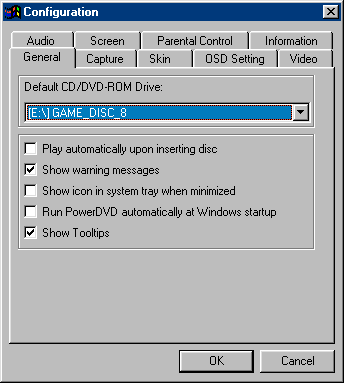
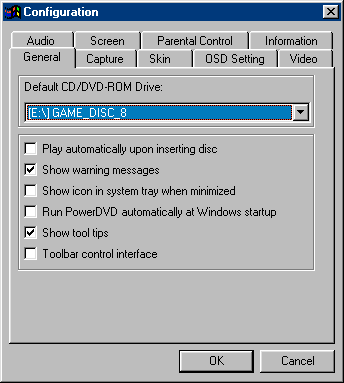
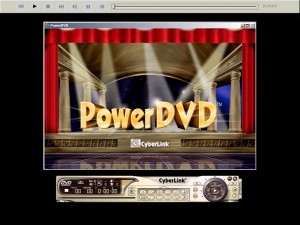
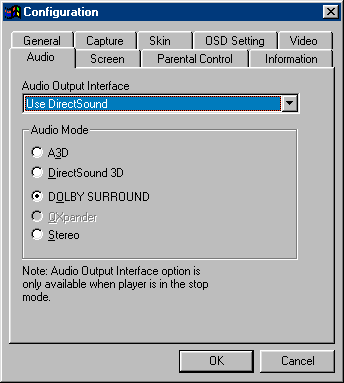

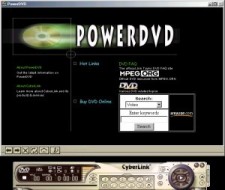
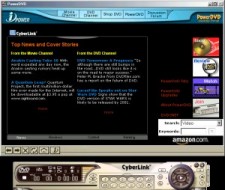

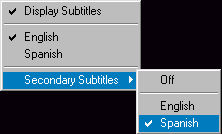




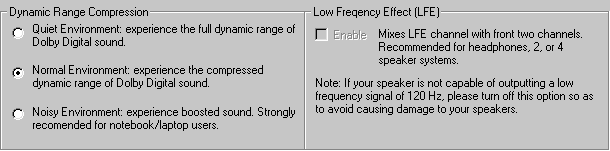
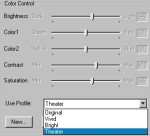



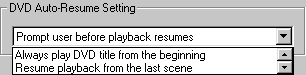
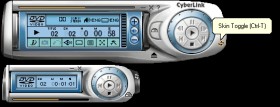

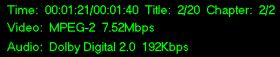
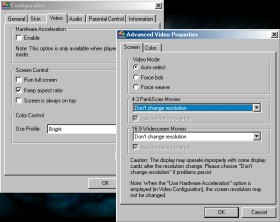

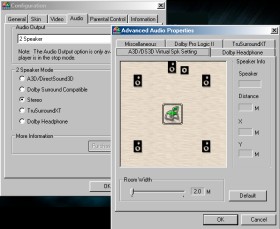
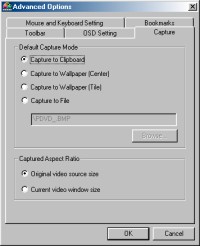

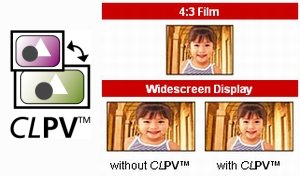
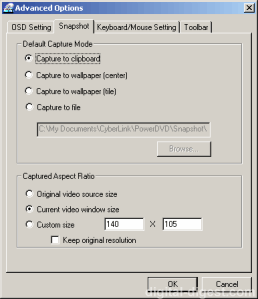






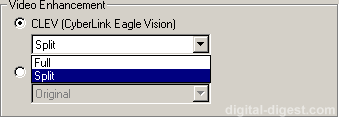

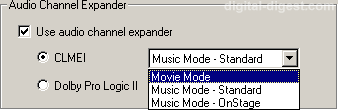
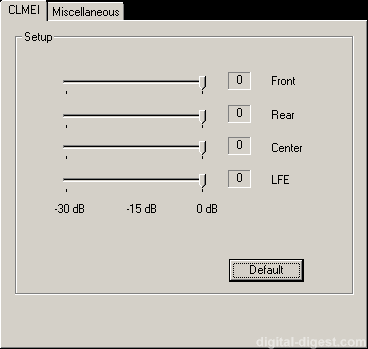
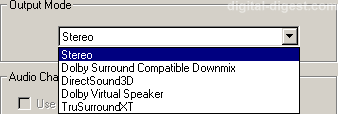
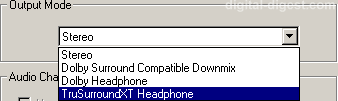
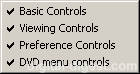
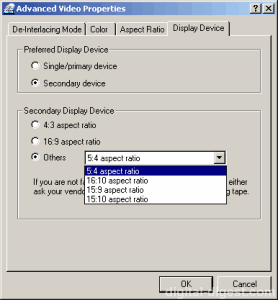
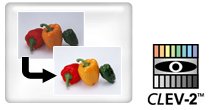

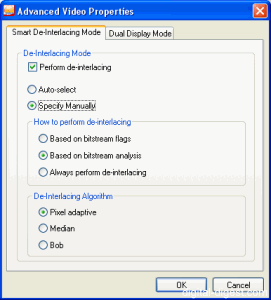





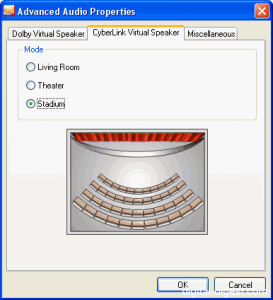
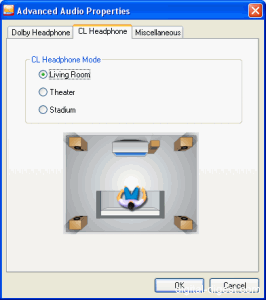


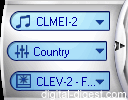
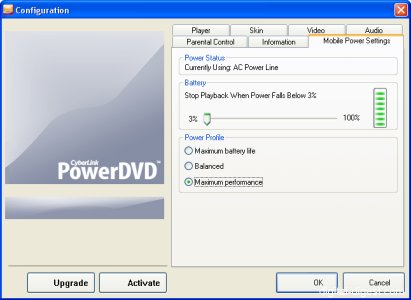
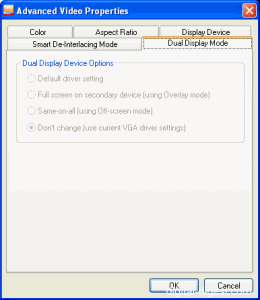













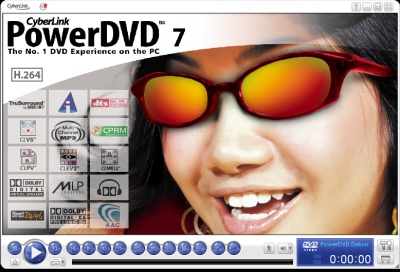


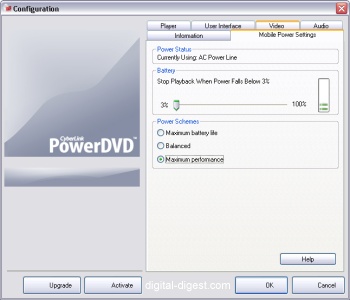

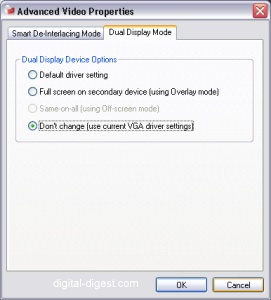
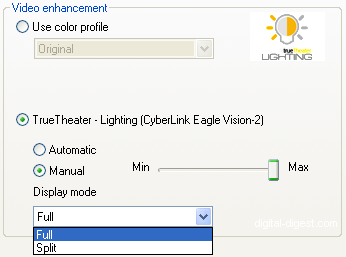
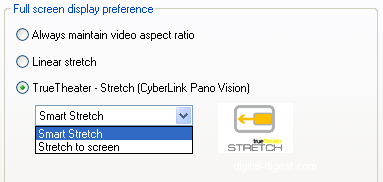



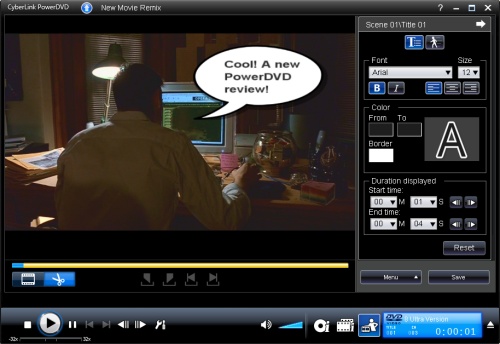
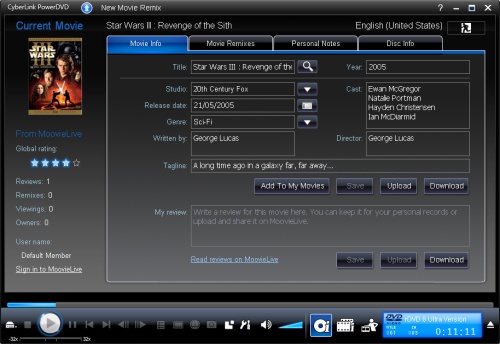
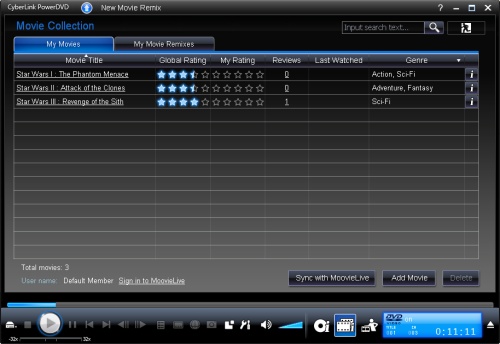
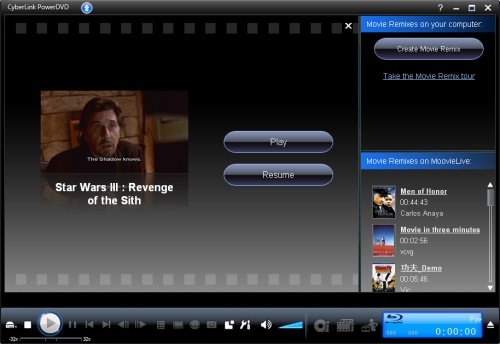

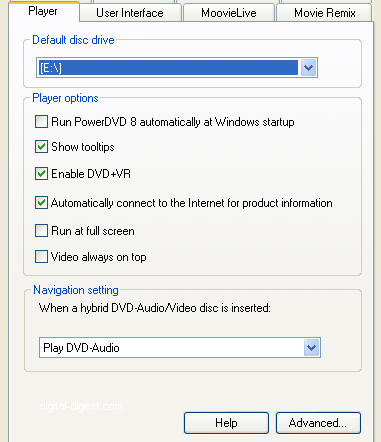
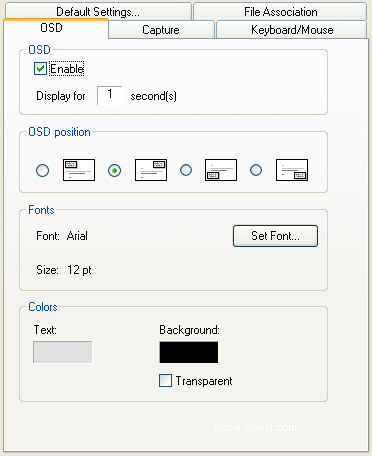
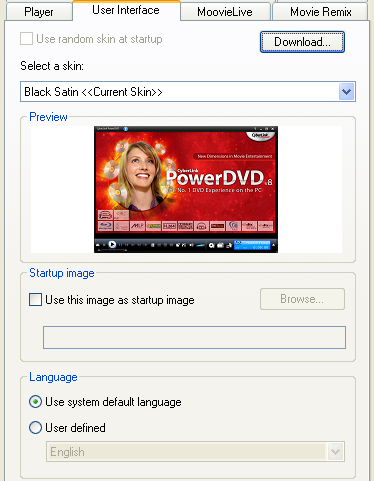
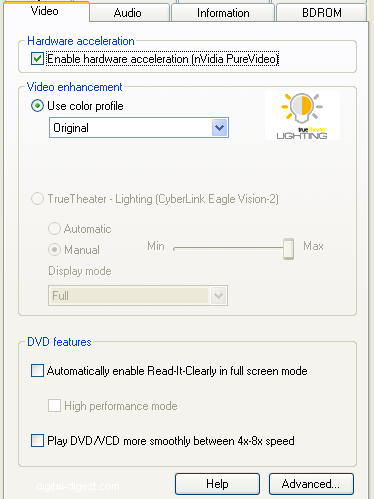
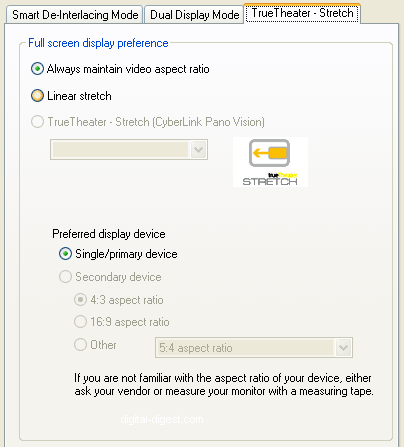
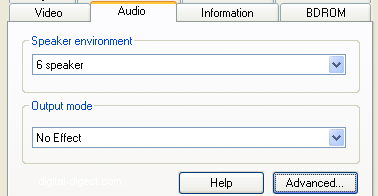
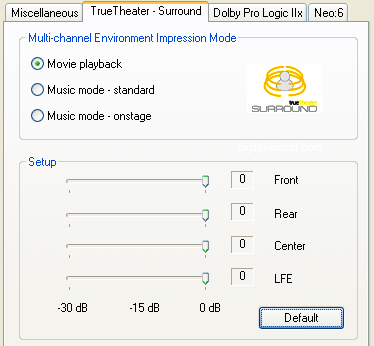

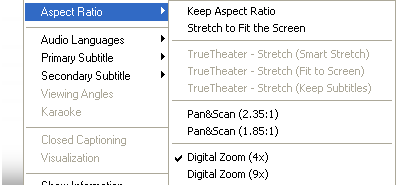

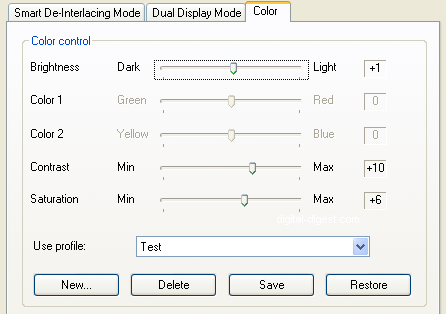
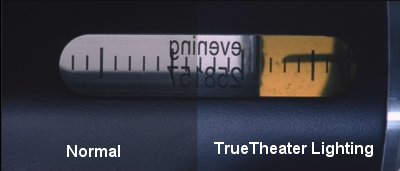

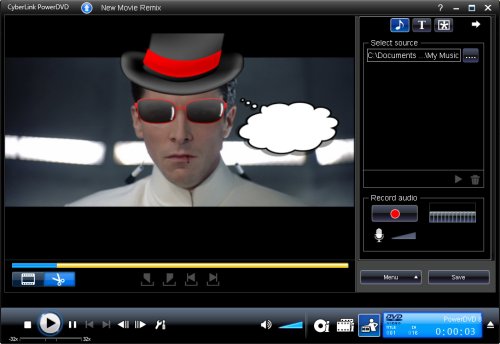
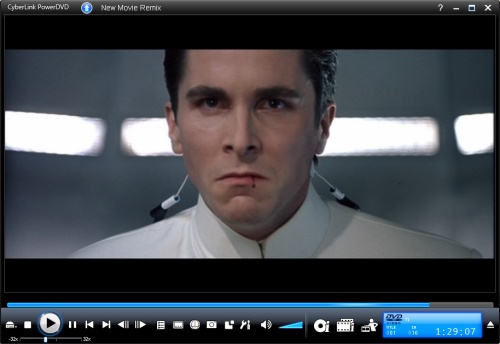


 - Performance