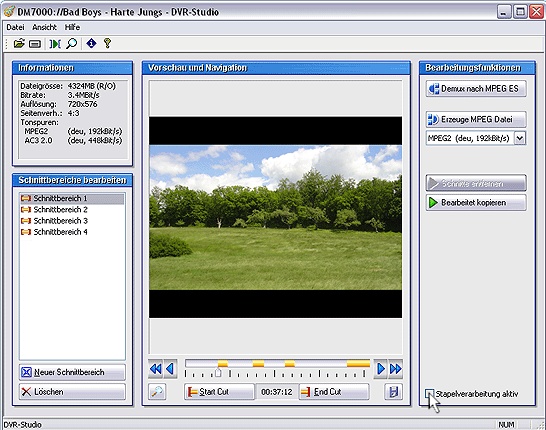
Various satellite receivers already provide an interface (USB2, Ethernet etc.) to transfer recordings to a PC. You can use DVR-Studio to edit and demultiplex these recordings, creating files you can use (with DVR-Studio Pro or other DVD authoring software) to author and burn a DVD.
Features:
Demultiplexing recordings on PC into separate video and audio files, including AC3. Such file formats are suitable for further processing with external DVD authoring products.
Re-multiplexing video and audio files of a record into a common MPEG file. This file format can be performed by most of the Media Players directly on the PC.
Video and audio dubbing while de- or re-multiplexing.
Defining and administering an unlimited amount of cut areas in a recording. Thus, e.g. trailers and advertisings can be removed.
Deleting defined cut-areas directly in the source-file on the receiver, which will be shortened without recall.
Proper handling of points of intersection; no fragments or errors in the performance.
Possibility to save single picture previews as bitmap files.
Easy navigation inside the records with preview, navigation buttons, mouse wheel and keyboard.
Information about resolution, aspect ratio and number, type and format of the enclosed audio tracks.
Configuration facility for favoured file extensions, log files and output directories.
Automatic identification of advertisings and trailers by means of AC3 audio format changes. The corresponding cut areas will be set automatically.
Transfer modules for direct access to receiver harddisks.
Add-on to Dreambox for a direct readout of the receiver harddisk over network.
Cut preview: Check with picture and audio if the positon of your cut mark is correctly set.
Batch processing : Edit several records, add them to the batch list and start the further processingof the whole list with one mouse click.
Variable window sizes: From small to full screen; simply adjustable by mouse.
Support service: Individual messages or messages concerning updates will show up directly in the software.


 Home
Home


 Official Download Page