Software - > Quick AVI Creator

xvid to mp4 conversion
Enlarge Image Enlarge Image: xvid to mp4 conversion
More Images More Images

Downloads


Join Our Newsletter
Title: Quick AVI Creator
Author/Publisher: Red Wine (details)
Ease of use: Beginners
Latest Version: 2.11.04.2009 (details)
OS Support: Windows 2000 Windows XP Windows 2003 Windows Vista Windows 7
License: Freeware
Date Added: May 17, 2008
Last Updated: Nov 4, 2009
Page Viewed: 9488 times

  Email Updates
email me whenever this software gets updated

Send to Friend   Send to Friend

User Rating:
Vote Now

Summary Links Images Ratings History Tools

Related Forum Threads:

Loading

Downloads:

Download: Quick AVI Creator v2.11.04.2009 Title: Quick AVI Creator v2.11.04.2009
Link: Download
Size: 18.9 MB

Description: Download Quick AVI Creator version 2.11.04.2009


Download: Quick AVI Creator v2.11.04.2009 Title: Quick AVI Creator v2.11.04.2009
Link: Download
Size: 18.9 MB

Description: Download Quick AVI Creator version 2.11.04.2009


Download: Quick AVI Creator archive Title: Quick AVI Creator archive
Link: Download

Description: Quick AVI Creator older versions.


Archive Downloads Download Older Versions (3 downloads)...


Description:

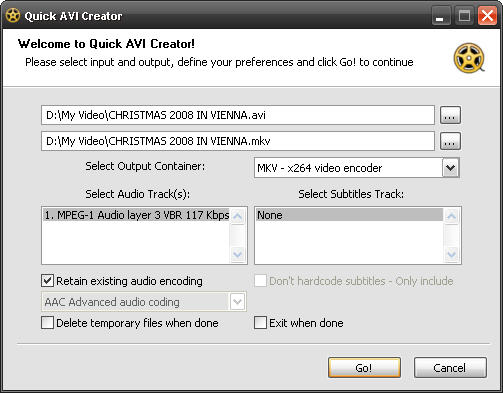
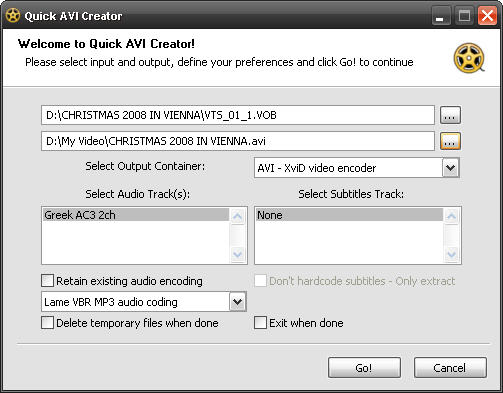
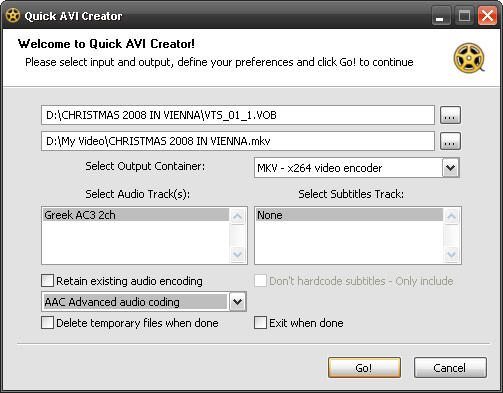
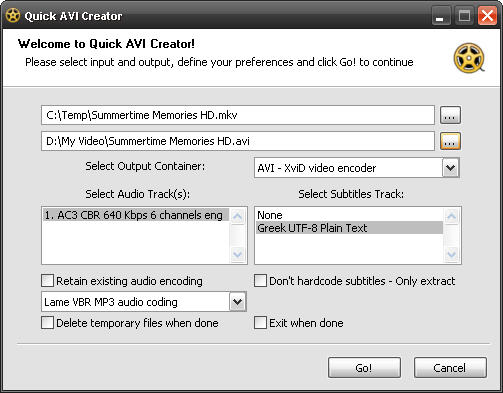
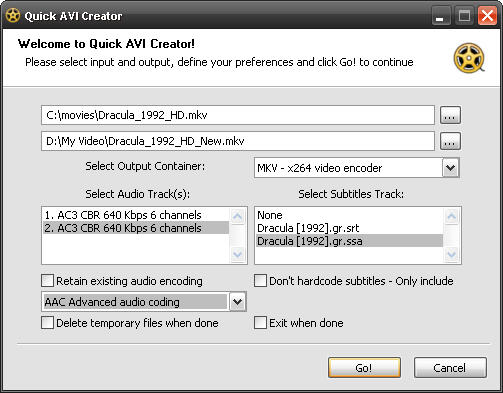
Quick AVI Creator (QAC) is a FREEWARE, easy to use front-end, which uses several GNU licensed applications to convert video from DVD / MPEG / AVI / MKV /MP4 sources, to AVI / MKV / MP4 containers by using either XviD or x264 encoders.

Supported up to 2 audio tracks with formats AC3 / DTS / PCM / MPEG / WMA / AAC / OGG either for converting or direct copying according to the provided source and the desired output.

Supported up to 1 subtitle track, either internal DVD, MP4 and MKV subtitles or external text subtitles with formats Subripper (srt), MicroDVD (sub), Sub Station Alpha (ssa/ass) and VobSub ripped subtitles (idx-sub).

The extra goal of the Quick AVI Creator is the absolute tuning of the output.
To accomplish this goal, QAC uses AvsP which is the main difference between Quick AVI Creator and other video conversion front-ends.

Therefore you have the full control of the generated Avisynth script, thus you take advantage of every feature that the Avisynth offers. You will be able to preview the output, trim, resize, deinterlace, if necessary, modify the frame rate, or add Avisynth filters (such as denoise).

System Requirements

Obviously a proper decoding filter for decompressing AVI, DivX, XviD, etc. should be installed. Even if you already have one, my suggestion is ffdshow which has been tested and verified that QAC works smoothly with this.

Supported Windows 2000 and above versions. Windows 7 not tested though.
At least a Power User account is required. (Admin account is recommended).

Certain programs so called "Internet Security suites", may need to be trained in order to allow certain background activities when QAC launching the several included applications (tools).

Categories:

Supported File Formats:

Input Files: AVI, AVS, DVD, HD DVD, MKV, MP4, MPG, VOB
Output Files: AVI, MKV, MP4

Revision History:

Version 2.11.04.2009
  • Release Date: Nov 4, 2009
  • Quick AVI Creator version 2.11.04.2009 (November 04, 2009)
  • Added new feature: Support for MP4 input source. QAC is now able, to transode MP4 sources to AVI/MKV/MP4.
  • Bug fixed: Incorrect detection of low bitrate mono MP3 sound track caused the event "invalid input file".
  • Bug fixed: Incorrect extraction of selected internal subtitles track when the input source (MKV/MP4) contains multiple tracks.
  • Improved the Unicode conversion (UTF-8), regarding on external and internal text subtitles.
  • Improved the detection of external subtitles applying on all containers.
  • Updated: MKVmerge to v2.9.8.0
  • Updated: MKVmerge to v2.9.8.0
  • Updated: MKVextract to v2.9.8.0
  • Updated: x264 to version r1163.
  • Updated: Mediainfo to version 0.7.24.
  • Updaded: XviD core to version 1.2.2
  • Updated: Valdec to version 0.31b
  • As usual performed a lot of improvements regarding on user interaction.
  • Regarding on the chosen input and output, applied the optimal related options. However most of the applied options are able to change by the user while few others are mandatory.
View complete revision history

User Rating:

  Average Rating: Your Rating:
Registered Users: No ratings recorded
Non-Registered Users: (3 votes)

User Comments:

Sorry, but you must be logged in to use this feature.

Please note that the forum has a separate login/registration system. You will need to sign up and login to the forum separately.

Username:
Password:
Remember Login?
 

Don't have an account? Sign up here
Lost your login/password?
Top 10
Features

H.264 Zone: H.264 news, articles and downloads


Software Submissions