

 Home
HomePage 2 of 3: Adding multiple titles/movies to 1 DVD using Nero Recode 2
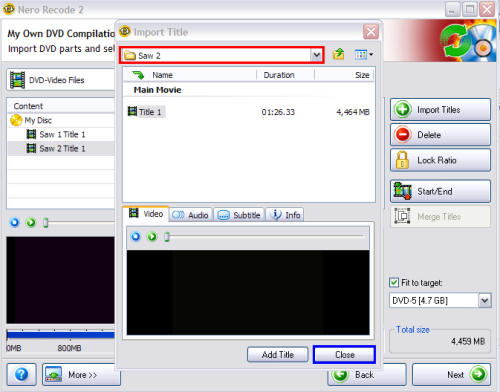
Now repeat the same procedure you did above for every title/movie you wish to add to the final DVD. For me it was "Saw 2" (red). When you get finished adding each title you want, click the "Close" button at the bottom (blue). (Screen Shot Below)
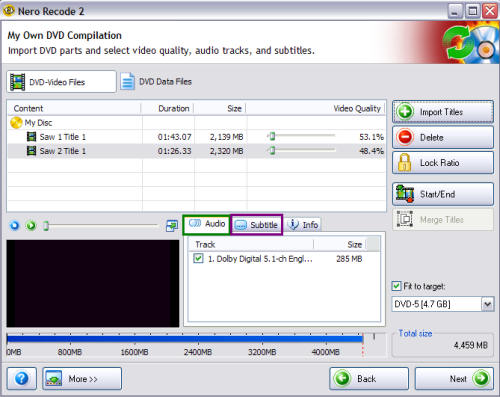
For heavy compression reasons, make sure you take the check mark out of the box for each audio stream you don't want (green) and also do the same for Subtitles (purple). ( I only keep 1 audio stream to begin with so thats why there is only 1 audio stream to begin with. I highly recommend keeping just 1 audio stream and 1 subtitle so that you aren't using heavy compression.) (Screen Shot Below)
For heavy compression reasons, make sure you take the check mark out of the box for each audio stream you don't want (green) and also do the same for Subtitles (purple). ( I only keep 1 audio stream to begin with so thats why there is only 1 audio stream to begin with. I highly recommend keeping just 1 audio stream and 1 subtitle so that you aren't using heavy compression.) (Screen Shot Below)


